AI Services Market › Skills factory › Images › Freelance Marketplace OG Image
$4.99 · No sign-inv1.0.0– views
Freelance Marketplace OG Image
Both sides of the marketplace, one preview.
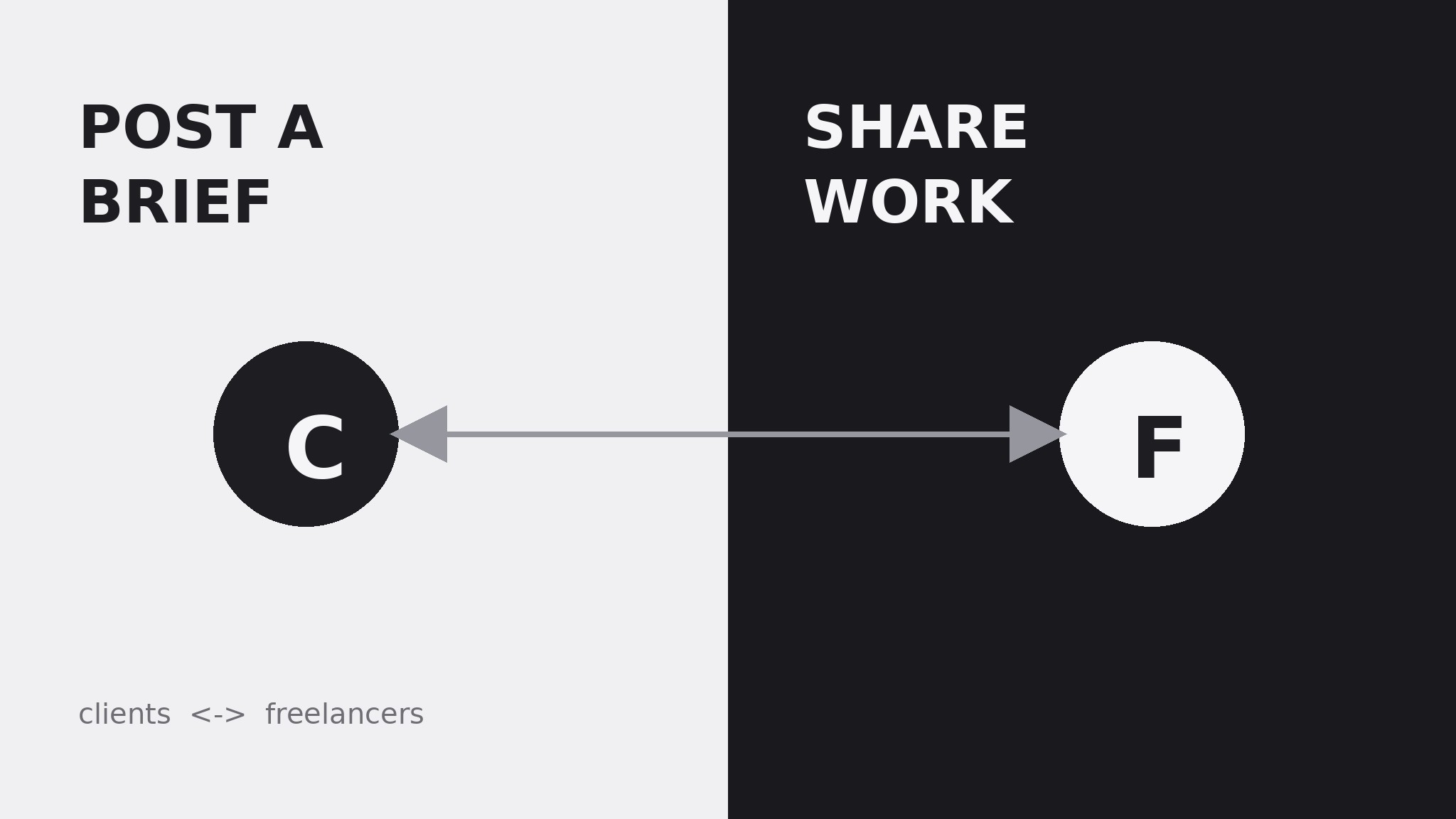
Turns your AI into a social-preview designer that builds a 1200×630 link-preview image for a freelance marketplace — a two-sided promise, one clear pairing idea, and a layout that survives thumbnail-size cropping.
Best for
Founders and marketers launching a freelance marketplace
Time needed
~25 min
Level
Beginner-friendly
Install it in 3 steps
No sign-up. No CLI tools. Pick your AI, copy one line, paste it over.
Prefer doing it yourself? Buy the skill ($4.99), download the ZIP from your checkout confirmation, unzip it into the directory shown above, restart your AI session — same result. Already bought it? Your AI assistant can download it for you.
What’s inside
One SKILL.md (the playbook) + one starter template. A preview:
Freelance Marketplace OG Image
When to use
- You are launching or repositioning a freelance marketplace and need the image that appears when anyone shares its link
- Your current link preview is a generic stock photo of a laptop that could belong to any site on the internet
- You want the preview to say, in one glance, that this is a place where clients find skilled people and skilled people find work
- You need one image that works across chat apps, social feeds, and messaging previews without redesign
- You are preparing a launch post, a directory listing, or a press page and need a consistent share image
Workflow
- Write the two-sided promise (input: your marketplace's positioning → output: one preview headline)
Write one line that speaks to both sides of the marketplace at once — the client and the freelancer — in 6–9 plain words, e.g. "Great work finds the people who do it." Avoid lines that speak to only one side ("Hire anyone in minutes" leaves freelancers cold; "Find gigs fast" leaves clients out). The line must make sense to a stranger with no context; if it needs a subtitle to explain the business, keep cutting. - Choose the pairing idea (input: headline → output: visual concept)
Show the pairing, not a single person: two profiles facing each other, two halves of one composition, or a brief-and-portfolio pair. The visual should say "match" in one glance — two sides coming together around a piece of work. Keep the people abstract (initial blocks, silhouettes, or simple avatar circles), never real-looking photos of invented people, and never a single lone freelancer at a laptop. - Lay out the 1200×630 canvas (input: headline + pairing idea → output: composed layout)
Put the headline large on one side and the pairing visual on the other, with the marketplace name or wordmark small in one corner. Keep all critical content inside a safe zone with at least 60 px of margin — previews crop unpredictably. Use one background color and one accent color; the two sides of the pairing can carry two tones of the same accent so the "two sides" idea reads without turning the image into a rainbow. - Set type and labels (input: layout → output: finished visual spec)
Use one bold, highly legible typeface for the headline and a smaller weight for an optional subline of at most 10 words. Label the two sides with one generic word each — "Clients" and "Freelancers," or "Post a brief" and "Share your work" — so the pairing idea is explicit even at small sizes. Keep the labels short, the type large, and the total word count on the image under 20.
Template preview
Freelance Marketplace OG Image — Template
One image, one two-sided promise. Fill in the blanks, then build the 1200×630 file.
The promise
- Headline (6–9 plain words, speaks to both sides): {headline}
- Subline (optional, ≤10 words): {subline}
- Marketplace name / wordmark: {name} — placement: {corner}
Pairing visual
- Concept: {two profiles facing each other / two halves / brief-and-portfolio pair}
- Side A label: {e.g. "Post a brief" / "Clients"}
- Side B label: {e.g. "Share your work" / "Freelancers"}
- People treatment: {abstract avatar circles with initials / silhouettes} — never photorealistic invented people


