Product Launch Kit
Launch week as one story, told in order.
Turns your AI into a launch-asset kit builder — scopes a launch kit around one clear narrative arc, assembles the assets it needs (teaser, reveal, landing, email, social cuts, launch-day checklist), and sets the bar each must clear so launch week feels like one story, not a pile of posts.
Install it in 3 steps
No sign-up. No CLI tools. Pick your AI, copy one line, paste it over.
Prefer doing it yourself? Buy the skill ($4.99), download the ZIP from your checkout confirmation, unzip it into the directory shown above, restart your AI session — same result. Already bought it? Your AI assistant can download it for you.
What’s inside
One SKILL.md (the playbook) + one starter template. A preview:
Product Launch Kit
When to use
- Your launch is four weeks away and the assets are a vague list in someone's head
- Your last launch felt like a pile of disconnected posts — teaser, then silence, then "it's live!" — and sales matched the confusion
- You want every launch asset to tell the same story, in the same order, on every channel
- You are launching to an existing audience and cannot afford to waste their attention on a muddled announcement
- You need a kit you can reuse for the next launch, not a one-off scramble you swear you will never repeat
Workflow
- Scope the kit (input: product, audience, launch date → output: kit scope sheet)
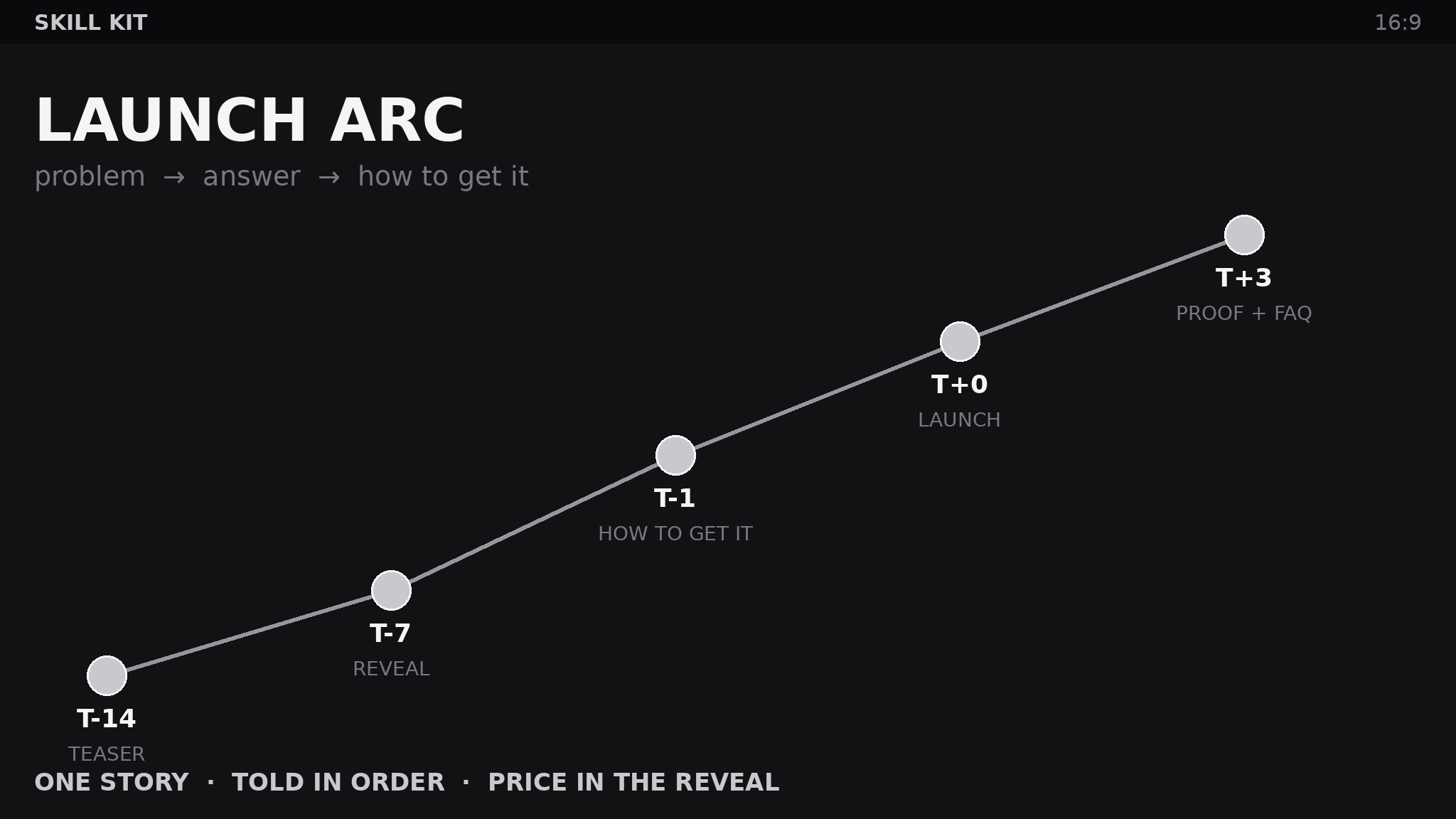
Fix the launch date, then plan backwards: every asset gets a ship date relative to launch day (T-14, T-7, T-1, T+0, T+3). The scope sheet names the product in one sentence, the one audience it is for, the single problem it solves, and the narrative arc in three beats: the problem is real (teaser), the answer exists (reveal), here is how to get it (launch). One product, one audience, one problem — a launch that tries to announce three things announces none of them. If the date cannot move, cut assets, never cut the arc. - Inventory the launch skills (input: scope sheet → output: skill inventory)
List the skills the kit needs, one per asset: Teaser (turns the problem beat into curiosity-building posts that never show the product), Reveal (turns the answer beat into the first full look — name, shape, price, and the one thing that makes it different), Landing page (turns the whole arc into one page: problem, answer, proof, price, FAQ, buy), Email sequence (turns the arc into three to five emails matched to the T-minus schedule), Social cuts (turns the reveal and landing into channel-native clips and cards), Objection handling (turns every "but…" you have heard into an FAQ answer and a one-line reply), Launch-day checklist (turns the schedule into a minute-by-minute run sheet with owners and fallbacks). If the kit has no objection skill, launch day is when you first discover what people actually worry about — too late.
Template preview
Product Launch Kit — Run Sheet Pack
One product, one audience, one problem. One story, told in order.
1. Kit scope sheet
Product (one sentence): {what it is} Audience (one sentence): {who it is for} Single problem it solves: {problem} Launch date (T+0): {date} Narrative arc: Problem is real (teaser) → Answer exists (reveal) → Here is how to get it (launch) Rule: if the date cannot move, cut assets, never cut the arc.
2. Teaser brief
Ship date: {T-14} Problem beat: {the problem, made vivid — product never shown} Curiosity line: {what the reader will learn next week} Leak check: {can a reader name the product from this? must be no}


