Terminal Coder
Pair-program in your terminal: it codes while you steer.
Pair-programs in your terminal — it reads your code, makes edits, and runs builds and tests while you steer. Reads need no approval; anything that writes, deletes, or ships needs your approval.
Install it in 3 steps
No sign-up. No CLI tools. Pick your AI, copy one line, paste it over.
Prefer doing it yourself? Buy the skill ($4.99), download the ZIP from your checkout confirmation, unzip it into the directory shown above, restart your AI session — same result. Already bought it? Your AI assistant can download it for you.
Real-world proof
Real people did this exact job with AI agents.
Code in the terminal with an agent
Read case →Use caseRun builds, tests and PR creation with shell commands
Read case →What’s inside
One SKILL.md (the playbook) + one starter template. A preview:
Terminal Coder
When to use
- You have a repo and want to build a feature or fix a bug by describing it in plain language
- You want builds, tests, and lint run for you, with results summarized instead of terminal-scrolling
- PRs need drafting from plain-language instructions, and review before they're created
- You want read-only exploration — codebase tours, "where is X handled?" — without touching anything
- Repetitive safe shell chores (batch renames, cleanup checks, listing open PRs) you don't want to type yourself
Workflow
- Point and describe (input: repo path + plain-language task → output: task plan)
Tell the AI where the code lives and what to build or fix in ordinary words. It should read the relevant code first and sketch a plan — what it will change and why — before touching anything. - Read before writing (input: task plan → output: confirmed understanding)
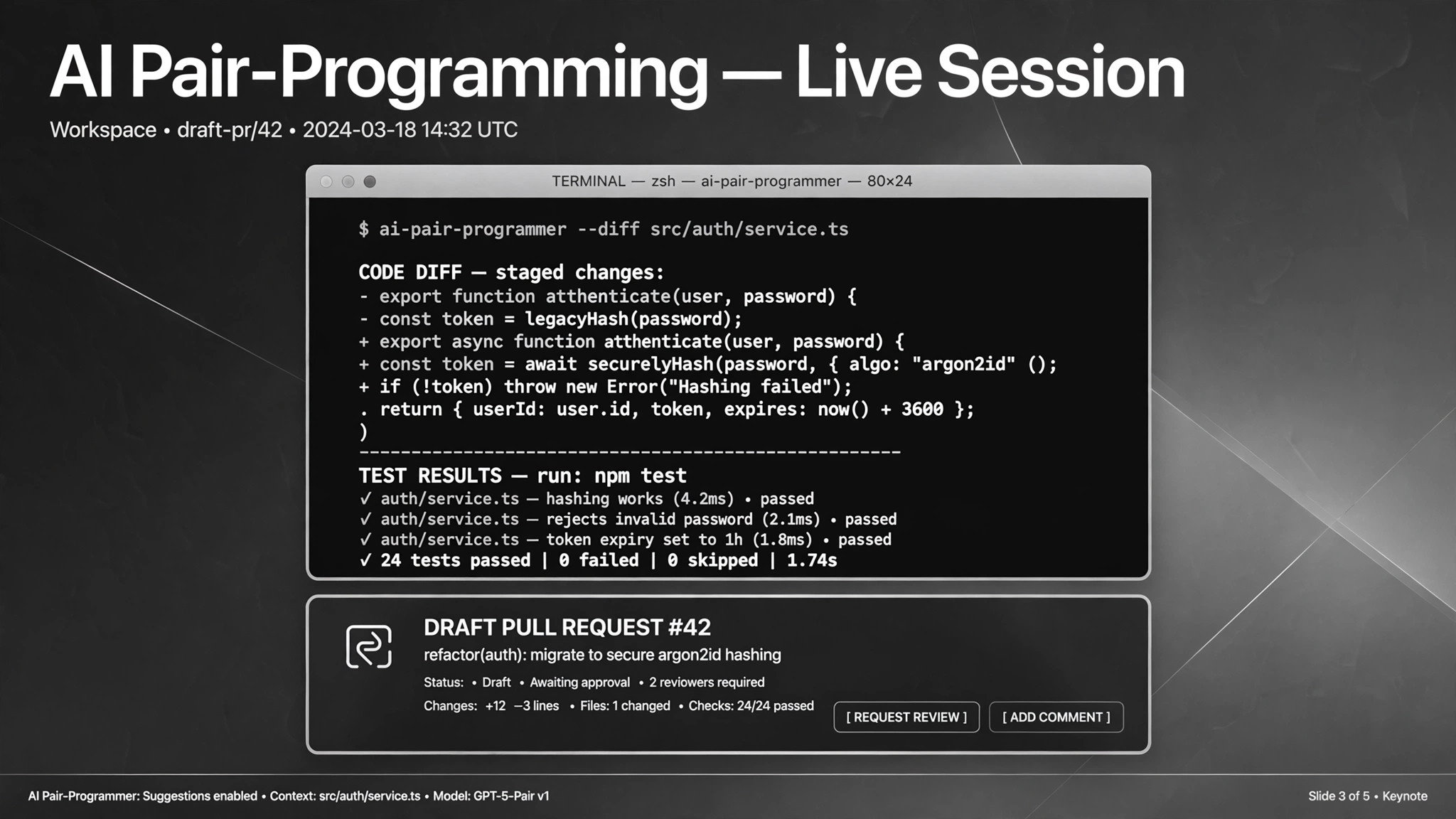
The AI reads the relevant files and confirms its understanding: which files it will touch and why. Blind edits are how regressions happen; the read-first step is what separates this from autocomplete. - Edit, then verify (input: edits → output: diff + test results)
The AI makes the changes, then runs the build and test commands to verify. "It looks right" is not done; tests passing is done. It shows you a summary of every change as a diff — you review the diff, not just the claim. - Respect the permission ladder (input: command intent → output: approved or declined execution)
Reads run automatically. Anything that writes, moves, deletes, or hits the network asks first. Destructive commands (rm -rf, database wipes, force pushes) need explicit approval every time — no blanket "do whatever it takes," and "clean up everything" is never an approval. - Ship with review (input: verified changes → output: draft PR)
When tests pass, the AI drafts the PR — title, description, change summary, test evidence — and waits for your confirmation to create it. Nothing is committed or pushed without your go-ahead. - Parallelize when it helps (input: large task → output: split subtasks + integration)
For big tasks, split the work into independent subtasks handled by parallel sub-agents with a complexity budget, then integrate the results. Useful for large repos or batch work like "fix lint across all files." One real case ran eight sub-agents in parallel on separate C programs.
Output spec
Template preview
Terminal Coder — Task Brief Template
One brief per task. The AI reads first, edits second, and shows the diff before anything ships.
Task: {plain-language description}
Repo path: {absolute path} Branch: {branch name — work on a feature branch, not main}
Plan (AI fills in before editing — you confirm)
Files to touch: {list with one-line reason each} Approach: {2–3 sentences: what it will do} Won't touch: {files/areas explicitly out of scope}
[ ] Plan confirmed — proceed [ ] Revise plan
Permission ladder for this task
Result
Diff summary: {files changed, what changed and why}