Shared Context Conflict
Two sides, one slot, a tug-of-war you can watch
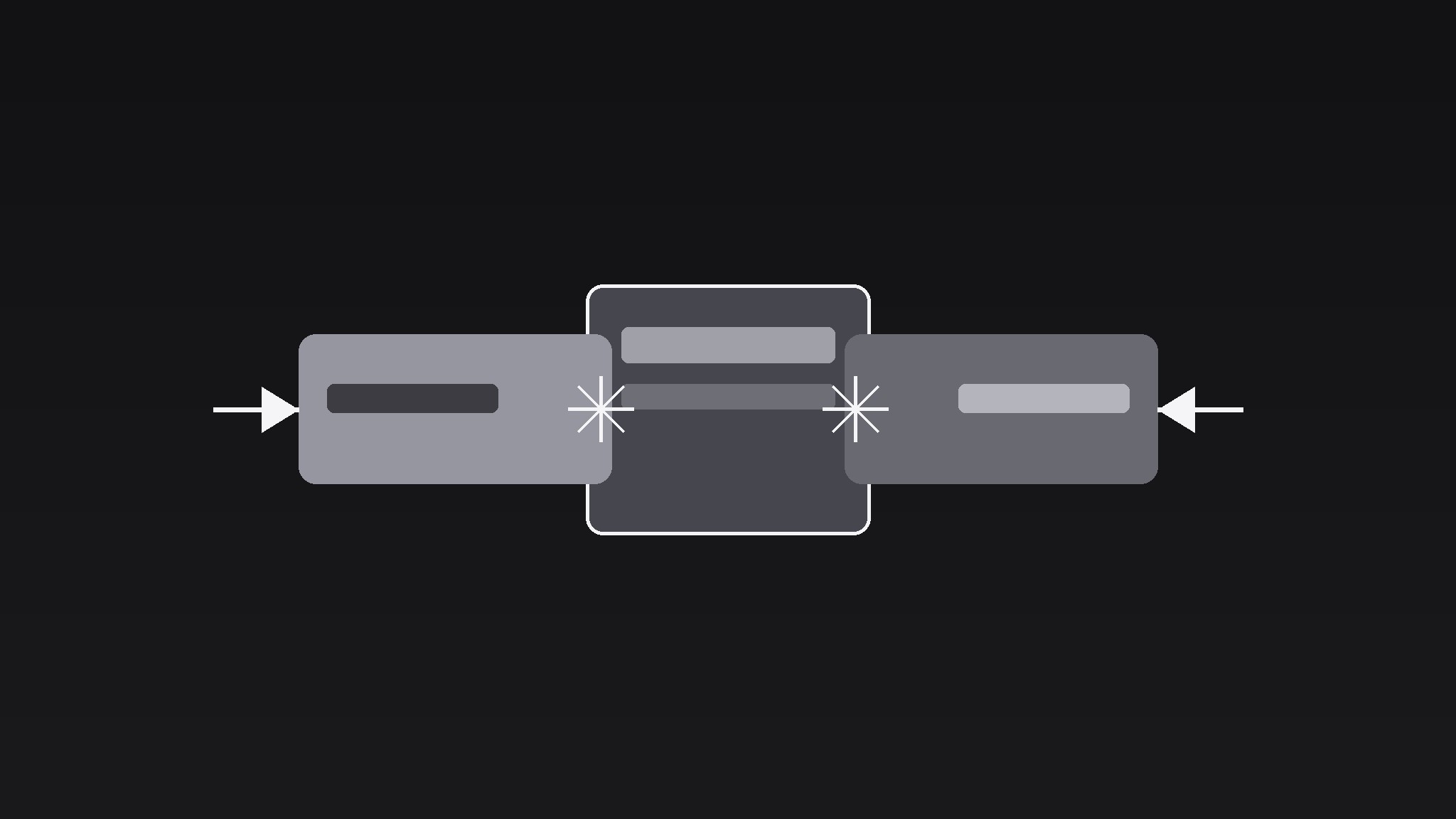
Turns your AI into a motion-graphics director for the shared-context-conflict pattern — puts two elements in one shared frame competing for the same slot, and animates their collision, so a trade-off or clash reads as a physical tug-of-war instead of a bullet point.
Install it in 3 steps
No sign-up. No CLI tools. Pick your AI, copy one line, paste it over.
Prefer doing it yourself? Buy the skill ($4.99), download the ZIP from your checkout confirmation, unzip it into the directory shown above, restart your AI session — same result. Already bought it? Your AI assistant can download it for you.
What’s inside
One SKILL.md (the playbook) + one starter template. A preview:
Shared Context Conflict
When to use
- A video explains a trade-off (speed vs quality, price vs features) and wants the tension felt, not just stated
- A comparison stages two options fighting for the same budget, screen space, or calendar slot
- A story beat shows two characters, teams, or ideas colliding over one decision
- A product video shows the old workflow and the new workflow competing for the same job
- A debate segment gives each side one shared stage instead of two separate talking heads
Workflow
- Define the shared context (input: two competing elements → output: one shared frame)
Name the single thing both sides want: one budget line, one screen slot, one headline, one afternoon, one job. Draw that shared context as one container — a single box, slot, timeline block, or stage — dead centre, taking ~40–50% of frame width. Both elements must visibly want the same container; if each side gets its own box, there is no conflict, just a comparison. Label the container in ≤4 words ("This week's budget", "The hero slot", "Friday 3pm"). One container, two claimants, zero ambiguity about what is at stake. - Introduce the claimants (input: two elements → output: opposing entry)
Bring the two elements in from opposite sides over 0.6–0.8s, ease-out: Side A from the left, Side B from the right, each stopping just outside the container's edge with a 4–6% gap. Give each a distinct identity — different colour (one cool, one warm, both desaturated to ~70% so neither screams), a short label (≤3 words), and one icon or word that stands for its claim. Equal size, equal weight: the audience must not be able to tell who wins from the entrance. Hold 0.5s with both sides flanking the container — the standoff is the setup. - Stage the collision (input: standoff → output: conflict animation)
Animate the conflict over 1.2–1.8s in three micro-beats: (a) both elements push inward toward the container at once (translate 4–6% of frame width, 0.3s, ease-in) and stop short — the near-miss; (b) they recoil to their start positions (0.25s, ease-out) — the bounce-back; (c) the stronger side pushes in again, this time crossing into the container's edge and compressing the other side back by ~8% (0.5s, ease-in-out). Add a 2–3px shake to the container on the final push (two quick ±2px jolts, 0.15s total) and a brief impact accent — a 0.1s white flash at 15% opacity at the contact point, or a single low thud if the video has sound. The loser must visibly give ground: if nothing yields, there was no conflict, just choreography.
Template preview
Shared Context Conflict — Template
One container, two claimants, one outcome.
The shared context (one container, ≤4-word label)
Container label: {e.g. "This week's budget" / "The hero slot" / "Friday 3pm"} Container width: ~40–50% of frame, dead centre What is at stake (one line): {what both sides want}
The claimants (equal size, equal weight)
Entry: opposite sides over {0.6–0.8}s, ease-out, stop {4–6}% outside container Standoff hold: 0.5s
Collision (1.2–1.8s)
Impact: container shake ±2px × 2 (0.15s) + {flash 0.1s at 15% / single low thud / none}


