Scattered Images to Presenter Wall
Scattered photos fly into a tidy wall behind you
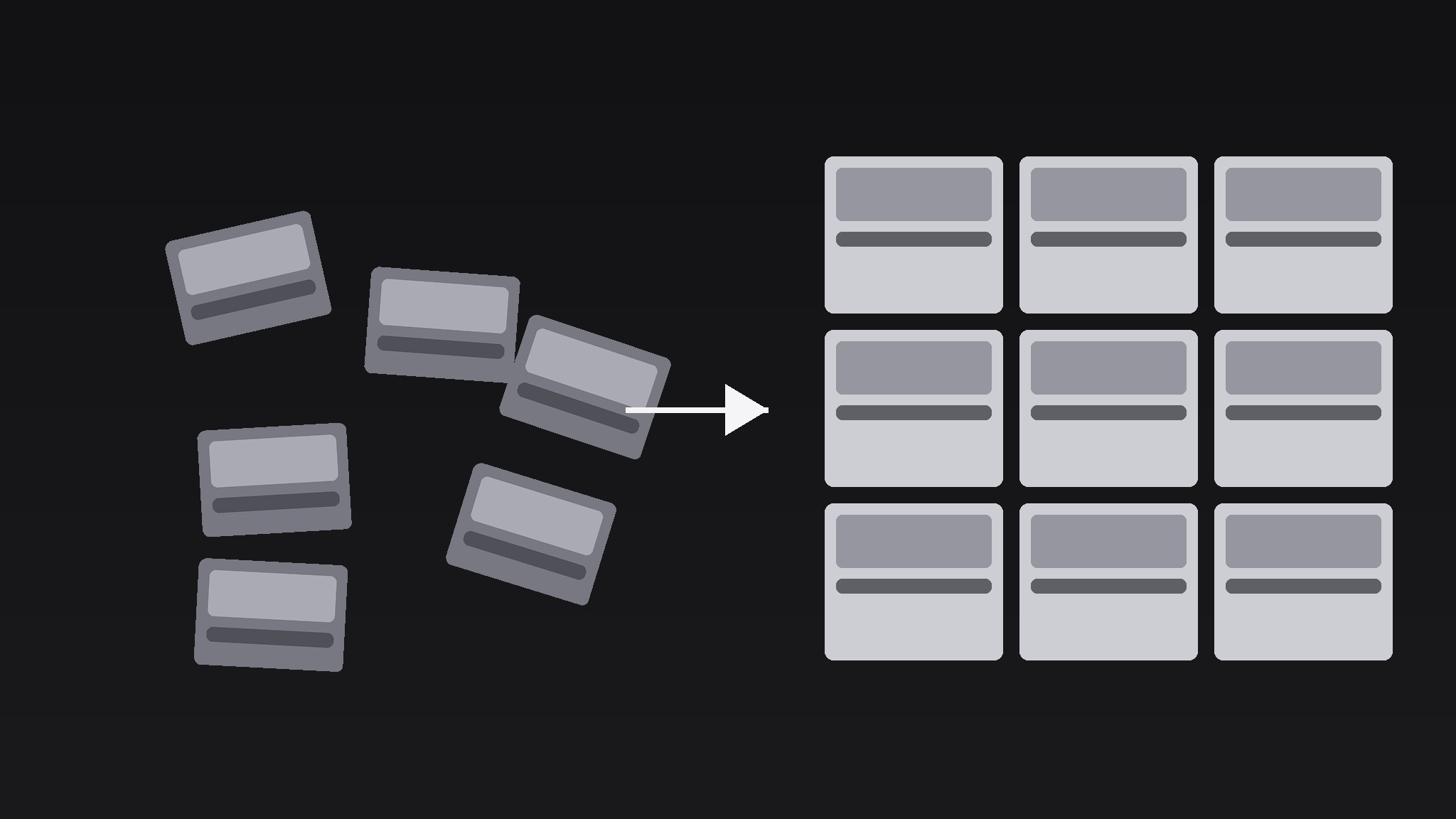
Turns your AI into a motion-graphics director for the scattered-images-to-presenter-wall pattern — starts with photos scattered loose across the frame, then flies each one into a neat grid wall behind the presenter, so chaos visibly becomes a curated collection.
Install it in 3 steps
No sign-up. No CLI tools. Pick your AI, copy one line, paste it over.
Prefer doing it yourself? Buy the skill ($4.99), download the ZIP from your checkout confirmation, unzip it into the directory shown above, restart your AI session — same result. Already bought it? Your AI assistant can download it for you.
What’s inside
One SKILL.md (the playbook) + one starter template. A preview:
Scattered Images to Presenter Wall
When to use
- A creator opens a video with a pile of reference photos and needs them tidied into a backdrop
- A portfolio intro shows scattered project stills that assemble into a showreel wall
- A mood-board segment starts messy and resolves into the collection the episode will use
- A case-study video gathers evidence photos from all over the frame into one organised board
- A presenter intro needs energy up front, then a clean background to talk against
Workflow
- Gather the images (input: image pool → output: 6–12 chosen images)
Pick 6–12 images: enough to feel abundant, few enough that each one is still recognisable at wall size. Crop every image to the same aspect ratio (4:3 or 1:1) — mixed ratios make the final wall look accidental. Rank them: the 2–3 strongest go in the centre of the wall, the rest fill the edges. If an image has text that must stay legible, it earns a centre slot; edge tiles shrink to ~15% of frame width and their text will not read. - Scatter them (input: chosen images → output: scattered opening frame)
Place the images loose across the frame: random rotations between −18° and +18°, random positions, 30–50% overlap between neighbours, sizes varying from 18% to 32% of frame width. Deliberate mess, not actual randomness — check that no image is more than 70% covered, and that the overall scatter roughly fills the frame edge to edge with no big empty corner. Add a soft drop shadow (blur 16px, opacity 30%) under each image so they read as physical prints lying on a table. Hold the scatter for 0.6–0.8s so the audience registers "mess" before the tidy-up starts. - Fly to the wall (input: scatter → output: assembly animation)
Animate over 1.6–2.2s: each image flies to its assigned grid slot in the wall, rotating from its scatter angle to 0°, scaling to the uniform tile size. Stagger the departures: images leave in waves of 2–3, 0.08–0.12s apart, centre tiles first, edge tiles last — the wall builds outward from the middle, which reads as intentional. Use ease-in-out on every flight path; add a slight arc (midpoint lifted 5–8% of frame height) so the motion feels like tossing prints onto a board rather than sliding them. No image should cross in front of the presenter's face zone if the presenter is already on screen — route flights around a reserved centre-bottom zone, or keep the presenter off-screen until the wall is built.
Template preview
Scattered Images to Presenter Wall — Template
Mess first, wall second, presenter third.
The images (6–12, uniform aspect ratio)
Aspect ratio: {4:3 / 1:1} | Border: {2–3px white / none}
Wall grid: {3×3 / 4×2 / 4×3} — gaps {1.5–2}% of frame width
Scatter (opening frame)
Rotations: −18° to +18° | Overlap: 30–50% | Sizes: 18–32% of frame width Shadow: blur 16px, opacity 30% Hold: {0.6–0.8}s — check: no image >70% covered, no big empty corner.
Assembly (1.6–2.2s)
Stagger: 0.08–0.12s, waves of 2–3, centre tiles first, edge tiles last Path: ease-in-out, arc lift {5–8}% of frame height


