Nested Scope Emphasis
Boxes inside boxes — one layer lights up at a time.
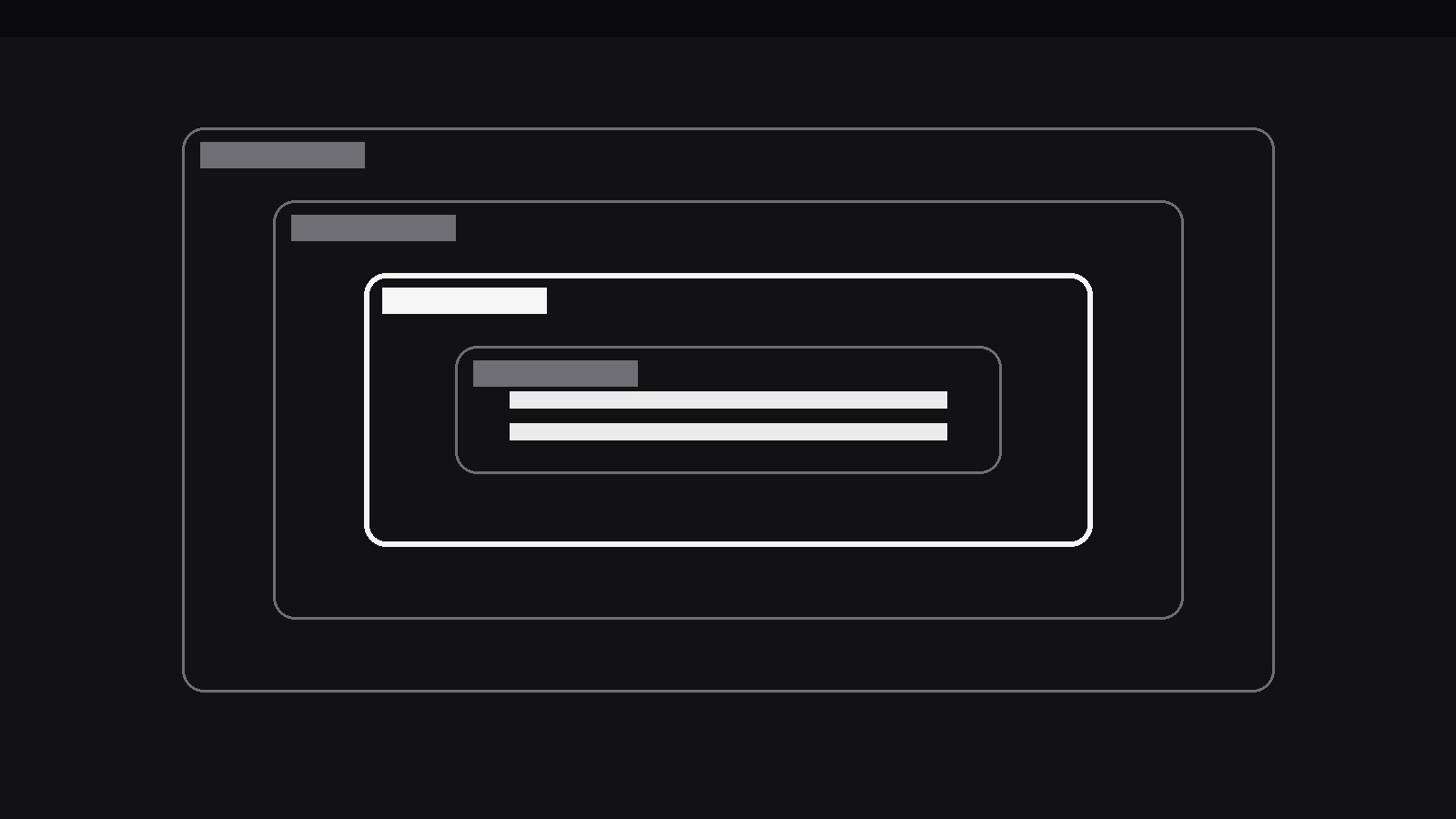
Turns your AI into a motion designer for one specific pattern — a stack of nested scopes (a box inside a box inside a box) lights up one level at a time while the others dim, so the viewer learns exactly which layer is being talked about. For code explainers, architecture diagrams, and org charts where "inside what?" is the whole question.
Install it in 3 steps
No sign-up. No CLI tools. Pick your AI, copy one line, paste it over.
Prefer doing it yourself? Buy the skill ($4.99), download the ZIP from your checkout confirmation, unzip it into the directory shown above, restart your AI session — same result. Already bought it? Your AI assistant can download it for you.
What’s inside
One SKILL.md (the playbook) + one starter template. A preview:
Nested Scope Emphasis
When to use
- A code explainer walks through nested blocks (a function inside a class inside a module) and the viewer keeps losing track of which level the current line belongs to
- An architecture diagram shows systems inside systems (a service inside a cluster inside a region) and the narration needs to isolate one layer at a time
- An org chart or permissions explainer must show who sits inside which scope — team inside department inside company — without flattening the nesting
- A security or privacy explainer shows data flowing through nested boundaries (device → app → server → partner) and needs to name the boundary being crossed
- A design-system video explains tokens inside components inside layouts, where each level inherits from the one around it
- A debugging story narrows from the outer scope inward ("the bug isn't in the app, it's in the request, it's in this header") and the visual needs to narrow with it
Workflow
- Map the nesting (input: your structure → output: scope stack)
Write the scopes from outermost to innermost, each with a short name (1–3 words) and one line saying what it contains: e.g. Region → Cluster → Service → Handler. Cap the stack at 3–5 levels; a sixth level means the diagram needs restructuring, not a smaller font. Each level must genuinely contain the next — nesting that is decorative (boxes drawn inside boxes for looks) will collapse the moment the narration touches it. If two levels are really siblings, draw them side by side, not nested. The map is the contract: the animation will never show a level outside the one that contains it. - Draw the nested frame (input: scope stack → output: nesting diagram)
Draw each scope as a rounded-rectangle container with a visible border and a small label tab at its top-left corner, each inset from its parent by a consistent margin (24–32px at full size, never less than 16px, so every layer stays visible as a distinct band). The innermost scope holds the content — the code line, the component, the record — that the video is ultimately about. Use one border colour for all levels at rest (a neutral mid-grey), so that no level looks important before the emphasis arrives. Keep the labels short and always visible: a scope whose name only appears when emphasised is a scope the viewer can't navigate.
Template preview
Nested Scope Emphasis — Starter Template
Map the nesting first. Every level must genuinely contain the next.
Scope stack (3–5 levels, outermost → innermost)
Innermost content (the payload): {e.g. The code line / component / record the video is about}
Diagram
- Container style: {rounded rectangle, label tab top-left}
- Insets: {24–32px per level, never <16px}
- Rest state: {single neutral border colour, all labels visible}
Emphasis sequence
- Journey direction (pick one): [ ] Inward (narrowing) | [ ] Outward (why it matters)
- Order: {e.g. Region → Cluster → Service → Handler}
- Emphasis: {border 3px accent + filled label tab, others dim to 35%}


