Milestone with Detail Branch
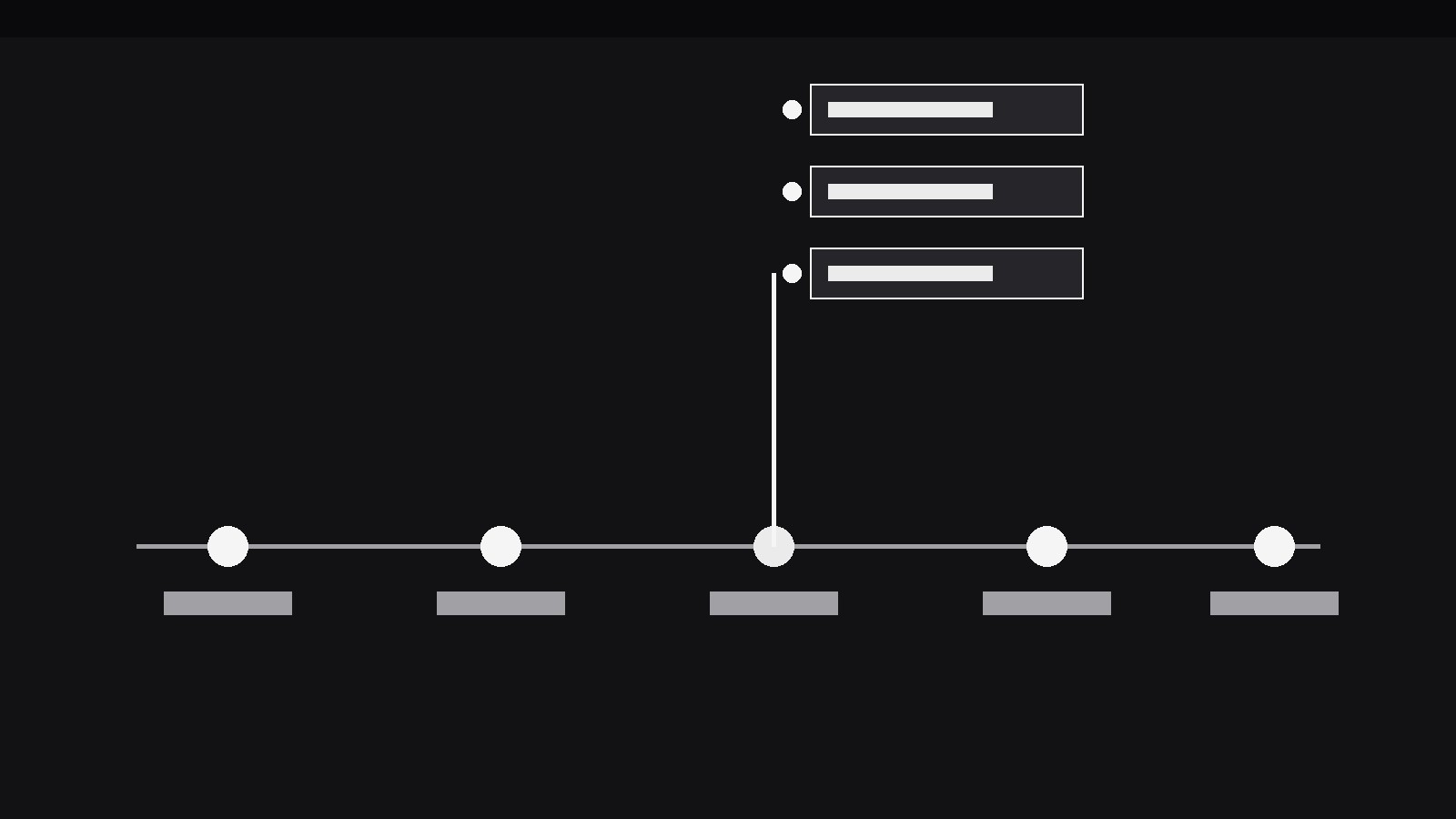
One milestone opens up — its sub-tasks branch off the line.
Turns your AI into a motion designer for one specific pattern — a timeline milestone sprouts a detail branch that grows off the main line, holding the sub-tasks and evidence behind that milestone without breaking the timeline's flow. For roadmaps, retrospectives, and project stories where one date needs its own close-up.
Install it in 3 steps
No sign-up. No CLI tools. Pick your AI, copy one line, paste it over.
Prefer doing it yourself? Buy the skill ($4.99), download the ZIP from your checkout confirmation, unzip it into the directory shown above, restart your AI session — same result. Already bought it? Your AI assistant can download it for you.
What’s inside
One SKILL.md (the playbook) + one starter template. A preview:
Milestone with Detail Branch
When to use
- A roadmap video reaches a milestone that hides real complexity ("Beta launch") and the audience deserves to see what that milestone actually contained
- A retrospective walks a timeline of a project and one date needs its sub-tasks, owners, or evidence shown without derailing the whole timeline
- A pitch deck's timeline slide has one milestone the presenter will be asked about — the branch pre-answers the question in the video version
- A release-notes video lists versions on a timeline and one release needs its feature list expanded in place
- A project story needs to show that a milestone was a container (many small pieces) rather than a single event, while keeping the overall chronology readable
- A status update shows a timeline with one milestone at risk, and the branch holds the blockers and next steps for exactly that milestone
Workflow
- Build the main timeline first (input: your dates + milestones → output: timeline)
Lay out the full timeline before any branch exists: a single horizontal (or vertical) line, evenly spaced milestones, each with a short label (2–4 words) and a date. The timeline must read cleanly with zero branches — if it doesn't, the branch will only add noise to confusion. Cap the timeline at 4–6 milestones per scene; more than that, and the branch has no room to grow. The milestone that will branch gets no special treatment yet — same dot, same label weight as the others — because the branch is a surprise the timeline earns, not a decoration it starts with. - Choose the branch content (input: timeline → output: branch payload)
Decide what the branch holds: 2–5 items, each one short line — sub-tasks, features, evidence, or blockers. Every item gets a label (≤6 words) and, where it helps, one tiny status mark (done, in progress, blocked) in the same vocabulary across all items. Cut ruthlessly: the branch is a close-up of one milestone, not a second timeline. If the branch needs more than 5 items, it is a scene of its own — give it one, and let the timeline resume after. Write the branch payload before animating anything; a branch whose content is invented mid-animation always ends up lopsided.
Template preview
Milestone with Detail Branch — Starter Template
Build the timeline first, then the branch. One branch open at a time.
Timeline (4–6 milestones, must read clean with zero branches)
Branch payload (2–5 items, ≤6 words each)
Branching milestone: {e.g. Beta launch}
> At most one emphasised item. If the branch needs 6+ items, it is its own scene, not a branch.
Animation
- Branch growth: {500–650ms ease-out} — stem from the dot, items 120–180ms apart
- Timeline dim while open: {40% opacity} | Branching dot scale: {1 → 1.3}
- Hold: {≥1.8s} of stillness, no other motion


