Message Sequence Lanes
Every message in its lane, in order, no confusion.
Turns your AI into a motion designer for message-sequence diagrams — messages travel along parallel lanes between participants, so who said what to whom, and in what order, is visible at a glance. For protocol explainers, system-design walkthroughs, and debugging stories where the order of messages is the whole point.
Install it in 3 steps
No sign-up. No CLI tools. Pick your AI, copy one line, paste it over.
Prefer doing it yourself? Buy the skill ($4.99), download the ZIP from your checkout confirmation, unzip it into the directory shown above, restart your AI session — same result. Already bought it? Your AI assistant can download it for you.
What’s inside
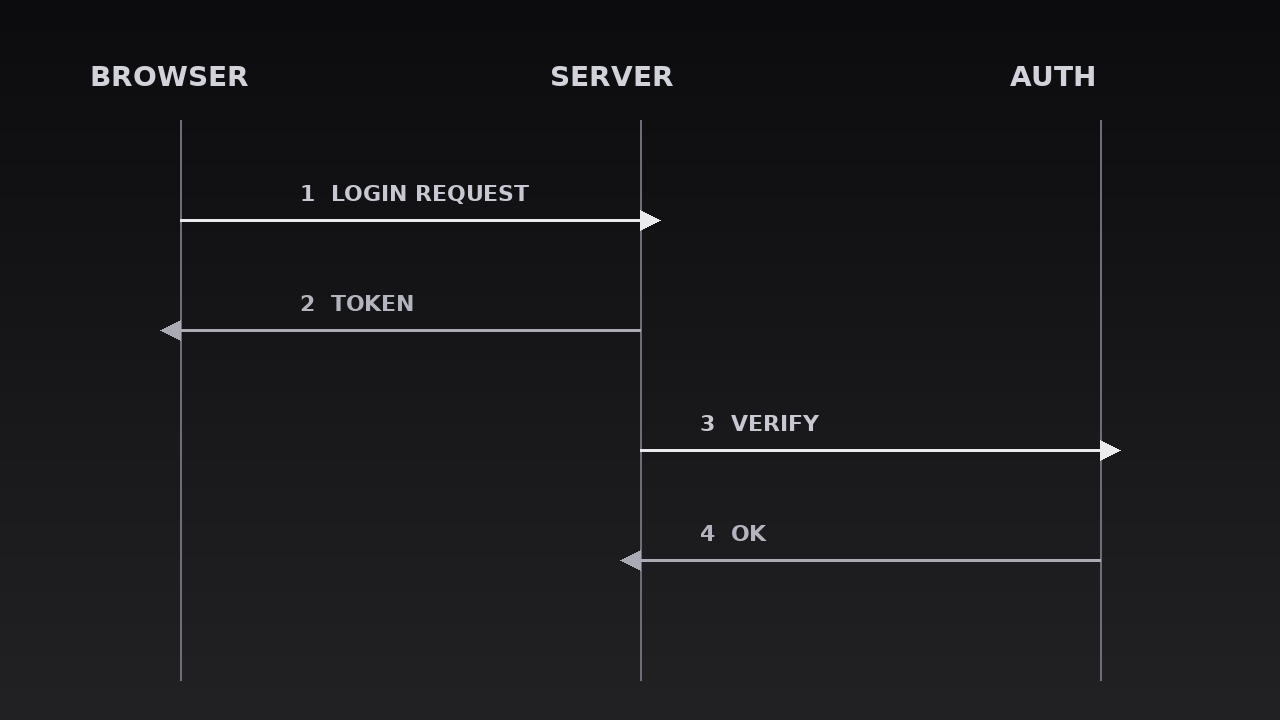
One SKILL.md (the playbook) + one starter template. A preview:
Message Sequence Lanes
When to use
- A protocol or API explainer where the audience must see the exact order of requests and responses between services
- A system-design walkthrough where three or more components exchange messages and the sequence is the architecture
- A debugging or incident story where the bug hides in the order of two messages, not in either message alone
- An auth, payment, or handshake flow where "who talks to whom, when" is the part everyone gets wrong
- A tutorial on async patterns (queues, webhooks, retries) where messages overtake, repeat, or arrive late
- A comparison of two flows (before/after, sync vs. async) where the lane layout makes the difference visible
Workflow
- List the participants (input: your flow → output: participant list)
Name the 2–5 actors that actually send or receive messages — services, users, devices, queues — one short label each (≤3 words: "Browser", "Auth server", "Payment queue"). Every participant gets exactly one lane; a participant who only appears once still gets a full lane, because merging lanes mid-diagram breaks the reader's mental map. Cut passive observers: if an actor never sends or receives, it is context, not a participant — mention it in narration, not in lanes. Order the lanes to minimise crossing: the two actors that talk most should sit adjacent, so their arrows stay short and horizontal. - Assign the lanes (input: participant list → output: lane layout)
Draw one vertical lane per participant, evenly spaced, each topped with a labelled header (the participant's name, plus a small icon if the system uses one). Lanes run the full height of the diagram, with a thin vertical line marking each lane's spine. Time flows downward: the top of the frame is "first", the bottom is "later" — never the reverse, and never left-to-right for time in this pattern, because horizontal time collides with horizontal messages. Leave generous vertical space between messages: a cramped sequence diagram reads as a ladder, not a story. If the flow has more than ~10 messages, split it into two diagrams at a natural phase boundary (e.g. "login" then "checkout") rather than compressing.
Template preview
Message Sequence Lanes — Starter Template
One lane per participant, time flows downward, one message at a time.
Flow: {title} | Participants: {n} | Messages: {n} (max ~10 per diagram)
The key exchange (the one this diagram exists to show): messages #{n}–{n} — "{what happens / what goes wrong}"
1. Participants (2–5, one lane each, ordered to minimise crossings)
Cut test: every participant sends or receives at least once — passive observers removed: [ ] Chattiest pair adjacent: [ ] (lanes reordered so their arrows stay short)
2. Messages (true chronological order)
Order verified against reality (async arrivals, overtakes, retries in true order): [ ]


