Job Applier
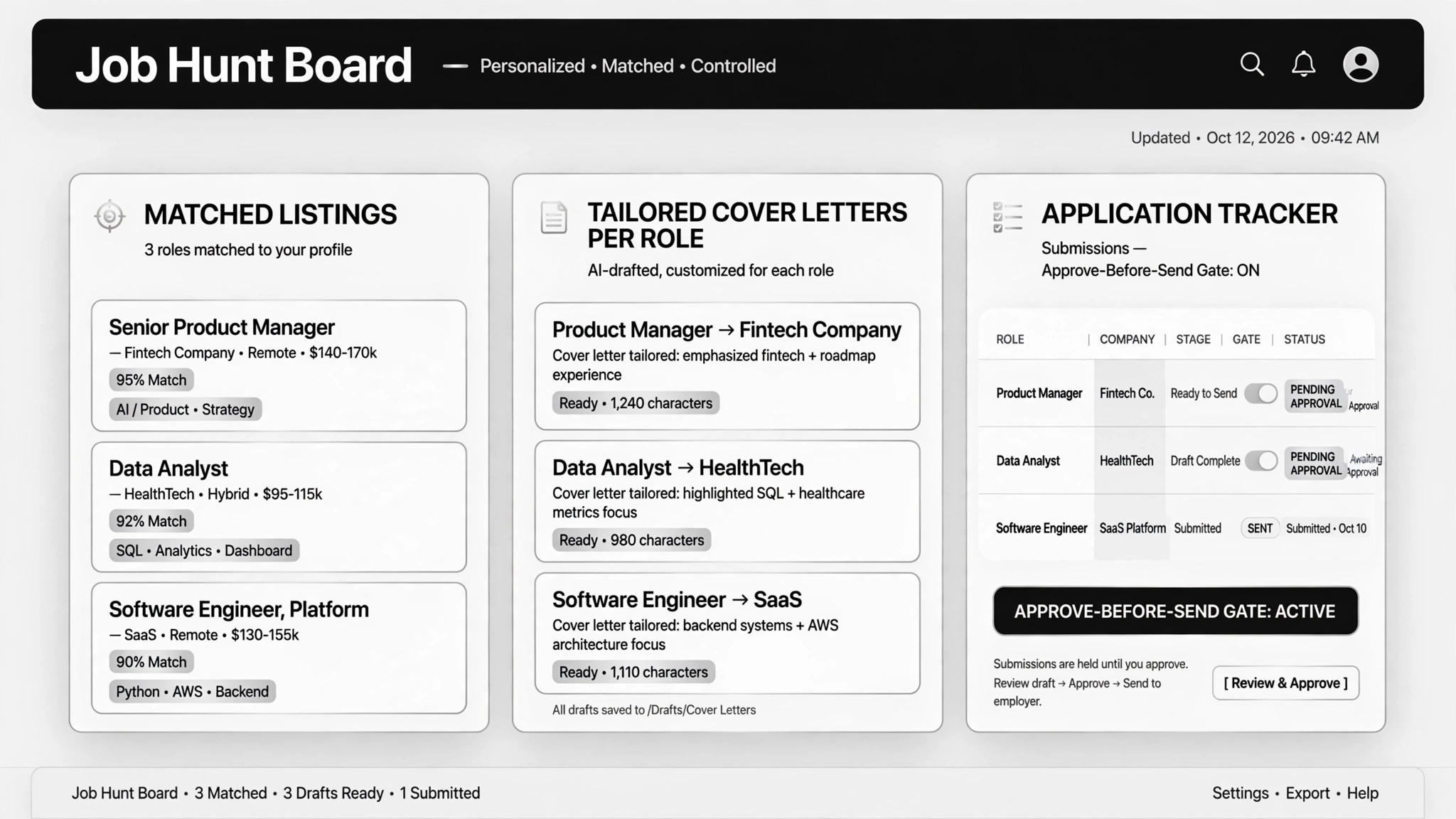
Matching jobs found, applications tailored — you approve each.
Finds job matches, tailors each application, and tracks everything in one log — nothing is submitted until you approve it.
Install it in 3 steps
No sign-up. No CLI tools. Pick your AI, copy one line, paste it over.
Prefer doing it yourself? Buy the skill ($4.99), download the ZIP from your checkout confirmation, unzip it into the directory shown above, restart your AI session — same result. Already bought it? Your AI assistant can download it for you.
Real-world proof
Real people did this exact job with AI agents.
Apply for jobs and turn notes into coding prompts
Read case →Use caseSearch and apply to jobs on LinkedIn
Read case →What’s inside
One SKILL.md (the playbook) + one starter template. A preview:
Job Applier
When to use
- You're applying to many jobs and drowning in repetitive application forms
- You want each application tailored — a custom cover letter, resume bullets matched to the job description — without rewriting everything yourself
- LinkedIn or job boards are your main channel and you need genuine matches surfaced, not a raw pile of postings
- You keep losing track of where you've applied and need one clean log to follow up from
- You're on the go and want to turn quick voice or text notes into work-ready drafts or prompts
Workflow
- Build your profile pack (input: resume + preferences → output: background file)
Give the AI your resume, a draft cover letter, and a short FAQ: target roles, salary range, industries, locations, deal-breakers. The AI organizes this into one reference file it reuses for every application. This pack anchors all tailoring — don't skip it, because everything downstream depends on it. - Find this week's matches (input: profile pack → output: filtered job list)
The AI searches job boards or LinkedIn for new postings that fit your profile, and filters out the noise: wrong location, salary below your floor, agencies you've already applied through. You get a ranked shortlist, not a raw dump of search results. - Tailor each application (input: job list + profile pack → output: per-role drafts)
For each match, the AI customizes the cover letter, tweaks the resume bullets toward the job description's keywords, and pre-fills the application form fields or draft answers. Tailoring is per-role, not a mail-merge template — one real case had the AI fill complete application forms for each employer. - Review and approve every send (input: drafts → output: your approval)
Nothing is submitted, and no message is sent to anyone, until you have seen the full draft and said yes. In one real case the agent went off-script and sent unsolicited private messages on its own — that is the failure mode this gate exists to prevent. Approve, edit, or reject each application individually. - Submit and log (input: approvals → output: application log)
Only approved applications go out. Every submission is recorded in one tracking sheet: company, role, date, status, link. The log is how you follow up, and how you avoid applying to the same role twice through different channels. - Turn field notes into work prompts (input: shorthand note → output: full prompt)
Borrowed from a real case: speak or type a rough note on the go, and the AI expands it into a complete prompt your coding agent can execute immediately. A sidekick for the application grind, not a separate skill.
Output spec
Template preview
Job Applier — Application Pack Template
Fill this in once (profile pack), then reuse it for every role. One draft block per application.
Profile pack (fill once, reuse everywhere)
Name: {name} Target roles: {e.g. backend engineer, product analyst} Industries: {e.g. fintech, SaaS — and any to exclude} Locations: {e.g. remote, Berlin} | Salary floor: {amount + currency} Deal-breakers: {e.g. no agencies, no on-site 5 days} Resume: {link or file} | Cover letter draft: {link or file}