Expense Tracker
Forward receipts, get clean expense reports and budget insight back.
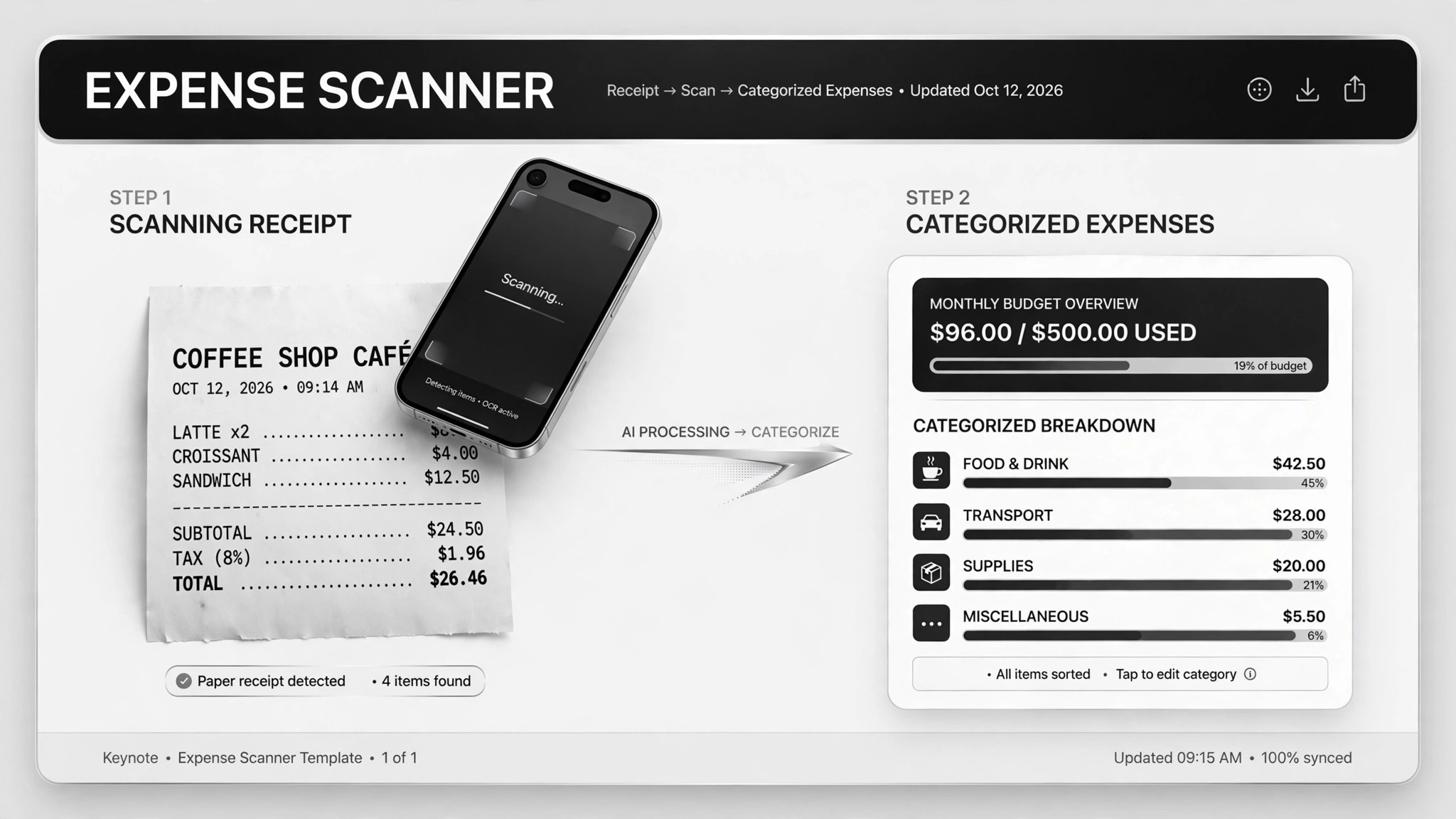
Forward receipts and bank statements as they arrive; get clean expense reports, budget summaries, and tax-ready summaries back — you only review the flagged items.
Install it in 3 steps
No sign-up. No CLI tools. Pick your AI, copy one line, paste it over.
Prefer doing it yourself? Buy the skill ($4.99), download the ZIP from your checkout confirmation, unzip it into the directory shown above, restart your AI session — same result. Already bought it? Your AI assistant can download it for you.
Real-world proof
Real people did this exact job with AI agents.
Turn forwarded receipts and bank data into expense and tax summaries
Read case →Use caseAnalyze budgets and research investments from bank data
Read case →Use caseExtract invoice data and file it into a bookkeeping sheet
Read case →What’s inside
One SKILL.md (the playbook) + one starter template. A preview:
Expense Tracker
When to use
- You keep losing track of receipts and dread expense time
- You want a weekly spending summary without opening a spreadsheet
- Tax season is coming and your deductions live in a shoebox of PDFs
- You're self-employed and need clean expense records your accountant can actually use
- You want to spot subscription creep or budget leaks before they cost you real money
Workflow
- Set up the intake (input: your tools → output: forwarding channel)
Create one dedicated place for receipts: a forwarding email address, a chat thread, or an upload folder — whatever you'll actually use in the moment. The system only works if forwarding a receipt takes less effort than ignoring it. Note which bank exports you can provide (CSV downloads; never hand over login credentials). - Extract the facts (input: receipt image/PDF → output: structured row)
From each receipt pull four things: merchant, date, amount, category. Photos go through a vision pass; PDFs get their text extracted first. Every row carries its source file name so you can trace any number back to the original receipt in seconds. - Review and confirm (input: extracted rows → output: confirmed rows)
Before anything gets filed, you see each row and correct the mistakes — wrong merchant names, split categories, foreign currencies. This is the human checkpoint that makes the whole thing trustworthy. Anything the extractor can't read gets kicked back to you instead of guessed. - File and archive (input: confirmed rows → output: bookkeeping sheet + archive)
Confirmed rows append to your yearly bookkeeping sheet, and the original files archive into monthly folders. The sheet is the single source of truth; the archive is the audit trail. Keep both somewhere your accountant can open. - Run the summaries (input: bookkeeping sheet → output: reports on schedule)
Weekly: a simple expense report — total, by category, anomalies flagged. Monthly: budget vs. actual per category, plus a list of recurring subscriptions with amounts. Yearly: a tax summary of deductible items, with anything ambiguous listed separately for you or your accountant to decide.
Output spec
- Expense rows: date, merchant, amount, category, source file reference
- Weekly report: total spend, top categories, new subscriptions detected, anomalies flagged
- Monthly budget view: planned vs. actual per category, subscription list with monthly cost
- Annual tax summary: deductible totals, uncertain items listed separately with reasons
- Everything traceable to a source file; nothing auto-filed without your confirmation
Good vs. bad examples
Template preview
Expense Tracker — Category Map & Report Template
Confirm the category map once; every future receipt sorts itself.
Category map
Expense row (one per receipt)
Weekly report — {week starting yyyy-mm-dd}
Total spend: ${x} across {n} receipts Top categories: {category}: ${x} · {category}: ${x} New subscriptions detected: {service} — ${x}/mo since {date} Anomalies: {e.g. $412 charge from {merchant} — 3× the usual}
Monthly budget — {month}
Subscriptions this month: {n} services, ${x} total — {list}
Annual tax summary — {year}
Deductible total: ${x} Uncertain (needs accountant):