Chapter Label Stack
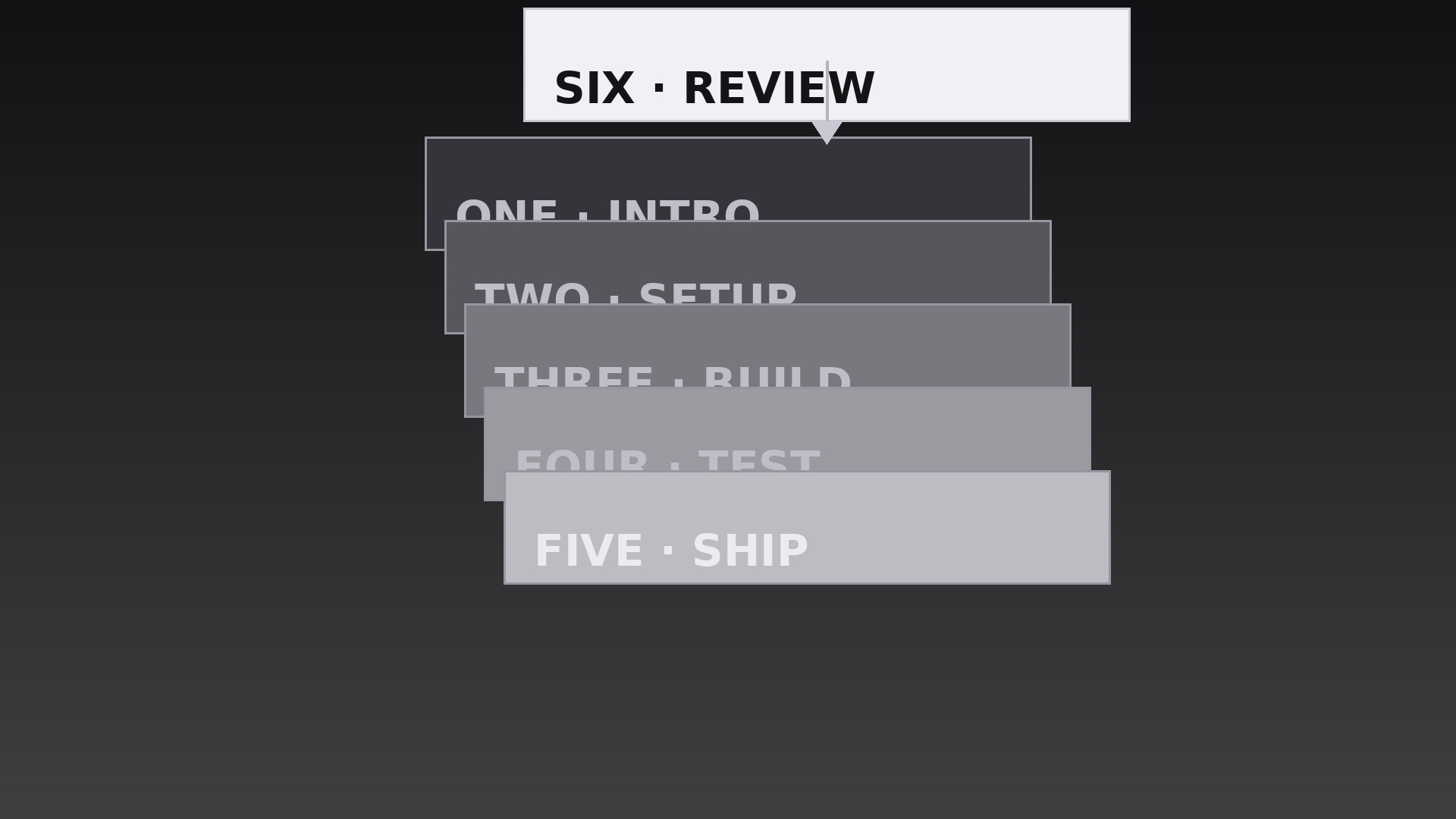
Each chapter label drops onto a growing pile — the stack itself shows how far you've come.
Teaches your AI to stack chapter labels like a deck of cards, with drop-and-settle landings, a still pile, overflow rules, and a clean closing beat.
Install it in 3 steps
No sign-up. No CLI tools. Pick your AI, copy one line, paste it over.
Prefer doing it yourself? Buy the skill ($4.99), download the ZIP from your checkout confirmation, unzip it into the directory shown above, restart your AI session — same result. Already bought it? Your AI assistant can download it for you.
What’s inside
One SKILL.md (the playbook) + one starter template. A preview:
Chapter Label Stack
When to use
- A video recap where each completed chapter's label lands on a pile, showing progress at a glance
- An agenda reveal where upcoming sessions stack up one by one as the host previews the day
- A multi-part tutorial where the stack grows with each finished step and stays visible as a progress record
- A documentary with accumulating themes where each segment adds its label to the pile
- A course module intro where the stack previews the lessons that will pile up across the module
- A countdown or ranking video where each revealed item lands on the stack before the next is announced
Workflow
- Write the labels as a deck (input: chapter list → output: ordered label strings)
Write one label per chapter: 1–4 words, plus a small chapter number. Order them in the sequence they will land — usually the order chapters appear, but a recap may stack in reverse so the most recent chapter lands on top. Keep every label roughly the same visual length; a deck of wildly different widths looks sloppy when stacked. If a label is much longer than the rest, shorten it — the stack's neatness depends on consistent label sizes. - Design the pile (input: labels → output: stack layout spec)
The pile sits in one fixed spot — lower third, center-frame, or one side — and never moves. Each label is a card: solid fill, one typeface, generous padding, a thin border or soft shadow so cards read as separate layers. Cards land with a small, consistent offset — 6–10px down and 4–8px to the right per card — so the edges of the cards beneath peek out and the pile reads as a stack rather than a single thick card. Cap the visible stack at 6–8 cards; beyond that, the offset pile spills off the frame or buries the early cards. - Choreograph the landing (input: stack spec → output: landing timeline)
Each new label enters from above the pile: it drops 120–180px over 0.35s with an ease-in curve (accelerating downward, like a real card falling), then lands with a 0.12s settle — a 2% scale squash (1.00 → 0.98 → 1.00) and a tiny shadow bloom as it meets the pile. Landings are spaced 0.45–0.60s apart so each card is seen arriving before the next drops. The pile itself never bounces or shifts when a card lands — only the arriving card moves. A bouncing pile reads as a toy; a still pile with crisp landings reads as a record being kept.
Template preview
Chapter Label Stack — Starter Template
Fill in every {placeholder}, then hand this spec to your video tool or motion designer.
Project
- Video title: {video_title}
- Frame size: {width}x{height} @ {fps}fps
- Stack purpose: {recap / agenda_reveal / progress_record / ranking}
- Stack order: {chapter_order / reverse_chronological — most recent on top}
Labels (in landing order)
(Add rows as needed. Keep all labels roughly the same visual length.)
Stack layout
- Pile position (fixed, never moves): {position — lower third / center-frame / one side}
- Card format: solid fill {card_color}, typeface {typeface}, generous padding, thin border or soft shadow


