AI Services Market › Skills factory › Video › Chapter Grid Pan
$4.99 · No sign-inv1.0.0– views
Chapter Grid Pan
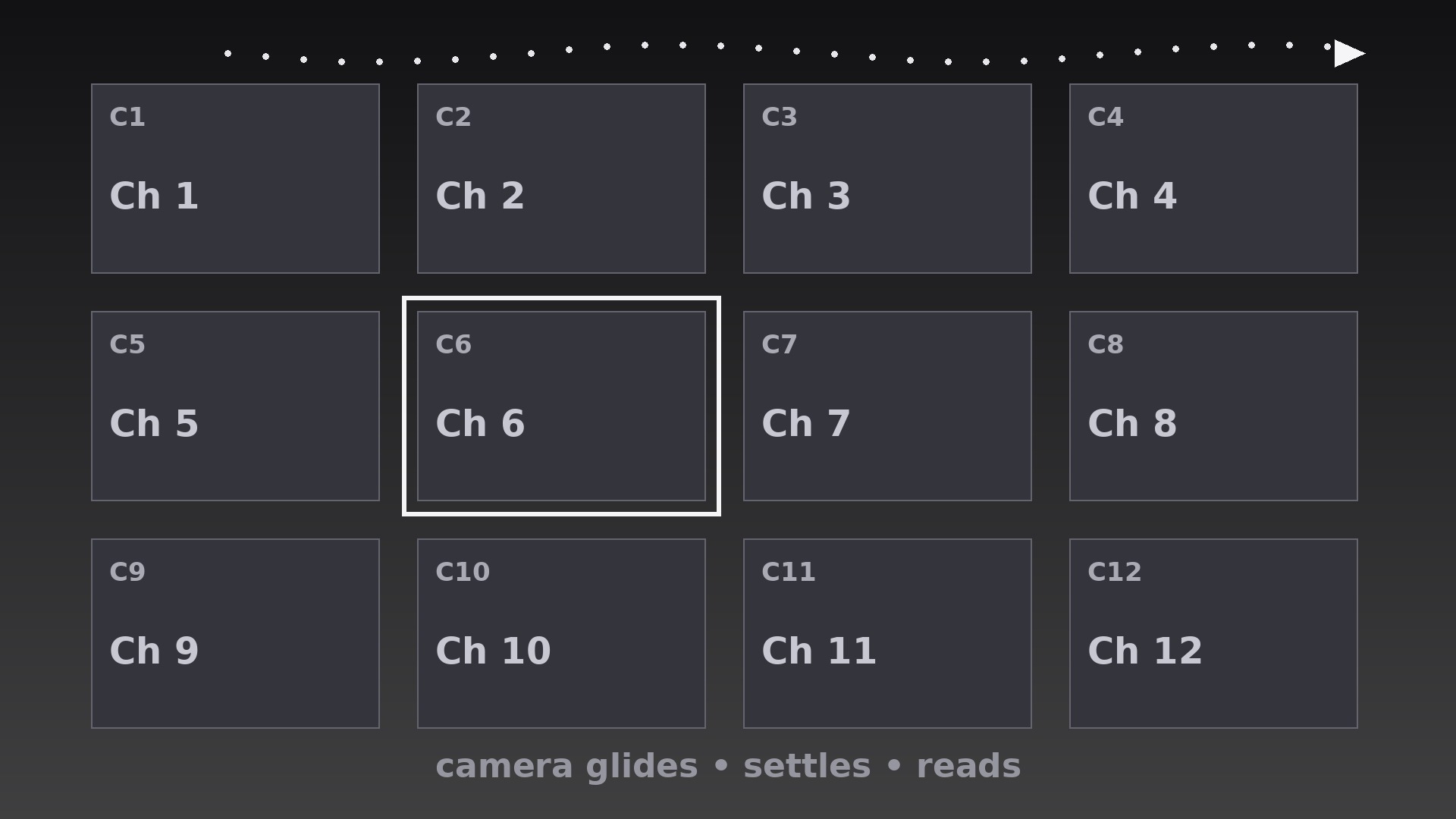
The camera travels the chapter map and settles on each tile — a tour, not a slideshow.
Teaches your AI to move a virtual camera across a still chapter grid, with timed moves, dead-still settles, snake-row paths, and clean push-in or pull-back handoffs.
Best for
Course and series creators who want to walk viewers across a chapter map in order
Time needed
~25 min for a first draft
Level
Beginner-friendly
Install it in 3 steps
No sign-up. No CLI tools. Pick your AI, copy one line, paste it over.
Prefer doing it yourself? Buy the skill ($4.99), download the ZIP from your checkout confirmation, unzip it into the directory shown above, restart your AI session — same result. Already bought it? Your AI assistant can download it for you.
What’s inside
One SKILL.md (the playbook) + one starter template. A preview:
Chapter Grid Pan
When to use
- A course overview where the narrator walks the viewer across the chapter map, one chapter at a time
- A series or season guide where the camera travels the episode grid and pauses on each episode
- A workshop agenda walkthrough where the host tours the day's sessions in order
- A documentary preview where the camera sweeps the segment map and settles on each segment's tile
- A compilation intro where the grid holds every segment and the camera visits each before the show starts
- A portfolio or curriculum map where the viewer needs to feel the scale of the whole grid and the detail of each tile
Workflow
- Build the grid as one canvas (input: chapter list → output: single large grid canvas)
Lay out all chapter tiles on one large canvas — 3×3 or 4×3 for nine to twelve chapters — with consistent tile size, gutters, and one tile per chapter (number + short title + one visual cue). The canvas is bigger than the frame: the camera sees only a portion at a time, roughly 2×2 tiles per view. Build the canvas at 2× the delivery resolution so pans stay sharp when the virtual camera zooms. Unlike a flip grid, tiles here never move — the camera does all the travelling, and the tiles stay perfectly still. - Plan the camera path (input: grid canvas → output: keyframed camera path)
Plot one smooth path that visits the tiles in reading order (left to right, top to bottom), with a keyframe at each tile: the camera centers on the tile, holds, then moves to the next. Path segments between tiles should be straight lines or gentle curves — never zigzags that double back, and never a path that crosses its own earlier route. If the grid is wider than one screen, snake the path row by row (left-to-right on row one, right-to-left on row two) so the camera never jumps back to the left edge mid-tour. - Set the pan and settle timing (input: camera path → output: move/settle timeline)
Each move between tiles takes 0.7–1.0s with ease-in-out (slow start, steady middle, gentle stop). Each settle — camera fully still, tile centered — lasts 0.9–1.4s, long enough for the viewer to read the tile's title and for narration to name the chapter. The settle is the point of the technique: a pan with no settle is a screensaver; a pan that settles is a tour. Total tour time is (moves × ~0.85s) + (settles × ~1.1s) — for 8 tiles, roughly 15s, so reserve this pattern for overviews, not for transitions between every chapter.
Template preview
Chapter Grid Pan — Starter Template
Fill in every {placeholder}, then hand this spec to your video tool or motion designer.
Project
- Video title: {video_title}
- Frame size: {width}x{height} @ {fps}fps
- Tour purpose: {overview_preview / guided_walkthrough}
Grid canvas (tiles NEVER move — only the camera moves)
- Canvas size: {canvas_width}x{canvas_height}px (build at 2× delivery resolution so pans stay sharp)
- Grid dimensions: {columns}x{rows} (3×3 or 4×3 typical)
- Tile size: {tile_width}x{tile_height}px, gutters {gutter}px
- Tiles per camera view: ~2×2
- Tile content: chapter number + short title + one visual cue


