AI Services Market › Skills factory › Video › Chapter Grid Flip
$4.99 · No sign-inv1.0.0– views
Chapter Grid Flip
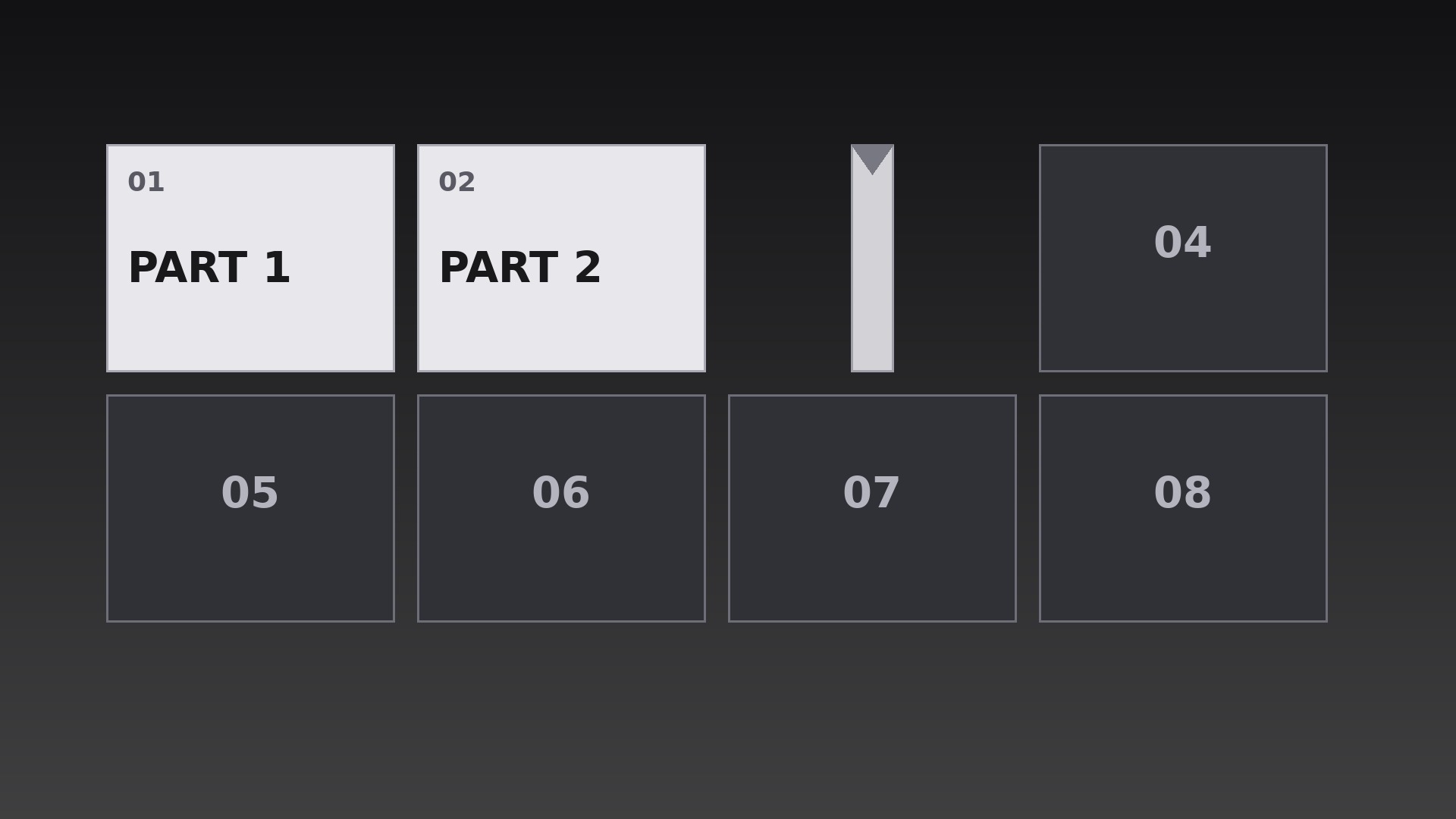
A grid of chapter tiles flips over one by one until the whole map lies face-up.
Teaches your AI to build a chapter grid where each tile performs a true 3D Y-axis flip in reading-order cascade, with a hidden midpoint face-swap and a clean landing settle.
Best for
Course creators and series producers who need a visual table of contents
Time needed
~25 min for a first draft
Level
Beginner-friendly
Install it in 3 steps
No sign-up. No CLI tools. Pick your AI, copy one line, paste it over.
Prefer doing it yourself? Buy the skill ($4.99), download the ZIP from your checkout confirmation, unzip it into the directory shown above, restart your AI session — same result. Already bought it? Your AI assistant can download it for you.
What’s inside
One SKILL.md (the playbook) + one starter template. A preview:
Chapter Grid Flip
When to use
- A course or series menu where the viewer should see every chapter laid out as a grid before choosing one
- A video's table of contents where each chapter tile flips to reveal its title in sequence
- A season or episode index where each tile flips to show its episode art and number
- A workshop agenda where the day's sessions appear tile by tile as the host previews them
- A documentary with distinct segments where a flipping grid recaps what has been covered and what is next
- A compilation video where each segment gets its own tile and flips open as its segment begins
Workflow
- Define the grid (input: chapter list → output: grid layout + tile contents)
Lay out one tile per chapter in a grid that fits the frame with comfortable gutters — 3×2 or 4×2 for six to eight chapters, never more than 12 tiles on screen at once (merge or paginate beyond that). Each tile carries exactly three things: chapter number, a short title (1–4 words), and one small visual cue (icon, number, or still). Tiles start face-down showing a uniform back: a neutral panel with the chapter number only. Write all tile contents before animating — a flip that reveals unfinished copy is the most common failure of this pattern. - Set the flip mechanics (input: grid layout → output: flip spec)
Each tile flips around its vertical center axis (a Y-axis 3D flip, like a card turning over), rotating from 0° to 180° over 0.55s with an ease-in-out curve — fast in the middle, settled at both ends. At 90°, the tile is edge-on and invisible for one frame; swap the back face for the front face exactly at that midpoint so the change is hidden in the edge-on moment. Add a subtle perspective: tiles further from the frame center skew very slightly, but keep the effect restrained — a grid that looks like a casino card trick has gone too far. - Choreograph the flip order (input: flip spec → output: flip sequence timeline)
Flip tiles one by one in reading order — left to right, top to bottom — at 0.18s stagger intervals, so the flips cascade like a wave across the grid rather than firing all at once. Each flip lasts 0.55s, so consecutive flips overlap: tile 2 is mid-flip as tile 1 lands. The full grid resolves in roughly (tiles × 0.18s) + 0.55s — for 8 tiles, about 2.0s. After the last tile lands, hold the complete grid still for at least 1.5s so the viewer can scan the whole map before anything else happens.
Template preview
Chapter Grid Flip — Starter Template
Fill in every {placeholder}, then hand this spec to your video tool or motion designer.
Project
- Video title: {video_title}
- Frame size: {width}x{height} @ {fps}fps
- Grid purpose: {menu / linear_preview / recap_progress} (pick one)
Grid layout
- Grid dimensions: {columns}x{rows} (3×2 or 4×2 typical; max 12 tiles on screen)
- Tile size: {tile_width}x{tile_height}px, gutters {gutter}px
- Tile back (face-down): neutral panel + chapter number only, fill {back_color}
- Tile front: chapter number + title (1–4 words) + one visual cue (icon, number, or still)


