AI Services Market › Skills factory › Video › Center and Corner Tags
$4.99 · No sign-inv1.0.0– views
Center and Corner Tags
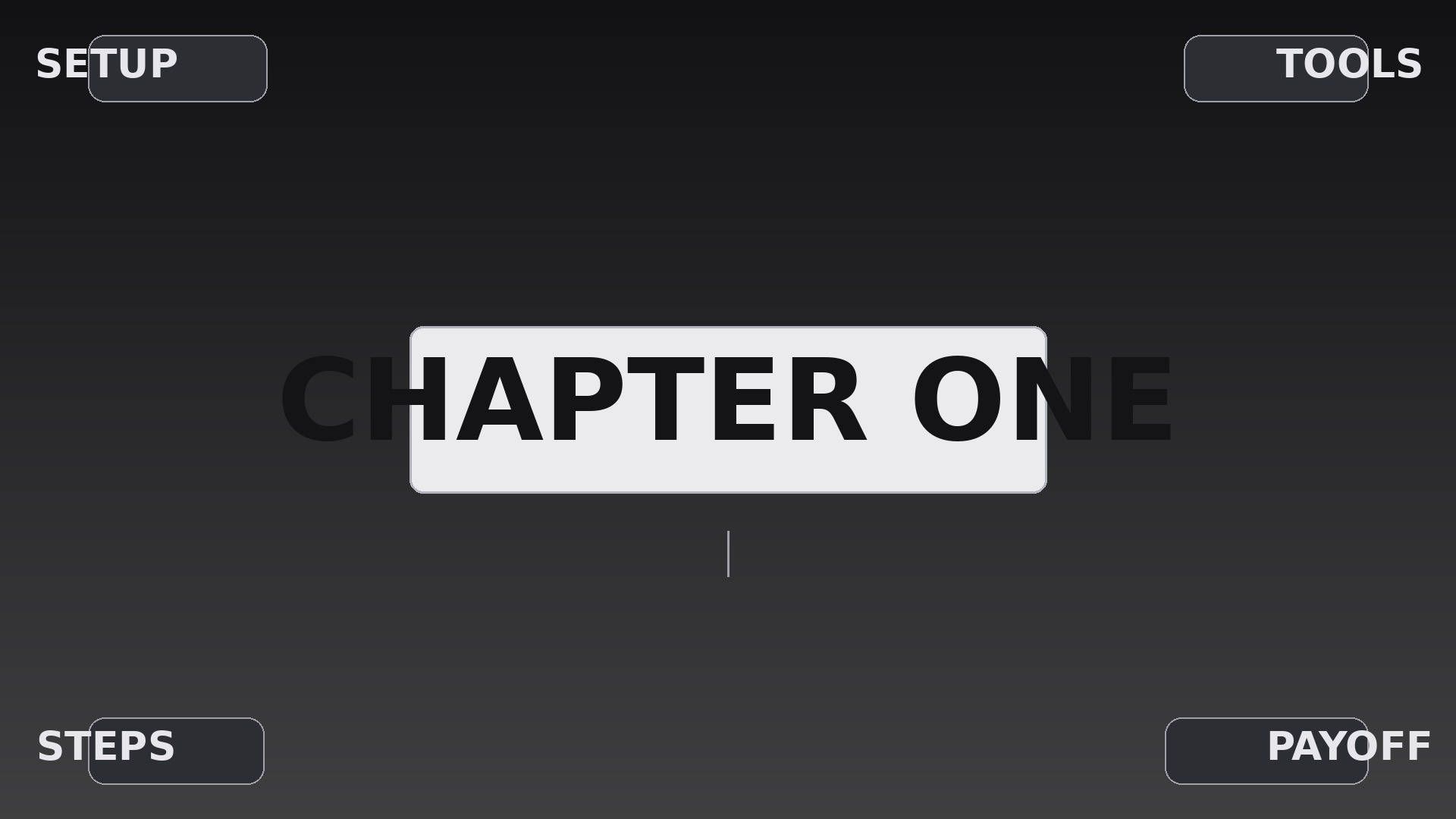
One headline dead center, four facts in the corners — landing in a deliberate stagger.
Teaches your AI to compose title cards where a central label lands first and four corner tags arrive in a diagonal stagger, with exact geometry, timing, hierarchy, and exit rules.
Best for
Video creators, educators, and presenters who need title cards that read in one glance
Time needed
~20 min for a first draft
Level
Beginner-friendly
Install it in 3 steps
No sign-up. No CLI tools. Pick your AI, copy one line, paste it over.
Prefer doing it yourself? Buy the skill ($4.99), download the ZIP from your checkout confirmation, unzip it into the directory shown above, restart your AI session — same result. Already bought it? Your AI assistant can download it for you.
What’s inside
One SKILL.md (the playbook) + one starter template. A preview:
Center and Corner Tags
When to use
- A video title card where one main topic needs four supporting keywords arranged around it
- A product feature callout where the hero claim sits center and four specs anchor the corners
- A course or documentary section opener where the chapter name is central and four sub-topics preview at the edges
- A livestream or presentation bumper that must be readable in the first two seconds, even on a phone
- A social clip intro where the hook is central and four tags tease what the video will cover
- A portfolio reel divider where the project name is central and role, year, client, and medium sit in the corners
Workflow
- Lock the five labels (input: your topic and four supporting points → output: five final label strings)
Write the center label first: one short phrase, 2–5 words, the single thing the viewer must remember. Then write exactly four corner labels, each 1–3 words — no sentences, no filler words. Cut any corner label that repeats the center label; each corner must add one new fact. If you cannot name four distinct facts, use three corners and leave the fourth empty rather than inventing a weak label. - Set the frame geometry (input: five labels → output: layout grid with safe margins)
Place the center label at the exact optical center of the frame (50% / 50%, nudged up by ~2% of frame height if the type has a heavy descender line). Place corner labels inset from the edges by a single consistent margin — 6% of frame width on the sides, 8% of frame height top and bottom — so all four sit on the same invisible inset rectangle. Corner labels align outward to their corner: top-left aligns left, top-right aligns right, bottom-left aligns left, bottom-right aligns right. Cap the center label at 70% of frame width and each corner label at 22% so nothing collides on a vertical phone crop. - Choreograph the stagger (input: layout grid → output: timed entrance sequence)
Animate in this order: center first, then corners in a deliberate sequence — top-left, bottom-right, top-right, bottom-left (a diagonal zigzag that keeps the eye moving across the frame rather than circling it). Center: 0.00–0.45s, scale 0.92 → 1.00 with a soft overshoot, opacity 0 → 100. Each corner: 0.30s duration, starting 0.12s after the previous element began, so entrances overlap slightly but never land simultaneously. Corner motion is a 12px slide from its own corner direction plus opacity 0 → 100 — no rotation, no bounce. Total entrance: ~1.1s. Then hold all five labels static for at least 1.2s before anything else moves.
Template preview
Center and Corner Tags — Starter Template
Fill in every {placeholder}, then hand this spec to your video tool or motion designer.
Project
- Video title: {video_title}
- Frame size: {width}x{height} @ {fps}fps (e.g. 1920x1080 @ 30fps)
- Background: {background_description — footage, still, or solid color}
Labels
- Center label: {center_label} (2–5 words — the one thing to remember)
- Top-left corner: {corner_top_left} (1–3 words)
- Top-right corner: {corner_top_right} (1–3 words)
- Bottom-left corner: {corner_bottom_left} (1–3 words)
- Bottom-right corner: {corner_bottom_right} (1–3 words)


