Browser Chapter Reveal
Flip through chapters inside one browser window, one title at a time.
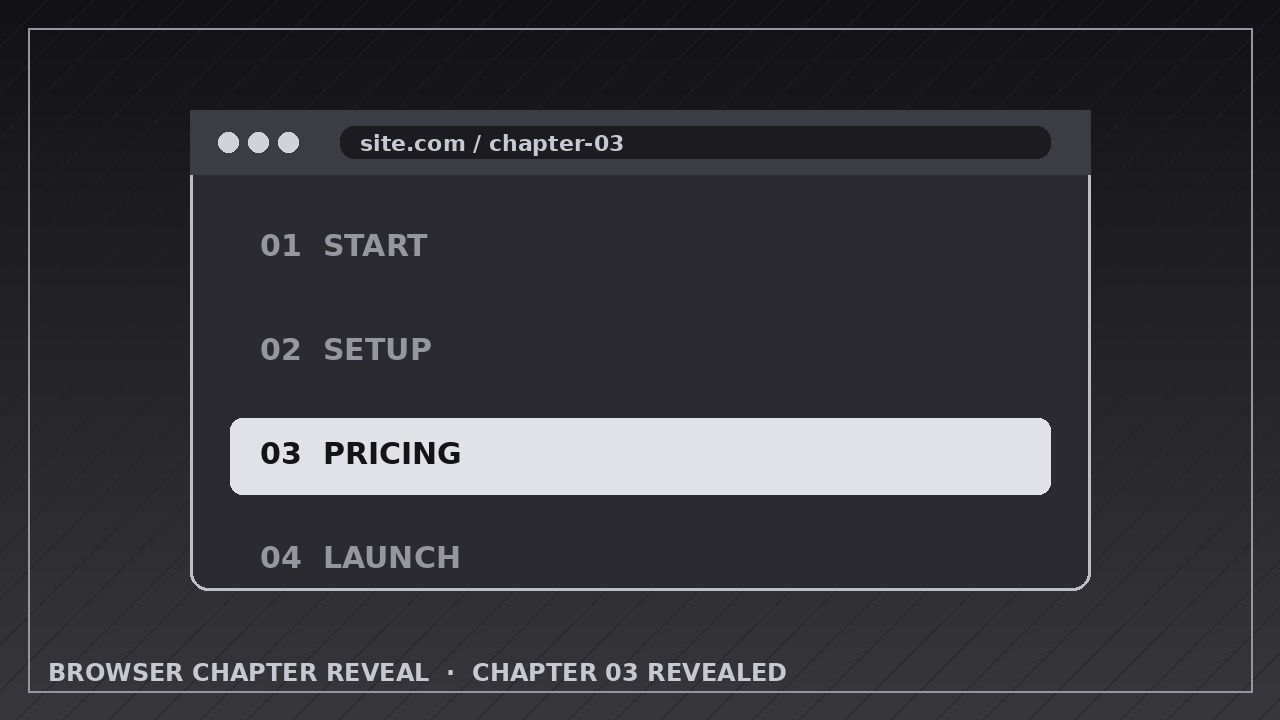
Teaches your AI to stage a browser mockup that flips through chapters in sequence, each title revealed cleanly, with the URL and frame staying perfectly consistent.
Install it in 3 steps
No sign-up. No CLI tools. Pick your AI, copy one line, paste it over.
Prefer doing it yourself? Buy the skill ($4.99), download the ZIP from your checkout confirmation, unzip it into the directory shown above, restart your AI session — same result. Already bought it? Your AI assistant can download it for you.
What’s inside
One SKILL.md (the playbook) + one starter template. A preview:
Browser Chapter Reveal
When to use
- Previewing a course, book, or documentation set where each chapter deserves its own title card inside a browser frame
- Touring a multi-section landing page or dashboard, one section at a time, without scrolling past everything at once
- Showing the chapters of a guide, report, or onboarding flow in reading order
- Demoing a website's key pages (home, features, pricing, FAQ) as a quick flip-through
- Building a video table of contents where each chapter title doubles as a navigation cue
- Teasing a product launch by revealing feature sections one by one inside the browser
Workflow
- List the chapters in order (input: your content → output: chapter list with title, one-line teaser, and key visual)
Write every chapter as a title of 2–6 words plus one teaser line of under 12 words, and note the single screenshot or mockup visual that represents it. Order them the way a reader meets them. Cap the list at 8 chapters — beyond that, group chapters or split the video. Cut any chapter whose visual is identical to another's; if two chapters look the same in the browser, the flip feels like a glitch, not a reveal. - Build the browser stage (input: chapter list → output: browser mockup with first chapter loaded)
Construct one consistent browser window: a top bar with traffic-light dots, a URL pill showing the chapter's address, and a content area with generous padding. The window stays in the same position, size, and perspective for the whole video — only its contents change. Load the first chapter before the video starts so the opening frame is already readable. Keep the URL in sync with each chapter; a stale URL is the detail viewers notice first. - Reveal each chapter title (input: browser stage → output: title reveal keyframes)
When a chapter arrives, its title reveals over 0.4–0.6 seconds: slide up 12–20 px with a fade, ease-out, landing on a clean baseline. The title sits above or overlaid on the chapter visual, never buried in body text. If the title has a chapter number ("03 — Pricing"), animate the number and title as one unit. Hold the title fully visible for at least 1.0 second before any further motion — a title that flashes past is a title that was never read.
Template preview
Browser Chapter Reveal — Animation Spec Template
Fill in one row per chapter. One transition for the whole video; one chapter title on screen at a time.
Video: {title / product / course}
Canvas: {1920×1080 / 1080×1920} | Frame rate: 30 fps | Export: H.264 Transition (one for all chapters): {soft slide / page flip / crossfade} — {0.5–0.7 s, ease-in-out} Title reveal: slide up {12–20 px} + fade, {0.4–0.6 s, ease-out}, hold ≥1.0 s fully visible Screen time per chapter: {2.5–4 s}
Browser stage (fixed for the whole video)
Chapters (reading order, max 8)
Layers (bottom → top)
- Background — {color / texture, static}


