Booking Assistant
Transformez une demande de réservation en réservation confirmée.
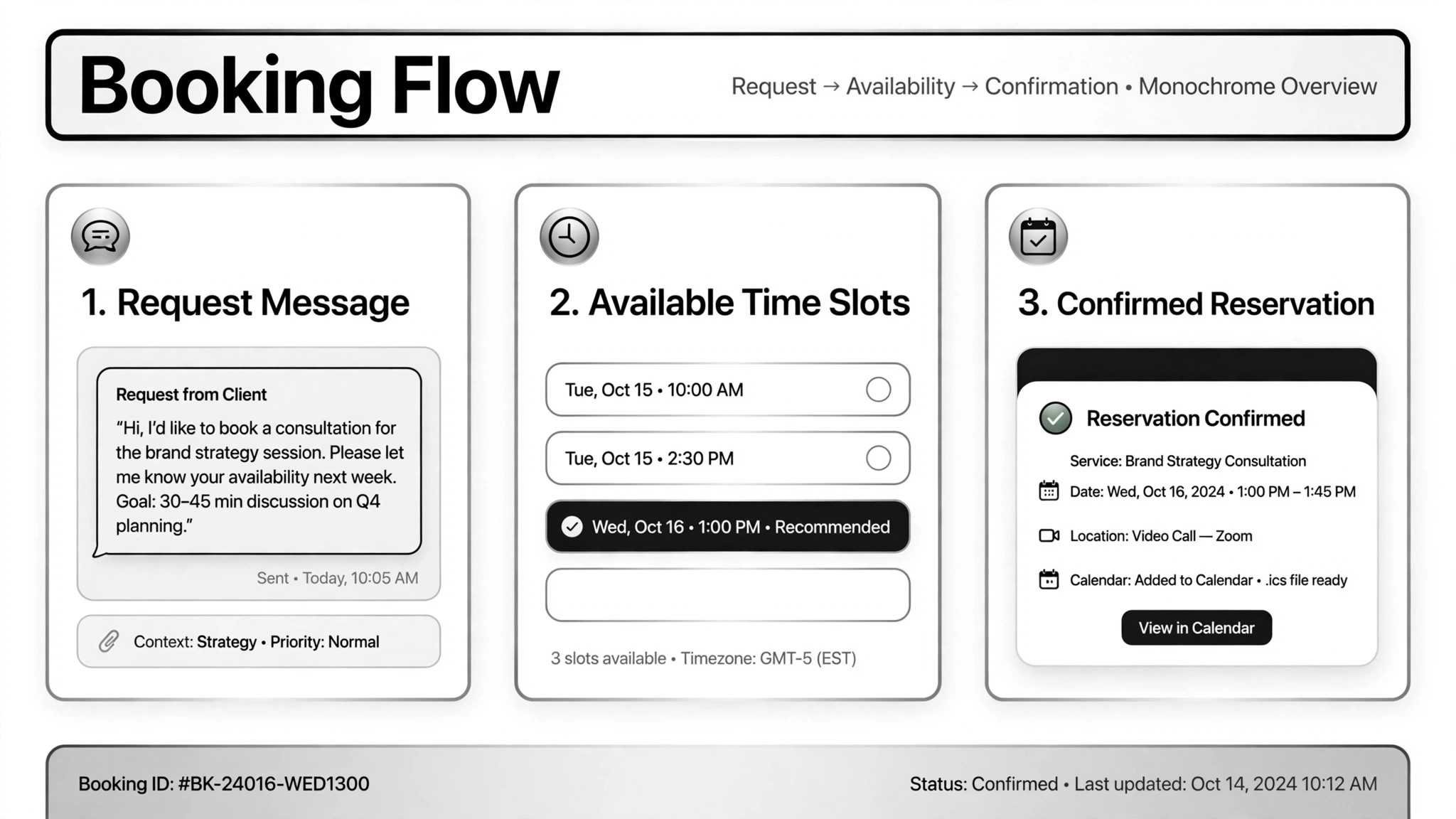
Transforme une demande de réservation en réservation confirmée — collecte les informations, vérifie les disponibilités réelles, réserve le créneau et l'enregistre ; rien qui coûte de l'argent ne se fait sans votre validation.
Installez-la en 3 étapes
Sans inscription. Sans outils en ligne de commande. Choisissez votre IA, copiez une ligne, collez-la.
Vous préférez le faire vous-même ? Achetez la compétence ($4.99), téléchargez le ZIP depuis votre confirmation d'achat, décompressez-le dans le répertoire indiqué ci-dessus, redémarrez votre session IA — même résultat. Vous l'avez déjà achetée ? Votre assistant IA peut la télécharger pour vous.
Preuves concrètes
Des personnes réelles ont accompli exactement ce travail avec des agents IA.
Qualify real estate leads and book viewings
Lire le cas →Cas d’usageHandle restaurant reservations over WhatsApp
Lire le cas →Cas d’usagePlan and book a movie date night
Lire le cas →Contenu du pack
Un fichier SKILL.md (le guide pratique) + un modèle de départ. Aperçu :
Booking Assistant
When to use
- Your restaurant gets reservation requests on WhatsApp and you want them handled without staff typing back and forth
- Real estate inquiries arrive over chat and need qualifying questions plus viewing appointments on the agent's calendar
- A customer wants to book a night out — movie, dinner, plans — from a single message
- You want an AI phone assistant that answers calls, checks tables, books, changes, or takes orders
- Bookings need to land in your calendar, CRM, or order sheet automatically so nothing falls through
Workflow
- Collect the request (input: customer message → output: booking details)
Get the essentials: what, when, how many people, budget, contact info. A real estate case on Telegram always started with name, phone, and email before asking about budget, area, and bedroom count. Don't guess at missing details — ask, and keep the questions to the minimum needed. - Check real availability (input: booking details → output: available slots)
Check the actual source: the reservation system, table plan, calendar, or listings. The WhatsApp restaurant case checked the real booking sheet, not a guess at capacity; the voice assistant checked Google Calendar and tables live during the call. If there's no real availability source connected, stop here — never confirm a booking you can't verify. - Confirm with the human where it matters (input: proposed slot → output: approval)
Bookings that follow normal rules can be confirmed directly; anything unusual — overbooked slots, special requests, high-value clients — goes to a human first. One real case showed the confirmation draft to the shop owner before sending it. Money-related steps (deposits, ticket purchases) always pause for the human: in the movie-night case, the agent opened the ticket page, picked the seat, then stopped and handed over for payment input. - Confirm the booking (input: approved slot → output: confirmation sent)
Book the slot and send the customer the details: date, time, place, reference number. Reminders and thank-you messages after the booking are cheap and prevent no-shows. - Log everything (input: confirmed booking → output: calendar/CRM entry + staff notification)
Write it to the calendar, CRM, or order sheet, and notify the staff or owner. The real-estate case logged every conversation to the CRM and emailed the agent with the client's details; the voice assistant emailed the shop when an order came in. A booking that lives only in the chat history will get lost.
Output spec
Aperçu du modèle
Booking Assistant — Reservation Log Template
One booking = one log entry. Keep the details, the source, and the approvals.
Booking #{ref}
Customer: {name} — {phone / email / chat handle} Request: {what — table / viewing / tickets / order} Date/time: {date, time} | Party size: {n} | Budget/notes: {…}
Details collected
[ ] What, when, how many — complete [ ] Contact info captured: {phone/email} [ ] Special requests: {none / …}
Availability check
- Source checked: {booking system / calendar / sheet — name it}
- Result: {slot available / alternatives offered}
- [ ] Checked against a real source, not assumed
Approvals
Confirmation sent
Le pack de compétence lui-même (SKILL.md + modèle) est rédigé en anglais.
Vous aimerez aussi
 Flux de travail
Grok Bot Routine Rescue
Find which scheduled routine is eating your weekly pool — and kill it
 Flux de travail
Inbox Triage
Votre boîte mail pré-lue : urgences signalées, réponses rédigées, vous n'avez qu'à cliquer sur envoyer
 Flux de travail
Bill Fighter
Contestez les surfacturations et les refus avec des courriers étayés par des preuves