Outreach Replies
Ogni risposta ai tuoi contatti, ordinata per intento, con il passo successivo pronto.
Trasforma ogni risposta ai tuoi contatti in una bozza di risposta, una chiamata prenotata e un aggiornamento del CRM — tu approvi prima che parta qualsiasi cosa.
Installala in 3 passaggi
Nessuna registrazione. Nessuno strumento da riga di comando. Scegli la tua AI, copia una riga e incollala.
Preferisci fare da te? Acquista la skill ($4.99), scarica lo ZIP dalla conferma d'acquisto, decomprimilo nella cartella mostrata sopra e riavvia la sessione della tua AI — stesso risultato. L'hai già acquistata? Il tuo assistente AI può scaricarla per te.
Prove dal mondo reale
Persone vere hanno svolto proprio questo lavoro con agenti IA.
Reply to cold emails and book sales calls
Leggi il caso →Caso d'usoReply to outreach responses from email and LinkedIn inboxes
Leggi il caso →Cosa contiene
Un file SKILL.md (la guida operativa) + un modello di partenza. Un'anteprima:
Outreach Replies
When to use
- Cold email replies pile up while you're on calls and the hot ones go cold
- Your LinkedIn outreach gets replies faster than you can answer them
- Interested leads are buried among "not interested", reschedules, and follow-up questions
- Follow-ups slip through the cracks because nobody owns the thread
- You want every reply answered in your voice, without typing each one yourself
Workflow
- Watch the inboxes (input: connected inboxes → output: reply queue)
Connect your outreach inboxes — email (via webhook or MCP) and LinkedIn (via a scraper on a safe schedule, e.g. every 10 minutes). Filter for replies to your outreach campaigns only; ignore newsletters, notifications, and unrelated threads. Everything new lands in one queue. - Sort by intent (input: raw replies → output: interested / not interested / needs follow-up)
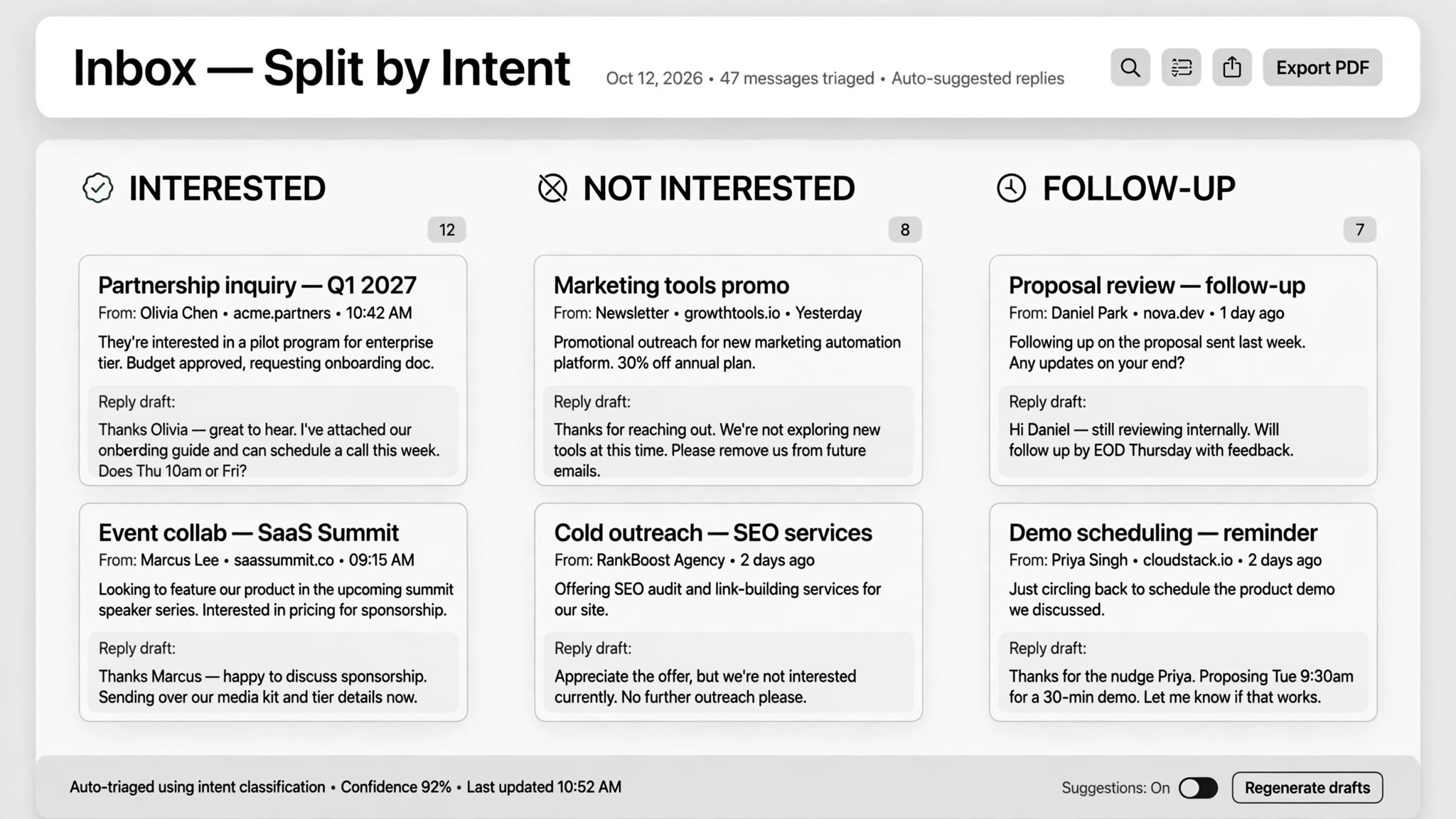
Classify every reply into exactly three buckets: interested (they want to talk or buy), not interested (unsubscribe and log), needs follow-up (questions, reschedules, vague replies). When in doubt, it goes in needs follow-up — never auto-guess an "interested" from a vague one. - Draft in your voice (input: reply + tone samples → output: draft response)
Write a reply draft for each item in your own tone, referencing the original message and the campaign that triggered it. Keep it short, answer what they asked, and end with one clear next step. Drafts that require pricing or policy answers must stay within your approved charter (see step 6). - Book the call (input: interested reply + calendar → output: confirmed meeting)
For interested leads: check your calendar for real open slots, send one time option plus a booking link, and once they confirm, lock the time and log notes from the conversation. In one real deployment this booked 20 sales calls in 8 days — report your own numbers, not anyone else's. - Sync the CRM (input: conversation outcomes → output: updated lead statuses)
Update every lead's status after each touch: new → responded → booked → rescheduled → unsubscribed. Log the date, the action, and the draft that was sent. The CRM is the single source of truth — if it isn't logged, it didn't happen. - Route approvals (input: drafts → output: sent / edited / skipped)
Batch the drafts for your review in one screen per batch. Nothing sends without your approval by default — outreach auto-sends are where deals die and accounts get flagged. Write a "charter" of what can be promised (prices, discounts, time windows) and what must never be said; the more specific the charter, the more you can trust later automation. High-value threads you handle personally.
Output spec
Anteprima del modello
Outreach Replies — Reply Queue & Charter Template
Two pages. Fill the charter first (once), then use the queue per batch.
Charter (fill once, review monthly)
What the agent may promise:
Red lines — never say or promise:
High-value threads to handle personally: {e.g. "accounts > 50 seats, any legal/procurement questions"}
Reply queue — {date} {batch: morning/evening}
Item 1/3 — 🔥 INTERESTED
From: {name} <{email}> — {LinkedIn / cold email} Original reply: "{quote their words}" Context: {campaign name}; {one-line thread summary} Draft: > {reply, ≤120 words, one time option + booking link}
Il pacchetto della skill (SKILL.md + modello) è scritto in inglese.
Potrebbe piacerti anche
 Flussi di lavoro
Grok Bot Routine Rescue
Find which scheduled routine is eating your weekly pool — and kill it
 Flussi di lavoro
Inbox Triage
La tua casella, già letta: urgenti segnalati, risposte in bozza, tu devi solo premere invio
 Flussi di lavoro
Bill Fighter
Contesta addebiti ingiusti e reclami respinti con lettere supportate dalle prove