File Organizer
File ordinati in cartelle con un indice — niente viene eliminato.
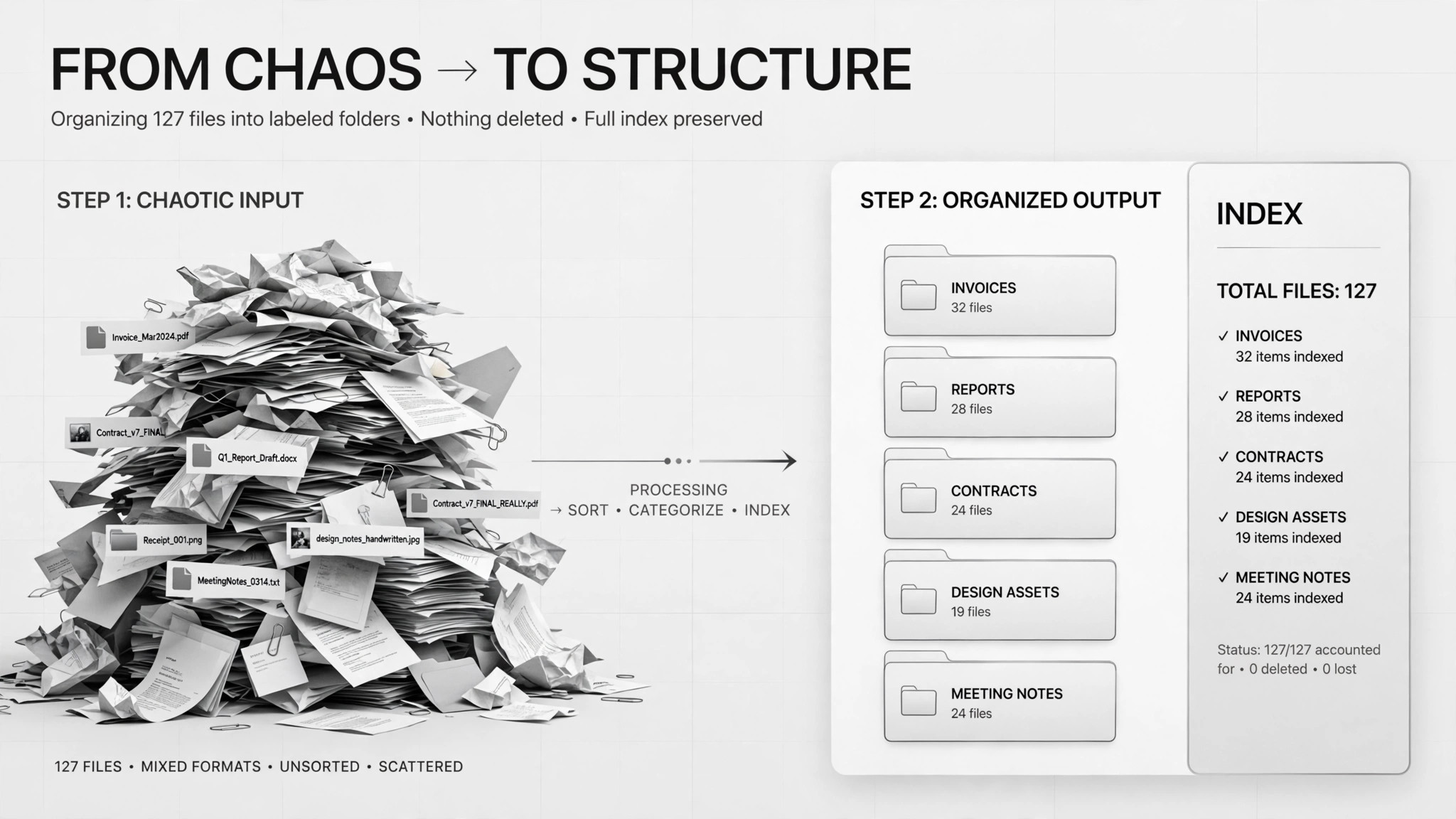
Trasforma una montagna di file disordinati in cartelle etichettate con un indice — prima ti propone un piano di raggruppamento da approvare, poi sposta (mai elimina) tutto al suo posto.
Installala in 3 passaggi
Nessuna registrazione. Nessuno strumento da riga di comando. Scegli la tua AI, copia una riga e incollala.
Preferisci fare da te? Acquista la skill ($4.99), scarica lo ZIP dalla conferma d'acquisto, decomprimilo nella cartella mostrata sopra e riavvia la sessione della tua AI — stesso risultato. L'hai già acquistata? Il tuo assistente AI può scaricarla per te.
Prove dal mondo reale
Persone vere hanno svolto proprio questo lavoro con agenti IA.
Sort 400 PDFs into folders
Leggi il caso →Caso d'usoSort 2,200 Downloads files into folders with summaries
Leggi il caso →Cosa contiene
Un file SKILL.md (la guida operativa) + un modello di partenza. Un'anteprima:
File Organizer
When to use
- Your Downloads folder has thousands of files and finding anything takes minutes
- A project folder is full of PDFs (contracts, reports, receipts) with no structure
- You inherited a shared drive where nobody knows what goes where
- You want an index spreadsheet showing where everything ended up after the cleanup
- Files are duplicated or misnamed and you need them sorted before a move, backup, or audit
Workflow
- Inventory the folder (input: messy folder path → output: full file list)
Count and list everything first — file names, sizes, dates. In a real case with 2,200 Downloads files, the agent's first deliverable was just a count and a plan, not action. You can't organize what you haven't seen. - Propose a grouping plan with summaries (input: file list → output: folder scheme + per-group summary)
Draft the folder structure (by client, type, year — your call) and write a one-sentence summary of what goes in each group. The real cases both required this as a written plan before anything moved: the 400-PDF case included a sample assignment of files to folders so the human could spot misfits. - Get human approval (input: grouping plan → output: approved plan)
You review the plan, fix the grouping rules, and approve. This is the mandatory gate — one case put "the grouping plan must be approved by a human" as an explicit hard rule. Anything you don't understand goes to a "review" folder, not a guess. - Move files, never delete (input: approved plan → output: organized folders)
Move files into the approved folders. Never delete anything — duplicates and old installers get their own group, not the trash. In the 2,200-file case, suspicious files went into a separate "needs review" folder rather than being sorted by assumption. - Build the index (input: organized folders → output: index spreadsheet)
Generate a spreadsheet: file name, new location, date, summary. This is your map back — without it, a reorganization is just a different kind of mess. Optionally, rename cryptic files only after you confirm each rename.
Output spec
- Full file inventory before organizing (count + list)
- Grouping plan: folder names, the rule for each, and a one-sentence summary per group
- Sample assignment: a handful of files shown in their proposed folders for approval
- Organized folders on disk — move only, nothing deleted
- "Needs review" folder for anything unclassified or suspicious
- Index spreadsheet: file name → new location, with dates and summaries
- Optional: rename log, only for renames the human confirmed
Good vs. bad examples
Anteprima del modello
File Organizer — Grouping Plan Template
One cleanup = one plan. Get this approved before anything moves.
Target folder: {path}
Inventoried: {n} files — [ ] inventory list saved
Proposed grouping plan
Sample assignment (spot-check before approving):
{file name}→{folder}— {why}{file name}→{folder}— {why}{file name}→{folder}— {why}
Approval checklist: [ ] Folder names make sense to me [ ] Rules are specific enough (no "misc" bucket without a rule) [ ] Suspicious files go to Needs-review, not a guess [ ] I know nothing will be deleted
Approved by: {me} on {date}
Execution log
Index
Il pacchetto della skill (SKILL.md + modello) è scritto in inglese.
Potrebbe piacerti anche
 Flussi di lavoro
Grok Bot Routine Rescue
Find which scheduled routine is eating your weekly pool — and kill it
 Flussi di lavoro
Inbox Triage
La tua casella, già letta: urgenti segnalati, risposte in bozza, tu devi solo premere invio
 Flussi di lavoro
Bill Fighter
Contesta addebiti ingiusti e reclami respinti con lettere supportate dalle prove