Task Manager OG Image
Eine Link-Vorschau, die sagt, was die App kann.
Verwandelt Ihre KI in einen Designer für Social Previews, der ein 1200×630 Link-Vorschau-Bild für eine Aufgaben-App erstellt — ein Checklisten-Motiv, ein Versprechen in einfacher Sprache und ein kontrastreiches Layout, das auch in Miniaturgröße lesbar bleibt.
In 3 Schritten installieren
Keine Anmeldung. Keine CLI-Tools. Wählen Sie Ihre AI, kopieren Sie eine Zeile und fügen Sie sie ein.
Lieber selbst machen? Kaufen Sie den Skill ($4.99), laden Sie die ZIP-Datei aus Ihrer Kaufbestätigung herunter, entpacken Sie sie in das oben angezeigte Verzeichnis und starten Sie Ihre AI-Sitzung neu — gleiches Ergebnis. Haben Sie ihn schon gekauft? Ihr AI-Assistent kann ihn für Sie herunterladen.
Was ist enthalten
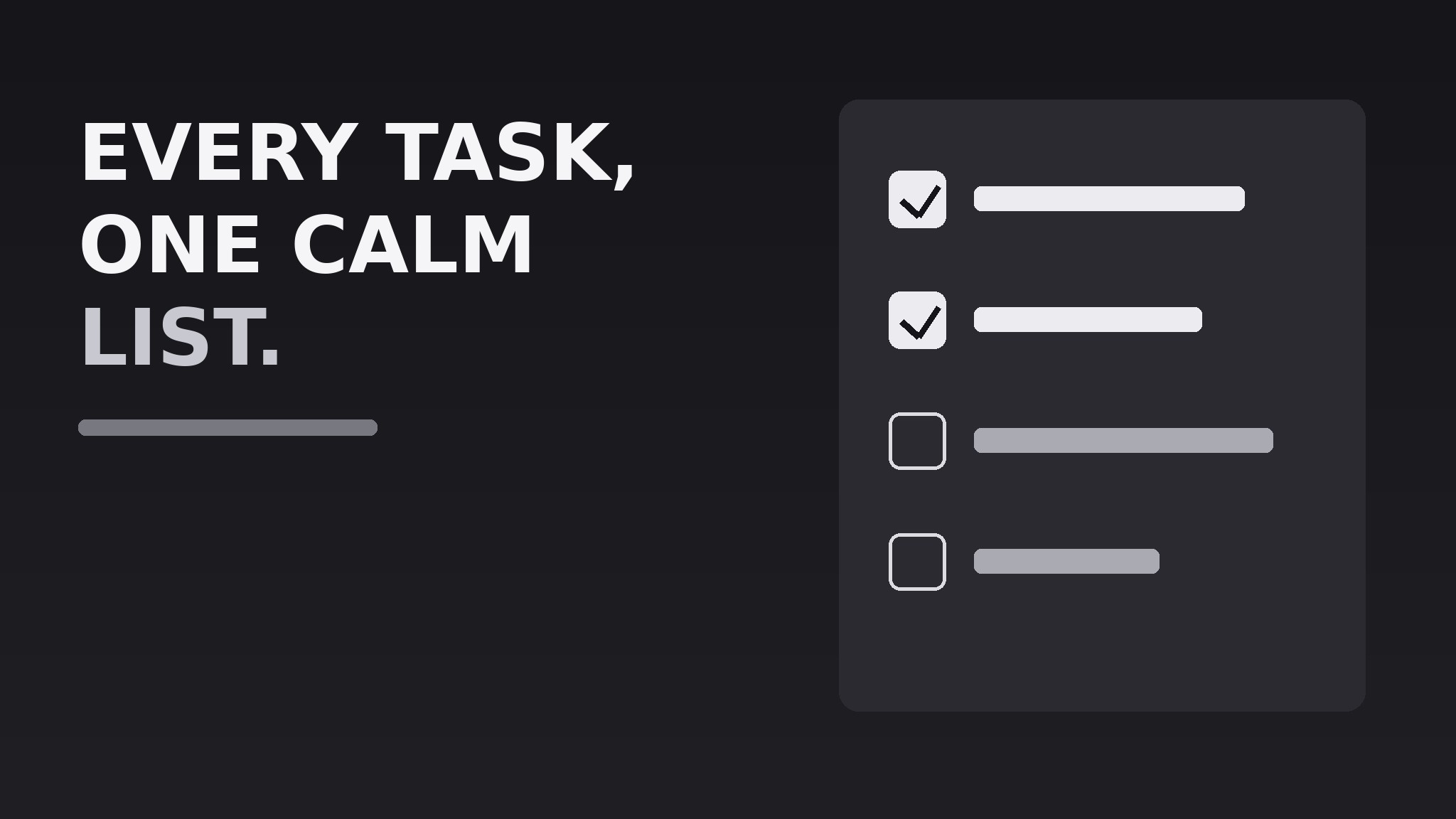
Eine SKILL.md (die Anleitung) + eine Startvorlage. Eine Vorschau:
Task Manager OG Image
When to use
- You are launching or relaunching a task-management or to-do app and need the image that appears when anyone shares its link
- Your current link preview is a blank screenshot, a cropped logo, or an auto-generated grab that says nothing
- You want the preview to communicate the app's core promise in the two seconds before someone decides to click
- You need one image that works across chat apps, social feeds, and messaging previews without redesign
- You are preparing a launch post, a directory listing, or a press page and need a consistent share image
Workflow
- Write the one-line promise (input: your app's positioning → output: one preview headline)
State what the app does for the user in 5–8 plain words, e.g. "Every task, one calm list." No feature lists, no jargon, no superlatives. The line must make sense to someone who has never heard of the app. If it needs a second sentence to explain itself, it is not the line — keep cutting until it stands alone. - Choose the checklist motif (input: headline → output: visual concept)
Build the image around a short checklist: three to five task rows, some checked, one in progress. The checklist is the instant visual shorthand for "task manager" — a reader should grasp the category before reading a word. Keep the rows abstract (short bars, not real task text) or use three generic tasks like "Plan the week" so nothing looks like a real user's private data. - Lay out the 1200×630 canvas (input: headline + motif → output: composed layout)
Put the headline large on the left or top, the checklist motif on the opposite side, and the app name or wordmark small in one corner. Keep all critical content inside a safe zone with at least 60 px of margin — previews crop unpredictably. Use one dark or one light background, never a busy photo, and keep the contrast ratio high enough that the headline survives being shrunk to a 240 px thumbnail. - Set type and color (input: layout → output: finished visual spec)
Use one bold, highly legible typeface for the headline and a smaller weight for a subline of at most 10 words. Limit the palette to three colors: background, text, and one accent for the checked boxes and one key word. Checked boxes get the accent; unchecked boxes stay as outlines so the eye reads progress at a glance. - Export and test at thumbnail size (input: finished image → output: verified preview file)
Export as a 1200×630 JPEG or PNG under 1 MB. Test it the way readers will see it: shrink it to 240 px wide, paste the link into a chat app, and check that the headline is still readable and the checklist still reads as a checklist. If either fails, enlarge the type and simplify the motif — never ship a preview you have only viewed at full size.
Vorschau der Startvorlage
Task Manager OG Image — Template
One image, one promise. Fill in the blanks, then build the 1200×630 file.
The promise
- Headline (5–8 plain words): {headline}
- Subline (optional, ≤10 words): {subline}
- App name / wordmark: {name} — placement: {corner}
Checklist motif
Labels rule: generic and abstract — nothing that looks like a real person's private data.
Layout
- Canvas: 1200×630 px, {JPEG / PNG}, under 1 MB
- Background: {dark / light} — color {hex}
- Headline placement: {left / top} | Checklist placement: {right / bottom}
- Margins: ≥60 px on all sides, nothing critical near the edges
Das Skill-Paket selbst (SKILL.md + Vorlage) ist auf Englisch verfasst.


