Sketchnote Pricing
Pricing, das sich Menschen wirklich ansehen — von Hand skizziert.
Verwandelt Ihre KI in einen Sketchnote-Pricing-Erklärer — wandelt eine schlichte Preisliste in ein Visual im Handzeichnungs-Stil um, mit skizzierten Tarif-Boxen, einfachen Icons, Pfeilen und Beschriftungen in klarer Sprache, die jeder auf einen Blick versteht.
In 3 Schritten installieren
Keine Anmeldung. Keine CLI-Tools. Wählen Sie Ihre AI, kopieren Sie eine Zeile und fügen Sie sie ein.
Lieber selbst machen? Kaufen Sie den Skill ($4.99), laden Sie die ZIP-Datei aus Ihrer Kaufbestätigung herunter, entpacken Sie sie in das oben angezeigte Verzeichnis und starten Sie Ihre AI-Sitzung neu — gleiches Ergebnis. Haben Sie ihn schon gekauft? Ihr AI-Assistent kann ihn für Sie herunterladen.
Was ist enthalten
Eine SKILL.md (die Anleitung) + eine Startvorlage. Eine Vorschau:
Sketchnote Pricing
When to use
- A pricing page has three tiers that all blur together in a standard comparison table
- You need to explain pricing on a slide, whiteboard, or social post where a table would be unreadable
- A product's plans differ in ways that are easier to show than to tabulate (who each plan is for, what unlocks when)
- A workshop or webinar needs a one-page pricing handout people actually look at
- A founder wants to sketch pricing live on a call and leave behind a clean version of the same drawing
Workflow
- List the pricing facts (input: pricing tiers → output: fact sheet)
Write down exactly what is for sale before drawing anything: each tier's name, price, billing period, who it is for, and the handful of features that actually differ between tiers. Leave out features that are identical across all tiers — they add ink without adding information. If a price has conditions (per seat, per month billed annually, limits, overage fees), write those down too; a sketchnote that hides the fine print is a misleading sketchnote. - Choose the sketchnote grammar (input: fact sheet → output: visual vocabulary)
Pick a small, consistent set of hand-drawn marks and stick to it for the whole page: containers (rounded boxes, banners, brackets) for tiers, icons for the features that repeat (a person for seats, a cloud for storage, a shield for security), arrows for "upgrades to" and "includes", and stars or dots only for the one thing you want eyes to land on first. Three to five icon types is plenty; a new icon for every feature turns the page into a puzzle. - Sketch the tier containers (input: vocabulary → output: tier layout)
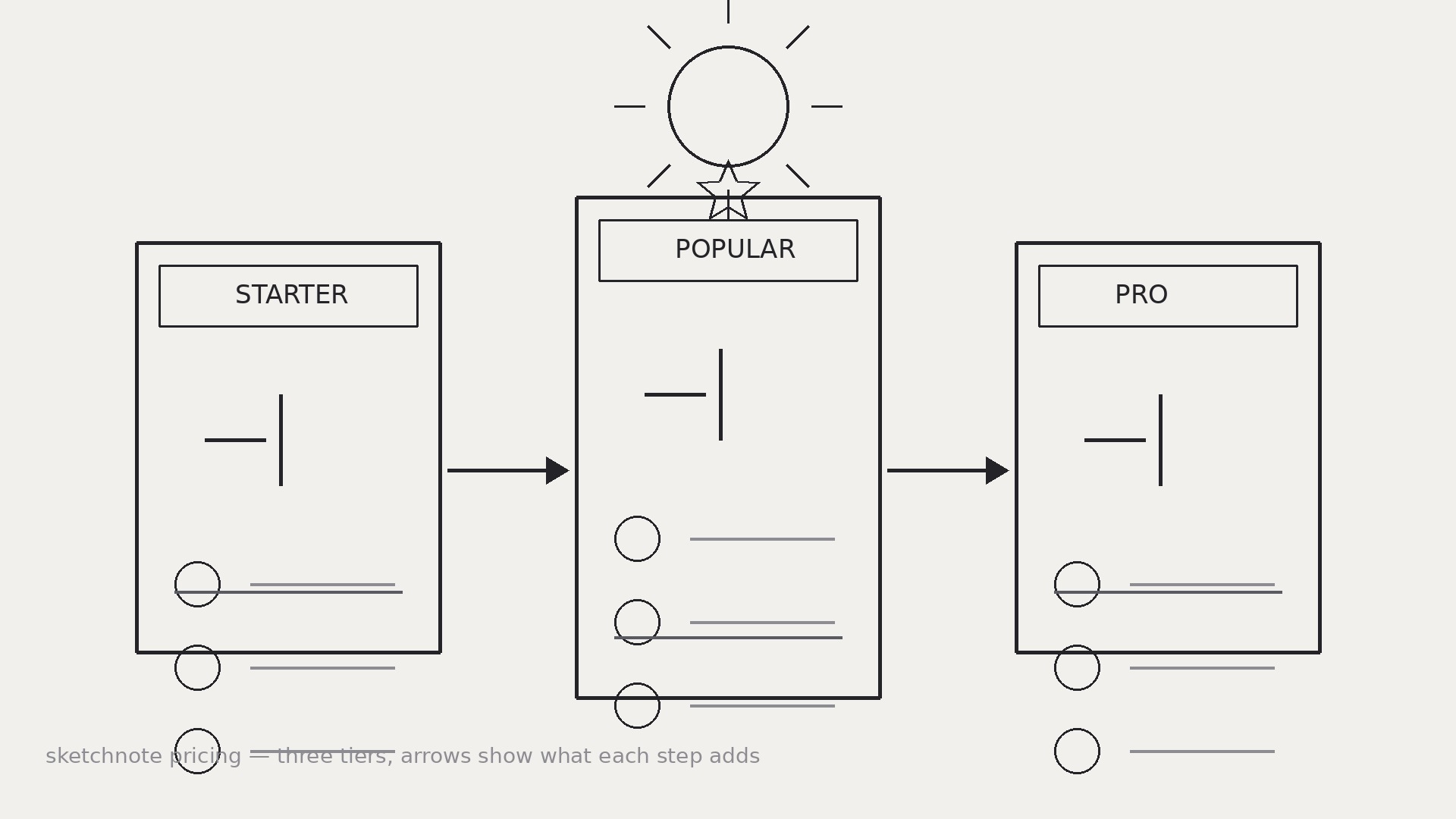
Draw one container per tier, left to right from simplest to most complete, with the recommended tier slightly larger or visually emphasized — but never by hiding the other tiers' prices. Inside each container put, in this order: who it is for ("For solo creators"), the price in the largest hand-lettered numerals on the page, the billing note in small text, and the 3–5 differing features as icon + short label. Keep the containers the same structure so tiers can be compared by scanning down, not by hunting. - Draw the comparisons (input: tiers → output: comparison cues)
Make the differences visible without a table: draw arrows or a stepped path showing what each tier adds over the previous one ("+ team seats", "+ priority support"), and use a single consistent mark for "included" across all tiers. If a feature exists in one tier only, draw it in that tier's container and leave a deliberate gap in the others rather than cluttering every box with "not included". The reader should be able to answer "what do I get if I pay more?" by following the arrows. - Ink, label, and check (input: draft → output: finished sketchnote)
Go over the sketch in clean lines, hand-letter the labels, and check every number against the fact sheet — price, seat counts, limits, billing period. Read the finished page as a stranger: can you tell, in ten seconds, how many plans there are, what each costs, and who each is for? If the recommended tier is emphasized, the emphasis must be honest (bigger box, a "most popular" banner) — not a trick like shrinking the other prices until they are hard to read.
Vorschau der Startvorlage
Sketchnote Pricing — Template
Sketch the pricing, don't tabulate it. Check every number against the real pricing before sharing.
Fact sheet (fill in first — no drawing until this is done)
Conditions / fine print: {per seat? limits? overage fees? trial?} Features identical across all tiers (leave OUT of the drawing): {list}
Visual vocabulary (pick 3–5 icons, use them consistently)
- {icon sketch / description} = {meaning, e.g. person = seats}
- {icon} = {meaning, e.g. cloud = storage}
- {icon} = {meaning, e.g. shield = security}
- Container style: {rounded box / banner / bracket}
- Arrow style: {what arrows mean — "upgrades to" / "includes"}
Das Skill-Paket selbst (SKILL.md + Vorlage) ist auf Englisch verfasst.


