Image Skills
Eine Botschaft, jede Größe — ein Set, kein Stapel.
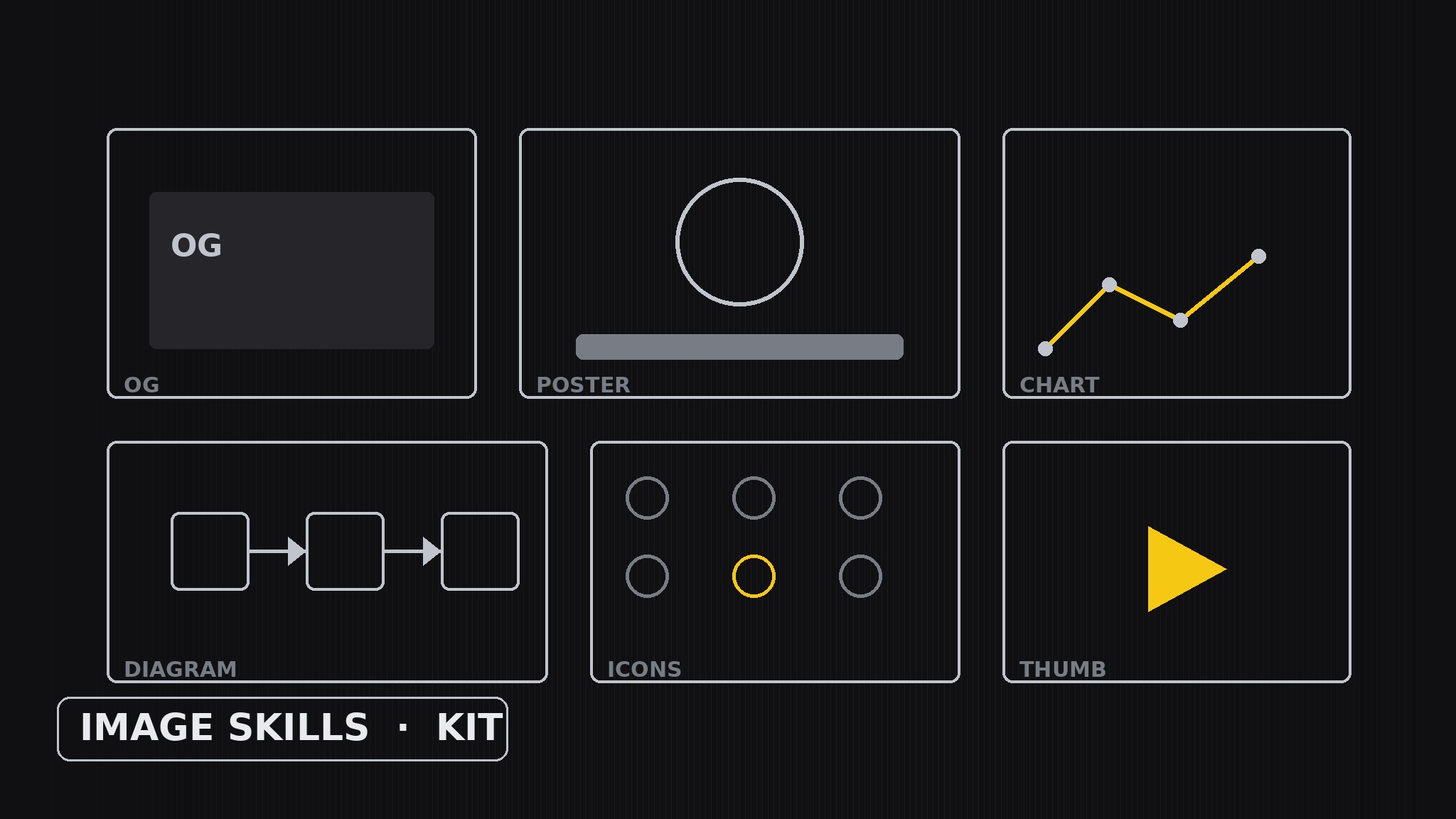
Verwandelt Ihre KI in einen Image-Kit-Builder — plant, schreibt und fügt ein stimmiges Kit von Skills für visuelle Assets zusammen, die ein zusammenpassendes Bilderset produzieren: ein Skill pro Asset-Typ (OG-Bild, Diagramm, Poster, Schaubild und mehr), jeder auf demselben Qualitätsniveau, die sich zu einem Kampagnen-Set zusammensetzen, das aussieht, als hätte es eine Hand gemacht.
In 3 Schritten installieren
Keine Anmeldung. Keine CLI-Tools. Wählen Sie Ihre AI, kopieren Sie eine Zeile und fügen Sie sie ein.
Lieber selbst machen? Kaufen Sie den Skill ($4.99), laden Sie die ZIP-Datei aus Ihrer Kaufbestätigung herunter, entpacken Sie sie in das oben angezeigte Verzeichnis und starten Sie Ihre AI-Sitzung neu — gleiches Ergebnis. Haben Sie ihn schon gekauft? Ihr AI-Assistent kann ihn für Sie herunterladen.
Was ist enthalten
Eine SKILL.md (die Anleitung) + eine Startvorlage. Eine Vorschau:
Image Skills
When to use
- You need a matching set of images for one launch, post, or report — not a series of unrelated one-offs
- The same message has to appear as an OG image, a poster, a chart, and a thumbnail, and they should look related
- A team keeps regenerating images that clash: different type, different palette, different density
- You want a reusable kit: pick the assets a campaign needs, produce them to one standard, ship
- You are standardizing how your AI makes images so every asset is readable at its real display size
Workflow
- Define the asset jobs (input: where the images will appear → output: kit brief)
Start size-first: list every surface the kit must serve — the social share card (small, crowded feed), the poster (large, viewed at distance), the chart inside a report (medium, read closely), the diagram in a doc (medium, studied), the thumbnail (tiny, must read in a list). For each surface, record its display size, its viewing distance, and its one job ("make someone stop scrolling", "make the trend obvious"). A kit scoped by real surfaces produces assets that work where they live; a kit scoped by vibes produces pretty images that fail at thumbnail size. - Inventory the skills (input: kit brief → output: asset inventory)
Give the kit one skill per asset type, each named for what it produces. A typical kit holds: OG Image (one message, readable at thumbnail size), Chart (one trend, every value labeled), Poster (one idea at distance, big type, one image), Diagram (how something works, labeled parts in order), Icon Set (small marks in one style), and Thumbnail (the hook frame, bold and simple). Cut any asset type no surface actually needs — a kit with a "brochure cover" skill nobody uses is clutter — and keep each skill to one asset type so quality stays checkable. - Write each skill to the bar (input: asset inventory → output: skill specs)
Every skill gets the same spec shape: when to use it, its inputs (the content it needs — e.g. Chart needs the data table and the one trend it must show), its output (the finished asset at its real size), and the shared quality bar. The bar is size-honest: type must read at the actual display size (test at that size, not zoomed in), one message per asset (an OG image with three messages has none), a shared palette and type system across the kit, no invented data (a chart plots only the numbers given; a diagram labels only what is known), and alt text describing the asset's message for every image. Write the specs so a new asset type can join the kit without breaking the look. - Compose a campaign set (input: skill specs + one message → output: matched asset set)
Produce the set from one message, not one asset at a time: state the single sentence every asset must carry, then make each asset in its own skill — the OG image compresses the sentence to five words, the poster gives it a headline, the chart proves it with numbers, the diagram explains how it works, the thumbnail shouts it in three words. Enforce the shared palette and type across all of them, and check the set side by side: different sizes, same voice. If one asset looks like it came from another campaign, it goes back — the set ships together or not at all. - Proof at real size (input: matched asset set → output: proven kit)
Proof every asset where it will actually appear: the OG image at thumbnail size in a feed mock, the poster at reading distance, the chart inside the real report page, the thumbnail in a real list. Check the three failures that matter: unreadable type, a message that needs explaining, and data that doesn't match its source. Log what broke — a skill whose inputs were vague, an asset type missing from the kit — and fix the kit, not just the image. The kit is done when a second campaign's set assembles faster than the first and looks like family.
Vorschau der Startvorlage
Image Skills — Kit-Building Template
Scope by real surfaces. Proof at real size.
Kit brief — surfaces this kit must serve
Asset inventory (one skill per asset type)
Cut: {any asset type no surface actually needs — remove it}
Skill spec (copy per skill)
Skill: {name} When to use: {___} Inputs: {___} Output: {finished asset at its real size + alt text stating its message in one sentence} Quality bar: type reads at actual display size / one message per asset / shared palette + type / no invented data / alt text included
Campaign set — one message, many assets
The one sentence every asset must carry: {sentence}
Das Skill-Paket selbst (SKILL.md + Vorlage) ist auf Englisch verfasst.


