EV System Exploded View
Ein Diagramm, das das ganze E-Auto zeigt — von der Batterie bis zum Motor, Teil für Teil
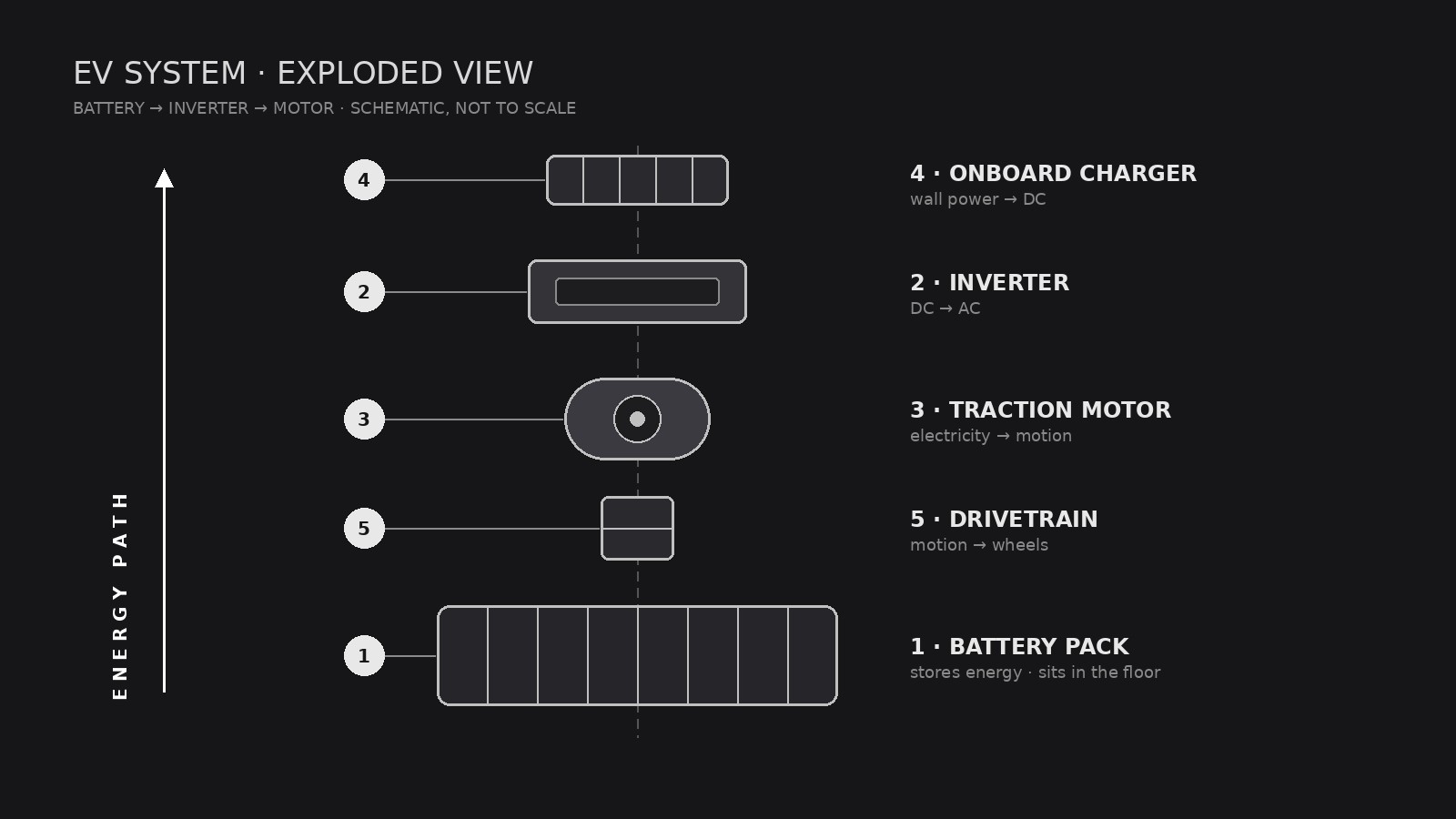
Verwandelt Ihre KI in einen Assistenten für technische Illustrationen, der Antriebsstrang, Batterie und Leistungselektronik eines Elektrofahrzeugs als übersichtliche Explosionszeichnung mit nummerierten Beschriftungen darstellt, die jeder lesen kann.
In 3 Schritten installieren
Keine Anmeldung. Keine CLI-Tools. Wählen Sie Ihre AI, kopieren Sie eine Zeile und fügen Sie sie ein.
Lieber selbst machen? Kaufen Sie den Skill ($4.99), laden Sie die ZIP-Datei aus Ihrer Kaufbestätigung herunter, entpacken Sie sie in das oben angezeigte Verzeichnis und starten Sie Ihre AI-Sitzung neu — gleiches Ergebnis. Haben Sie ihn schon gekauft? Ihr AI-Assistent kann ihn für Sie herunterladen.
Was ist enthalten
Eine SKILL.md (die Anleitung) + eine Startvorlage. Eine Vorschau:
EV System Exploded View
When to use
- You are explaining how an EV drivetrain fits together to students, customers, or new hires and a photo of the assembled car hides everything
- A pitch deck, manual, or museum display needs one diagram that shows battery, motor, inverter, and charger in relation
- Your engineering team wants a shared reference poster for a teardown or design review
- You are writing an article about EV architecture and need a diagram that labels parts without drowning readers in jargon
- A sales page needs to show what is inside the vehicle without revealing proprietary detail
Workflow
- Define the system boundary (input: vehicle or subsystem → output: parts list scope)
Decide what the diagram covers: the full vehicle (battery, motor, inverter, onboard charger, thermal system, drivetrain) or one subsystem (for example, the battery pack only). A full-vehicle view gets 8–14 parts; more than that and labels collide. Write the scope down before drawing — it decides everything else. - Inventory the parts (input: scope → output: numbered parts list)
List every part that will appear, in assembly order, with its plain-language name and one-line function: for example, "Battery pack — stores energy; sits in the floor." Use generic component names the reader already knows. If a part's function is uncertain, leave it out or mark it as unchecked — never label a guess as fact. - Set the explosion axis (input: parts list → output: layout sketch)
Choose one explosion direction — usually vertical (stacked along the car's height) or along the drivetrain line (front to back). Parts slide apart along that axis with even gaps; nothing rotates, nothing overlaps. Sketch boxes in order first, then draw the real shapes inside the boxes. Consistent gaps are what make the diagram read as "exploded" instead of "scattered." - Draw and label (input: layout sketch → output: finished diagram)
Draw each part in the same visual language: same line weight, same shading, same level of detail. Number every part and connect it to its label with a thin leader line — labels sit in a clean margin, never on top of parts. Use one accent color at most, reserved for the energy path (battery → inverter → motor). - Check readability (input: finished diagram → output: approved file)
Shrink the diagram to the size it will actually be shown at and read every label. Check: can a non-engineer name each part and say where it sits? Do any leader lines cross? Is the energy path traceable with a finger? Fix crossings and crowding before shipping.
Output spec
Vorschau der Startvorlage
EV System Exploded View — Template
Fill this in before any drawing starts. One diagram = one system boundary.
System: {full vehicle / battery pack / motor + inverter / other}
Vehicle type: {battery-electric / hybrid / dual-motor} | Audience: {students / customers / engineers / general readers}
Parts list (assembly order, 8–14 parts)
Parts left out (and why): {too detailed / unconfirmed / out of scope}
Layout
Explosion axis: {vertical / front-to-back} Energy path (accent color): {battery → inverter → motor} Diagram ratio: {16:9 / poster}
Legend (one line per part)
- {Part} — {function}
- {Part} — {function}
Das Skill-Paket selbst (SKILL.md + Vorlage) ist auf Englisch verfasst.


