Booking Assistant
Aus einer Buchungsanfrage wird eine bestätigte Reservierung
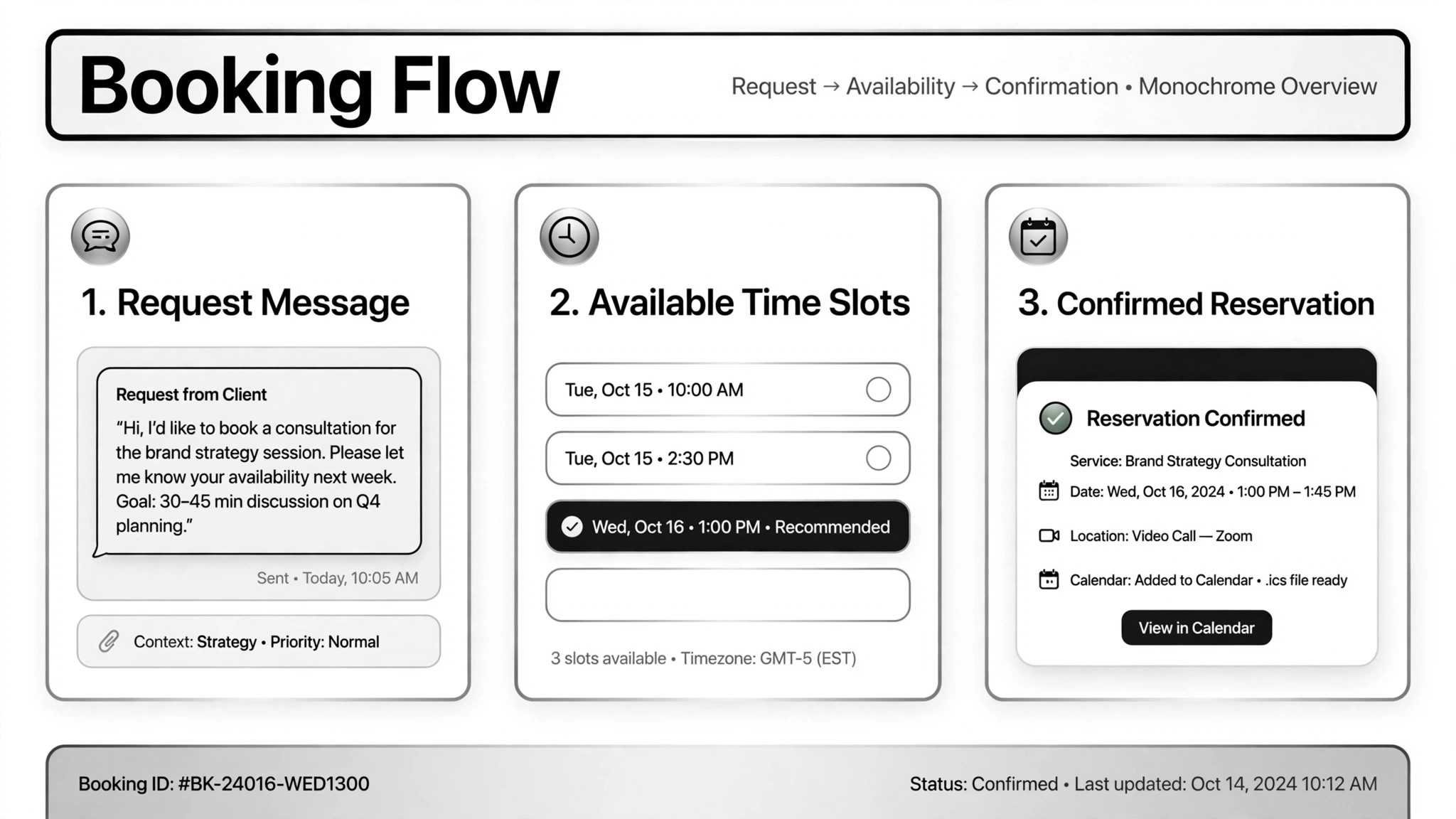
Verwandelt eine Buchungsanfrage in eine bestätigte Reservierung — Details werden eingesammelt, echte Verfügbarkeit geprüft, der Termin gebucht und alles protokolliert; nichts, was Geld kostet, passiert ohne Ihre Freigabe.
In 3 Schritten installieren
Keine Anmeldung. Keine CLI-Tools. Wählen Sie Ihre AI, kopieren Sie eine Zeile und fügen Sie sie ein.
Lieber selbst machen? Kaufen Sie den Skill ($4.99), laden Sie die ZIP-Datei aus Ihrer Kaufbestätigung herunter, entpacken Sie sie in das oben angezeigte Verzeichnis und starten Sie Ihre AI-Sitzung neu — gleiches Ergebnis. Haben Sie ihn schon gekauft? Ihr AI-Assistent kann ihn für Sie herunterladen.
Beweise aus der Praxis
Echte Menschen haben genau diese Aufgabe mit AI-Agenten erledigt.
Qualify real estate leads and book viewings
Anwendungsfall ansehen →AnwendungsfallHandle restaurant reservations over WhatsApp
Anwendungsfall ansehen →AnwendungsfallPlan and book a movie date night
Anwendungsfall ansehen →Was ist enthalten
Eine SKILL.md (die Anleitung) + eine Startvorlage. Eine Vorschau:
Booking Assistant
When to use
- Your restaurant gets reservation requests on WhatsApp and you want them handled without staff typing back and forth
- Real estate inquiries arrive over chat and need qualifying questions plus viewing appointments on the agent's calendar
- A customer wants to book a night out — movie, dinner, plans — from a single message
- You want an AI phone assistant that answers calls, checks tables, books, changes, or takes orders
- Bookings need to land in your calendar, CRM, or order sheet automatically so nothing falls through
Workflow
- Collect the request (input: customer message → output: booking details)
Get the essentials: what, when, how many people, budget, contact info. A real estate case on Telegram always started with name, phone, and email before asking about budget, area, and bedroom count. Don't guess at missing details — ask, and keep the questions to the minimum needed. - Check real availability (input: booking details → output: available slots)
Check the actual source: the reservation system, table plan, calendar, or listings. The WhatsApp restaurant case checked the real booking sheet, not a guess at capacity; the voice assistant checked Google Calendar and tables live during the call. If there's no real availability source connected, stop here — never confirm a booking you can't verify. - Confirm with the human where it matters (input: proposed slot → output: approval)
Bookings that follow normal rules can be confirmed directly; anything unusual — overbooked slots, special requests, high-value clients — goes to a human first. One real case showed the confirmation draft to the shop owner before sending it. Money-related steps (deposits, ticket purchases) always pause for the human: in the movie-night case, the agent opened the ticket page, picked the seat, then stopped and handed over for payment input. - Confirm the booking (input: approved slot → output: confirmation sent)
Book the slot and send the customer the details: date, time, place, reference number. Reminders and thank-you messages after the booking are cheap and prevent no-shows. - Log everything (input: confirmed booking → output: calendar/CRM entry + staff notification)
Write it to the calendar, CRM, or order sheet, and notify the staff or owner. The real-estate case logged every conversation to the CRM and emailed the agent with the client's details; the voice assistant emailed the shop when an order came in. A booking that lives only in the chat history will get lost.
Output spec
Vorschau der Startvorlage
Booking Assistant — Reservation Log Template
One booking = one log entry. Keep the details, the source, and the approvals.
Booking #{ref}
Customer: {name} — {phone / email / chat handle} Request: {what — table / viewing / tickets / order} Date/time: {date, time} | Party size: {n} | Budget/notes: {…}
Details collected
[ ] What, when, how many — complete [ ] Contact info captured: {phone/email} [ ] Special requests: {none / …}
Availability check
- Source checked: {booking system / calendar / sheet — name it}
- Result: {slot available / alternatives offered}
- [ ] Checked against a real source, not assumed
Approvals
Confirmation sent
Das Skill-Paket selbst (SKILL.md + Vorlage) ist auf Englisch verfasst.
Das könnte Ihnen auch gefallen
 Workflows
Grok Bot Routine Rescue
Find which scheduled routine is eating your weekly pool — and kill it
 Workflows
Inbox Triage
Ihr Postfach, vorsortiert: Dringendes markiert, Antworten entworfen, Sie klicken nur noch auf Senden
 Workflows
Bill Fighter
Fechten Sie Überpreise und abgelehnte Ansprüche mit beleggestützten Schreiben an