AI Services Market › スキルファクトリー › 動画 › Timeline Node Reveal
$4.99 · サインイン不要v1.0.0– 回表示
Timeline Node Reveal
視聴者にタイムラインを旅してもらいます——ノードをひとつずつ。
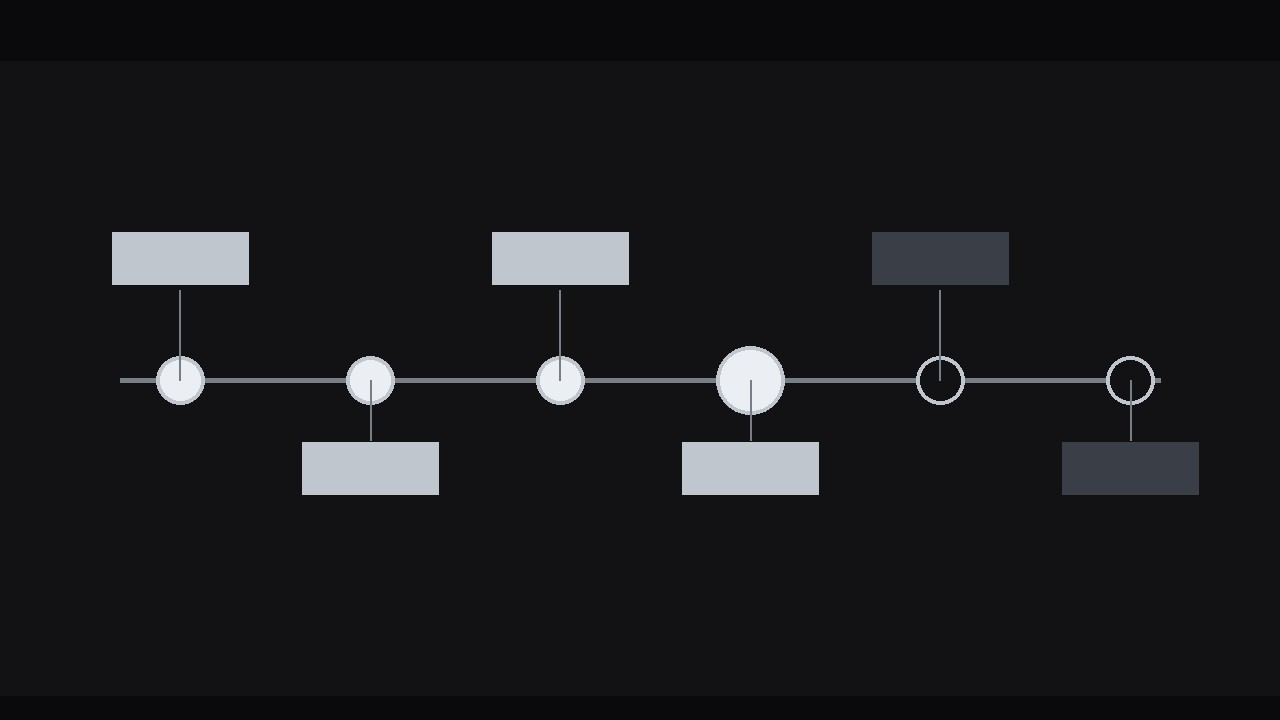
自ら描かれ、ノードがひとつずつ点灯していくタイムラインです。正直な比率の間隔、明確な現在マーカー、そしてスクリーンショット用に完成図を留めるホールドを備えています。
こんな方におすすめ
歴史やロードマップを提示するストーリーテラー、教育者、プランナー
所要時間
30分
レベル
初心者向け
3ステップでインストール
登録不要。CLIツールも不要です。お使いのAIを選んで、1行コピーして貼るだけです。
ご自分で入れたい場合は、スキルを購入($4.99)し、購入完了画面からZIPをダウンロードして、上のディレクトリに展開し、AIのセッションを再起動してください。結果は同じです。すでに購入済みの場合は、AIアシスタントにダウンロードしてもらうこともできます。
パックの内容
SKILL.md(手順書)1点とスターターテンプレート1点が入っています。プレビューはこちらです:
Timeline Node Reveal
When to use
- A history or origin story where events must land in order and each one deserves its own beat
- A product roadmap or project plan where the audience needs to feel the sequence, not just see a list of dates
- A biography, case study, or "how we got here" segment where each milestone builds on the last
- A process explainer where the steps happen over time and the timeline is the argument
- A year-in-review or retrospective where the reveal itself is the recap
Workflow
- Choose the nodes (input: story or plan → output: 4–9 nodes, each with date + one-line event)
List the events in chronological order and cut ruthlessly: a timeline with more than 9 nodes becomes a ruler nobody reads, and a timeline with fewer than 4 is barely a timeline. Each node gets a date (year, month, or exact day — pick one granularity and keep it for every node) and one event line of ≤8 words. If an event needs more than 8 words, it is two events or a paragraph — split it or shorten it. Space the nodes by time, not by slot: if two events are a month apart and the next gap is three years, the timeline should show that — equal spacing lies about the story. If true proportional spacing makes early nodes collide, use a broken-axis convention (a visible // gap mark on the line) rather than silently equalising everything. - Design the line (input: nodes → output: static timeline with line, node markers, and labels)
Draw the spine: a horizontal line for most videos (left-to-right = past-to-future, the reading direction), or a vertical line for portrait formats. Node markers sit on the spine — circles, diamonds, or dots, 10–16 px at 1080p, with the current node's marker larger or accent-coloured. Alternate labels above and below the spine (or left and right on a vertical line) so they never collide; keep every label the same type size and leave room for the longest label before animating. Style the spine as a quiet track — thin, muted — and the nodes as the actors. Decide the "future" treatment now: if the timeline extends past the last real event (a roadmap), render the future portion of the spine as dashed or faded, so the audience can tell what happened from what is planned. - Animate the line draw (input: static timeline → output: line-draw pass)
The spine draws itself from the start toward the end over 1–1.5 s with ease-in-out, stopping just short of the first node — the line arrives, then the events begin. A line that appears whole before the nodes do wastes the timeline's best trick: the feeling of travelling forward. If the timeline is long, let the line draw continuously through the whole sequence instead (see step 4): the line keeps growing toward the next node while the current node is being discussed. Either way, the line never draws backward, never jumps, and never appears in segments — one continuous growth, past to future. - Reveal the nodes one by one (input: line draw → output: node reveal pass with per-node beats)
Each node reveal has three beats, timed to the narration or to a steady rhythm of one node every 1.5–2.5 s. Beat one, arrival: the line grows to the node over 8–12 frames. Beat two, pop: the node marker scales from 0% to 115% over 5–6 frames with ease-out, then settles to 100% over 3–4 frames — a small, crisp arrival, not a bounce. Beat three, label: the date and event label fade/slide in over 8–10 frames (slide 6–10 px from the spine outward, ease-out), and hold. While a node is being revealed, earlier nodes dim slightly (to ~70% opacity) or stay at full weight — pick one and stay consistent: dimming makes the current node the star, full weight makes the timeline feel like an accumulating record. Never reveal two nodes at once; the audience must be able to count the story's beats. - Mark the present (input: node reveal pass → output: "you are here" treatment + past/future styling)
If the timeline includes a present moment, mark it unmistakably: a distinct marker ("Today," "Now," a pulsing ring), and a change in styling across it — past nodes solid, future nodes hollow or dashed. The present marker gets a gentle pulse (a 1–2 s slow scale or opacity breathing) only while the narration is at the present; a permanently pulsing marker becomes visual noise. If the timeline is entirely historical, the final node gets the closing treatment instead: a slightly larger marker, a 1–2 frame accent pulse, and a hold of at least 2 seconds so the completed timeline can be read as a whole. If the timeline is a roadmap, end on the future: the last planned node stays hollow/dashed, honestly unfinished. - Check the full read and export (input: finished timeline → output: final render verified as a complete diagram)
Hold the completed timeline for at least 3 seconds at the end — the finished timeline is a diagram the audience will want to screenshot. Check it at full resolution: no two labels overlap, no label clips the frame edge, the proportional spacing (or the // break marks) reads honestly, and the past/future styling is consistent. Check the pacing at full speed: does any node feel rushed (label still fading when the next node starts) or stalled (dead air between nodes)? Trim or extend rests until the rhythm feels like a story being told, not a list being read. Export the main cut, plus a still of the completed timeline for slides, handouts, or thumbnails.
テンプレートのプレビュー
Timeline Node Reveal — Build Template
Fill this in before animating. One timeline per story.
The story
Timeline type: {history / roadmap / project plan / biography / retrospective} Date granularity: {year / month / exact day — one for all nodes} Spacing rule: {proportional to time / proportional with // break marks}
Nodes (4–9, chronological, event ≤8 words)
Design
- Orientation: {horizontal / vertical for portrait}
- Spine: {thin, muted} | Future portion: {dashed / faded}
- Markers: {10–16 px} | Current node: {larger / accent colour}
- Labels: {uniform size, alternated} | Longest label fits: [ ]
スキルパック本体(SKILL.md とテンプレート)は英語で書かれています。


