Tilted Photo Testimonials
少し傾けた写真カード、その下にテープで貼った一言。
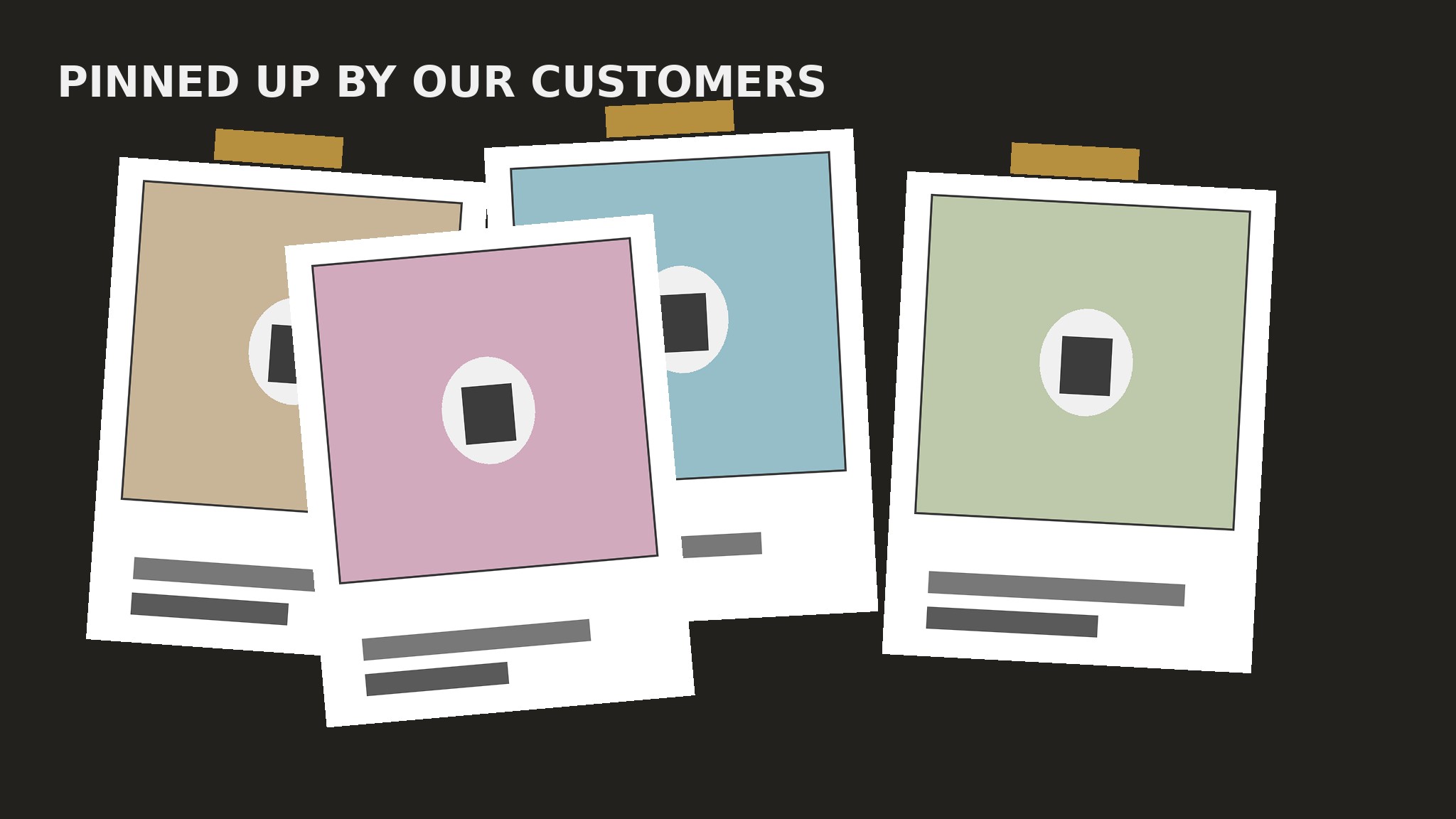
AIがお客様の声セクションのビルダーになります——ポラロイド風の白枠、テープで留めた角、手書き風のキャプションで、わずかに傾けた写真主導の声カードをレイアウトします。絶賛の声がグリッドではなく、貼り出された写真の壁のように読めます。
3ステップでインストール
登録不要。CLIツールも不要です。お使いのAIを選んで、1行コピーして貼るだけです。
ご自分で入れたい場合は、スキルを購入($4.99)し、購入完了画面からZIPをダウンロードして、上のディレクトリに展開し、AIのセッションを再起動してください。結果は同じです。すでに購入済みの場合は、AIアシスタントにダウンロードしてもらうこともできます。
パックの内容
SKILL.md(手順書)1点とスターターテンプレート1点が入っています。プレビューはこちらです:
Tilted Photo Testimonials
When to use
- Your testimonials come with real photos — customers, their teams, their spaces, their pets — and a text-only card would waste them
- Your brand is warm, personal, or handmade, and a neat corporate grid would feel wrong for it
- A homepage, about page, or community page needs proof that feels human and collected, not templated
- You have four to eight strong photo testimonials and want them to feel like a wall of pinned-up prints
- A landing page for a local business, a course, a retreat, or a maker product needs praise that looks like it came from real people
Workflow
- Collect photo + quote pairs (input: customer photos, quotes, permissions → output: pair bank)
Gather pairs, not quotes alone: each testimonial needs a real photo and a short quote that belong together — the customer in their workshop, the team at their table, the product in use, the dog that approves. Get explicit permission for each photo in writing before it goes on a page; a photo used without permission is a legal problem and a trust problem. Aim for four to eight pairs; fewer than four and the wall looks bare, more than eight and the tilt effect turns into clutter. If a photo is blurry, badly lit, or a stock image pretending to be a customer, cut the pair — one fake photo poisons every real one beside it. - Trim the quote to caption length (input: pair bank → output: caption-ready quotes)
Cut each quote to one or two sentences, short enough to fit under a photo in large handwriting-style type without wrapping to a fourth line. Keep the customer's own words and their most human detail ("my sourdough finally rose on the third try" survives; "excellent course, highly recommend" does not). Write the attribution as a first name plus a place or role ("Maya, Bristol" or "Tom, bakery owner") — the polaroid caption should read like someone wrote it on the print with a marker, not like a corporate bio block. If a quote is still too long after trimming, it belongs in a case study, not on the wall. - Build the polaroid card (input: caption-ready quotes → output: card system)
Design one card, then repeat it: a photo on top, a thick white border on all sides (thickest at the bottom, where the caption sits), a handwritten-style font for the quote and attribution, and the whole card rotated a few degrees — between 2 and 5 degrees in either direction, never more. The white border is what makes it read as a print; the tilt is what makes it read as pinned up. Keep the photo's aspect ratio the same on every card, the border width the same, the type sizes the same — the tilt angles and the photos do all the varying. Use real photos at full quality; a tilted card with a pixelated photo looks like a mistake, not a style. - Arrange the wall (input: card system → output: wall layout)
Lay the cards out in a loose, overlapping collage: cards at alternating tilt directions, edges overlapping slightly, gaps uneven but never so wide that a card floats alone. Alternate the tilt direction card by card (left, right, left, right) so the wall feels casually pinned rather than carefully rotated. Let one or two cards overlap their neighbors by a small amount — overlap is what sells the "pinned up" illusion — but never overlap a caption, and never let a card cover another card's photo face. On a wide page, two loose rows of three or four cards work; on a narrow page, a single staggered column with alternating tilts keeps the effect. Add small tape strips or pin dots at the top corners of a few cards — not all of them — as the final touch; decoration on every card is wallpaper, on a few cards it is a detail. - Handle motion, responsiveness, and the edges (input: wall layout → output: finished section)
Decide the motion rule before shipping: cards sit still, and on hover a card straightens to level and lifts slightly so its caption is easy to read — a small, satisfying interaction that rewards a closer look without turning the wall into a toy. On touch devices there is no hover, so the straightening must also work on tap, or not exist at all — a hover-only effect that mobile visitors never see is decoration for half your audience. On narrow screens, reduce the tilt angles (2–3 degrees) and the overlap so cards stay readable and the page never scrolls sideways. Add a small heading above the wall ("Pinned up by our customers" or the outcome in plain words) and check the whole wall at every breakpoint: every caption readable, every photo face visible, no card clipped by the page edge.
テンプレートのプレビュー
Tilted Photo Testimonials — Build Template
One page = one wall. Fill this in before laying out any cards.
Section
Heading: {e.g. Pinned up by our customers / Real people, real results} Layout: {two loose rows / single staggered column on mobile}
Photo + quote pairs (4–8, real photos, written permission)
Cut list: {pairs rejected — blurry photo, stock photo, quote too corporate, no permission}
Card system (one design, repeated)
Photo aspect ratio: {same on every card, e.g. 4:3} White border: {width, thickest at bottom for the caption} Caption type: {handwriting-style font, size}
スキルパック本体(SKILL.md とテンプレート)は英語で書かれています。


