Social Scheduler
ブランドに沿った1週間分の投稿を、全プラットフォームに予約します(承認制)
あなたのトピックを、全プラットフォーム対応のブランドに沿った1週間分の投稿に変換します。出ていく投稿はすべて、事前にあなたが承認します。
3ステップでインストール
登録不要。CLIツールも不要です。お使いのAIを選んで、1行コピーして貼るだけです。
ご自分で入れたい場合は、スキルを購入($4.99)し、購入完了画面からZIPをダウンロードして、上のディレクトリに展開し、AIのセッションを再起動してください。結果は同じです。すでに購入済みの場合は、AIアシスタントにダウンロードしてもらうこともできます。
実際の活用事例
実際のユーザーがAIエージェントで、まさにこの仕事をやり遂げた事例です。
Create, schedule and post content across platforms automatically
事例を読む →活用事例Create and schedule social content through Blotato
事例を読む →パックの内容
SKILL.md(手順書)1点とスターターテンプレート1点が入っています。プレビューはこちらです:
Social Scheduler
When to use
- You post inconsistently because drafting each post takes too long
- You want LinkedIn, X, and YouTube covered without writing three versions of everything
- Your social presence drifts off-brand whenever you're busy
- Repurposing (video → carousel, article → thread) never actually happens
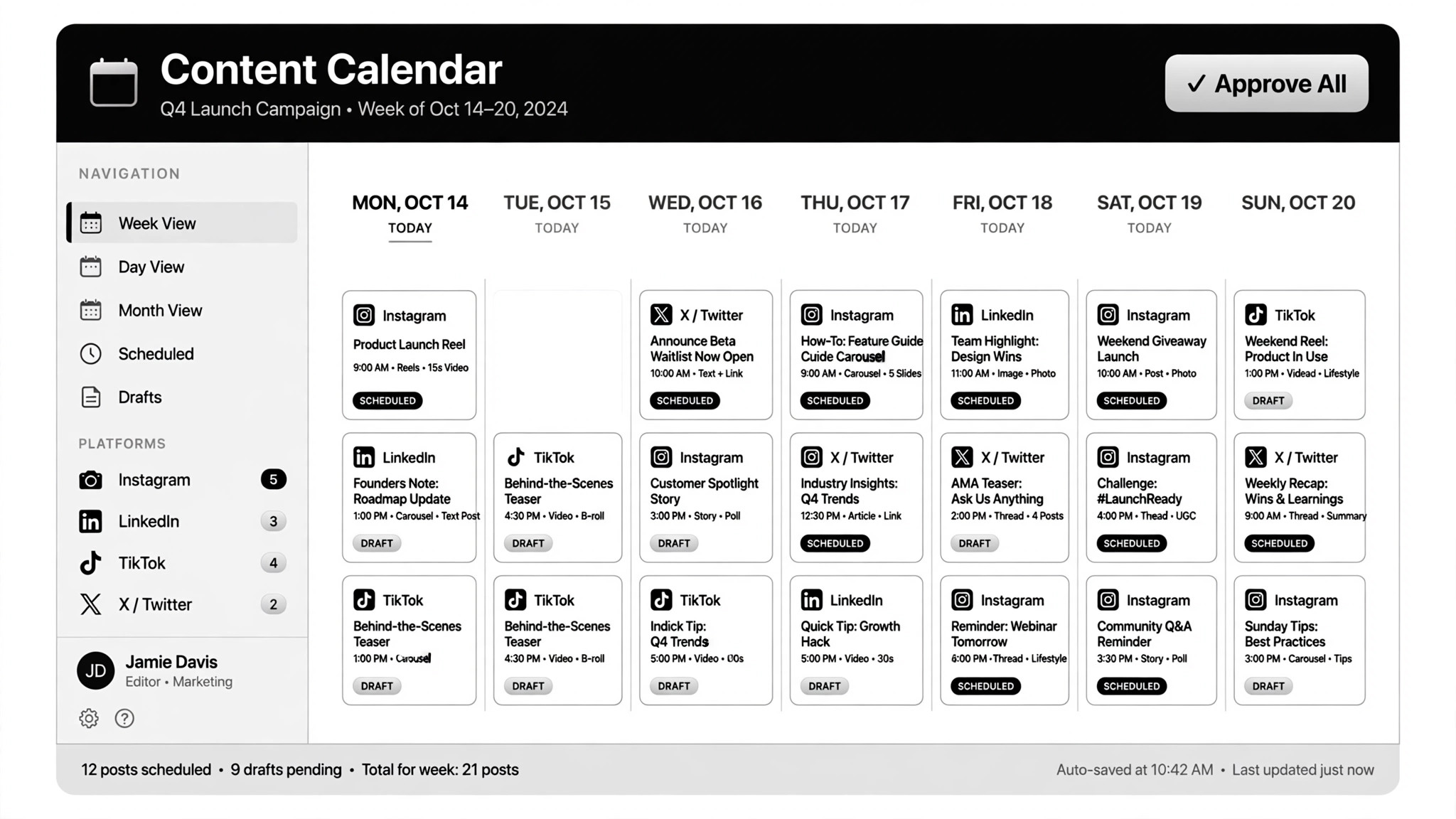
- You want one approval session per week to produce the whole week's calendar
Workflow
- Set the voice (input: brand guide + best past posts → output: voice file)
Write a voice file the agent reads on every run: who you are, how you sound, words you never use, and 5–10 of your best past posts as examples. Then write one platform-rules file: format limits, tone shifts, and posting norms per platform. Garbage in, generic out — this file is the quality control. - Feed the topics (input: topics / trend feed / one video → output: content brief)
Give the agent the week's raw material: a list of topics, a trend feed (e.g. YouTube trends), or one long piece to repurpose. One instruction should be enough to pull the trends and draft everything — the brief stays short: topic, angle, target platform mix. - Draft the batch (input: brief + voice file → output: platform-ready drafts)
Draft each idea in its platform's shape: a LinkedIn post plus infographic, a video script turned into a carousel, a thread cut from an article. Follow the voice file for tone and the platform-rules file for format. Media the AI generates (video, images, edits) gets a cost check first — generation is metered, so budget per post before scaling. - Preview everything (input: drafts → output: approval sheet)
Drafts land in one shared sheet or notes view with the full week's schedule: post, platform, format, publish time. Nothing schedules itself at this stage. You read every word and see every image before it goes anywhere. - Approve and schedule (input: approved drafts → output: published queue)
Approve, edit, or skip each post. Approved posts schedule across all platforms in one pass through a scheduling tool (e.g. Blotato). Publish is never automatic: every post carries your explicit approval, which keeps you compliant with platform API policies and account-safety rules. - Learn the loop (input: performance log → output: updated pillars)
Log performance per post (reach, engagement) and review weekly. Feed the learnings back into your content pillars and the voice file — the good ideas repeat, the flops get retired. Update the platform-rules file when a platform changes its policies or formats.
Output spec
テンプレートのプレビュー
Social Scheduler — Voice File & Weekly Batch Template
Two pages. Fill the voice file once (review quarterly); use the batch sheet every week.
Voice file (fill once)
Who we are: {one line, e.g. "B2B tool for small retailers"} Sound like: {e.g. "plain-spoken, practical, no hype"} Never sound like: {e.g. "guru, motivational, jargon-heavy"}
Banned phrases: {e.g. "as an AI", "revolutionize", "game-changer"}
3–5 example posts in our voice:
- {paste a past post that performed well}
- {another one}
- {another one}
Platform rules (fill once, update when policies change)
Content pillars: {e.g. "product tips", "customer stories", "industry takes"}
スキルパック本体(SKILL.md とテンプレート)は英語で書かれています。


