AI Services Market › スキルファクトリー › ワークフロー › Portfolio Tracker
$4.99 · サインイン不要v1.0.0– 回表示
Portfolio Tracker
保有資産を自動で見守り、定期レポートでお知らせします
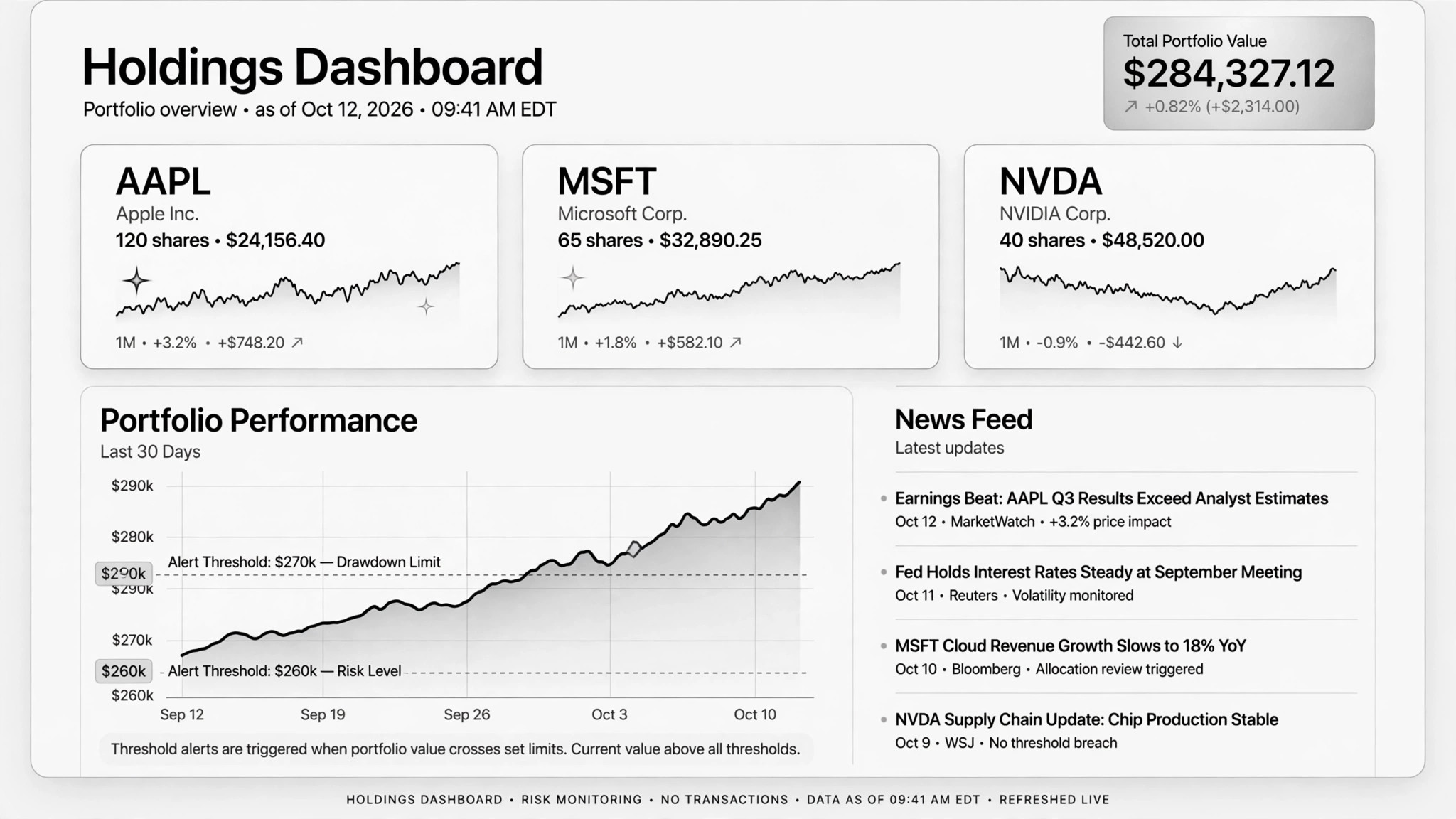
AIが投資を自動で見守ります。保有銘柄とウォッチリストの変化を記録し、強気・弱気両ケースを含む定期リサーチレポートを作成し、あなた自身のしきい値を超えたら通知します。デイトレードのノイズなしに分析が欲しい長期投資家のために。
こんな方におすすめ
個人投資家(DIY投資家)
所要時間
初期設定 約15分、その後は定期実行
レベル
初心者向け
3ステップでインストール
登録不要。CLIツールも不要です。お使いのAIを選んで、1行コピーして貼るだけです。
ご自分で入れたい場合は、スキルを購入($4.99)し、購入完了画面からZIPをダウンロードして、上のディレクトリに展開し、AIのセッションを再起動してください。結果は同じです。すでに購入済みの場合は、AIアシスタントにダウンロードしてもらうこともできます。
実際の活用事例
実際のユーザーがAIエージェントで、まさにこの仕事をやり遂げた事例です。
活用事例
Research stock positions as an AI analyst
事例を読む →活用事例Track investments over time via Claude Code and Robinhood MCP
事例を読む →パックの内容
SKILL.md(手順書)1点とスターターテンプレート1点が入っています。プレビューはこちらです:
Portfolio Tracker
When to use
- You hold a dozen stocks and can't keep up with the news on all of them every week
- You keep a watchlist of companies you might buy and want to hear about them only when something matters
- You want a regular, structured look at your portfolio — performance, news, and risk — without paying for a research subscription
- You've set yourself risk limits but never actually check whether they've been breached
- You keep a running investment journal and want it updated from real data, not memory
Workflow
- Connect in read-only (input: brokerage account or data feed → output: confirmed read-only connection)
Hook up the data source — an official broker MCP or API — and verify the permission is read-only before anything else. The connection must be able to see holdings but unable to trade. This is a hard gate: no read-only, no tracker. - Define what you hold and what you watch (input: positions + watchlist → output: tracking sheet)
List current holdings (ticker, position size, entry date, entry price) and the watchlist with why each name is on it. Snapshot everything into a log file the first run — that baseline is what every future comparison runs against. - Set your risk lines (input: your risk tolerance → output: alert thresholds)
Write the lines you care about: "alert me if any position drops 15% from entry," "flag if a holding falls below its 200-day average," "tell me about insider selling over $1M." These are yours to set, not the AI's — it enforces them, it doesn't choose them. - Run the research pass on schedule (input: tracking sheet + fresh news/prices → output: research report)
On a cadence you pick (weekly or twice-weekly works), the AI pulls fresh prices and news for holdings and watchlist, then writes a report: per-name news summary, the bull case and bear case in plain words, scenario notes, and which thresholds broke. One real case runs this twice a week across 15 tickers. - Log everything, decide yourself (input: research report → output: updated investment journal)
Every run appends to the journal: date, prices, what changed, what was flagged. You read the report and make every buy and sell decision yourself. The tracker never recommends a trade — it shows you what happened and what's near your lines.
Output spec
テンプレートのプレビュー
Portfolio Tracker — Tracking Sheet Template
One sheet. Baseline first, then every report runs against it.
Connection
- Data source: {broker MCP / API}
- Permissions: READ-ONLY (verified {date} — trading functions off)
- Report cadence: {e.g. every Tuesday and Friday, 8am}
Holdings baseline
Watchlist
Alert thresholds
- [ ] Any holding down {x}% from entry
- [ ] Any holding below its {200-day} moving average
- [ ] Insider selling > ${x} reported this week
- [ ] Watchlist name crosses my watch price
- [ ] {your own line}
Alert rule: only when MY lines break — no market noise, no "hot stock" tips.
Research report format (one per run)
スキルパック本体(SKILL.md とテンプレート)は英語で書かれています。


