Phone Feature Callouts
機能を指し示し、名前を付け、次へ進みます
AIが『フォン・フィーチャー・コールアウト』パターンのモーショングラフィックスディレクターになります——画面上のスマホにリーダーラインとラベルを引き、注目すべき機能を正確に指し示すので、視聴者は仕様書を読まずに製品を学べます。
3ステップでインストール
登録不要。CLIツールも不要です。お使いのAIを選んで、1行コピーして貼るだけです。
ご自分で入れたい場合は、スキルを購入($4.99)し、購入完了画面からZIPをダウンロードして、上のディレクトリに展開し、AIのセッションを再起動してください。結果は同じです。すでに購入済みの場合は、AIアシスタントにダウンロードしてもらうこともできます。
パックの内容
SKILL.md(手順書)1点とスターターテンプレート1点が入っています。プレビューはこちらです:
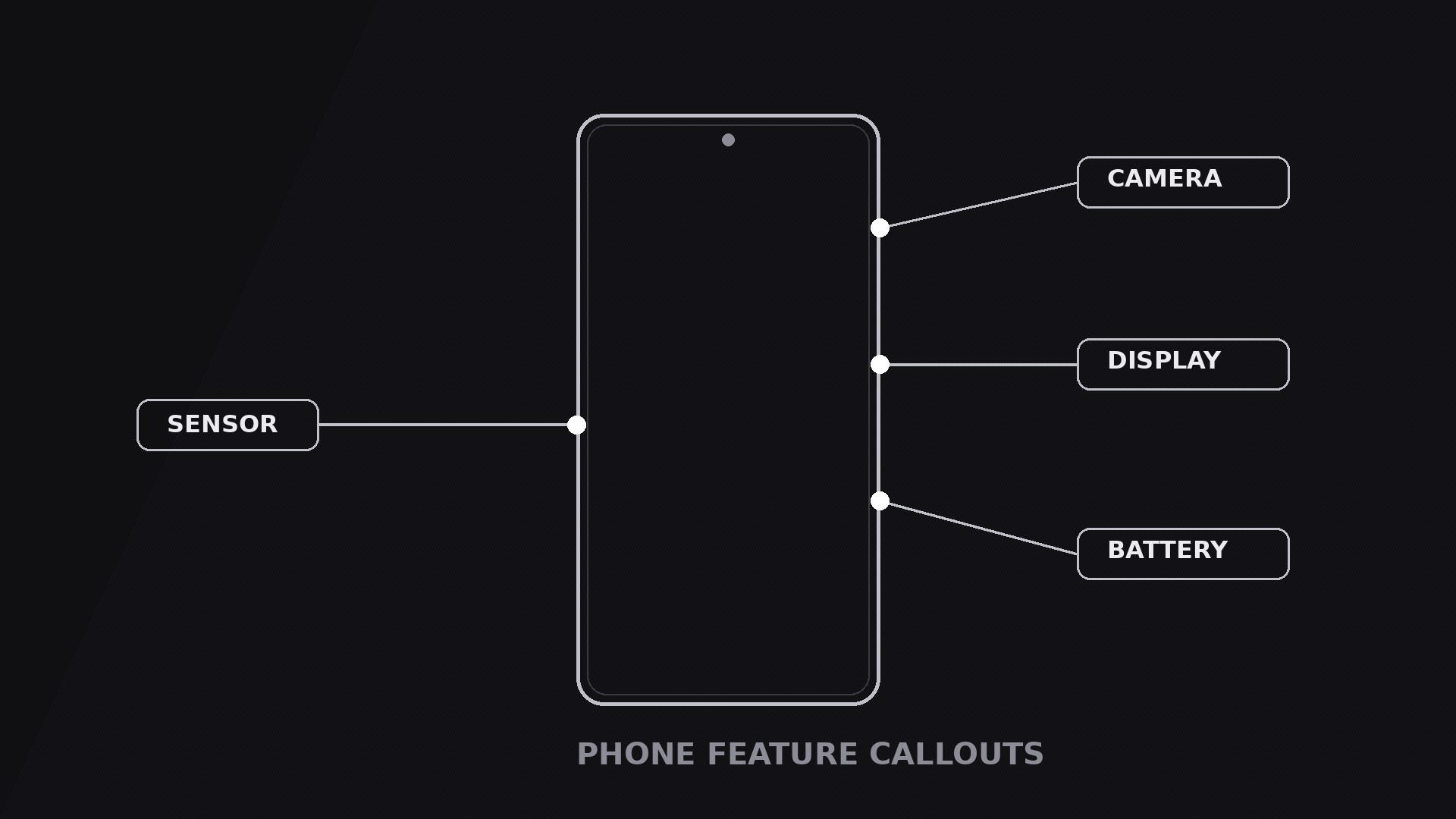
Phone Feature Callouts
When to use
- A product demo or launch video where the phone has three or four features that deserve a moment each — camera, display, battery, sensor — and a plain screen recording would bury them
- A comparison video where the point is one specific difference: the callout isolates the feature instead of asking the viewer to spot it
- A tutorial that says "tap here" — the callout shows exactly where "here" is, with a label that names what it does
- A retail or e-commerce video where the phone is the product and the callouts are the shelf talkers: short, factual, attached to the thing they describe
- A teardown or review video where you want to praise or criticise one feature at a time, in a fixed order, without cutting away from the phone
Workflow
- Pick the features (input: your product → output: 2–4 callout targets)
Choose two to four features — never more than four, or the frame turns into a labelled diagram. Each feature must be a visible point on the phone: a lens, a button, a notch, a port, a spot on the screen. If a feature has no visible point (a processor, a modem), it does not get a callout in this pattern; it gets a line in the voiceover. Rank the features in the order the viewer should learn them — usually top to bottom, or most important first — and write one label per feature: 1–3 words, plain nouns ("Triple camera", "120Hz display", "USB-C port"). No adjectives in labels; adjectives live in the voiceover. - Place the phone and leave room (input: targets → output: framed layout)
Put the phone slightly off-centre, toward the side with fewer callouts, so the labels have somewhere to live. Each callout needs a clear lane: a dot on the feature, a leader line out to the label, and the label itself. Lanes must not cross — crossed leader lines read as tangled wiring. If two features sit close together on the phone, stagger their labels at different distances so the lines stay parallel instead of colliding. Keep the phone large: it is the hero, and callouts that shrink the phone to make room for text have the priorities backwards. - Choreograph the sequence (input: layout → output: timed motion plan)
Standard timing: the phone enters over 0.5 s (fade or gentle scale from 95%), holds still for 0.4 s, then callouts fire one at a time in the ranked order, staggered 0.5–0.7 s apart. Each callout's own choreography: the dot pops in (0.15 s, scale 0 → 100% with a slight overshoot), the leader line draws outward from the dot to the label (0.25 s, ease-out), then the label fades and slides in from the line's end (0.2 s). Total per callout: ~0.6 s. Never fire two callouts at once — simultaneous callouts compete, sequential callouts teach. The phone stays perfectly still while callouts fire; any phone wobble during a callout breaks the pointer's aim. - Write the labels for glancing (input: targets → output: label copy)
Each label is 1–3 words, set in one consistent size, with an optional sub-label of at most 5 words underneath ("Triple camera" / "50MP main sensor"). The sub-label appears 0.1 s after the main label, only if the feature needs it — most do not. Keep labels in a single style: same font, same weight, same pill or plain-text treatment. If a label needs a paragraph to make sense, the feature is not callout-shaped; cut it and let the voiceover carry it. - Hold the full set, then exit (input: finished callouts → output: hold-and-exit plan)
Once all callouts are in, hold the complete frame for 2–3 s so the viewer can scan the whole set — this hold is where the learning happens. During the hold, add one gentle emphasis: a slow pulse on the dot of the feature the voiceover is currently discussing, or a slight brightening of its label. Never pulse more than one at a time. To exit, either fade the callouts out in reverse order (last-in, first-out, 0.15 s each) leaving the clean phone, or push the whole composition off as the next shot begins. The reverse-fade exit is the cleaner choice when the next shot zooms into one of the called-out features. - Render and check aim (input: motion plan → output: final clip)
Render a draft and watch it on a phone: every dot must sit exactly on its feature, every label must be readable, and no leader line may cross another. Check the timing against the voiceover — the callout for a feature should land on the word that names it, not a second early or late. If a dot drifts off its feature because the phone moves, either lock the phone still or re-keyframe the dot to track it; a callout pointing at empty space is worse than no callout.
テンプレートのプレビュー
Phone Feature Callouts — Starter Template
One phone, 2–4 callouts, one at a time. Pick the features first — everything else follows.
The features (2–4, each a visible point on the phone)
Cut check: if a feature has no visible point on the phone, move it to the voiceover — it does not get a callout.
Order rule: {top-to-bottom / most important first}
Layout
Phone position: {slightly off-centre, toward the side with fewer callouts}
Callout lanes: draw the leader lines so none cross. Stagger labels at different distances where two features sit close together.
Voiceover line per feature: "{Feature name} — {one sentence of detail.}"
Motion plan
スキルパック本体(SKILL.md とテンプレート)は英語で書かれています。


