Outreach Replies
アプローチへの返信を全て意図別に仕分けし、次のアクションまで用意します
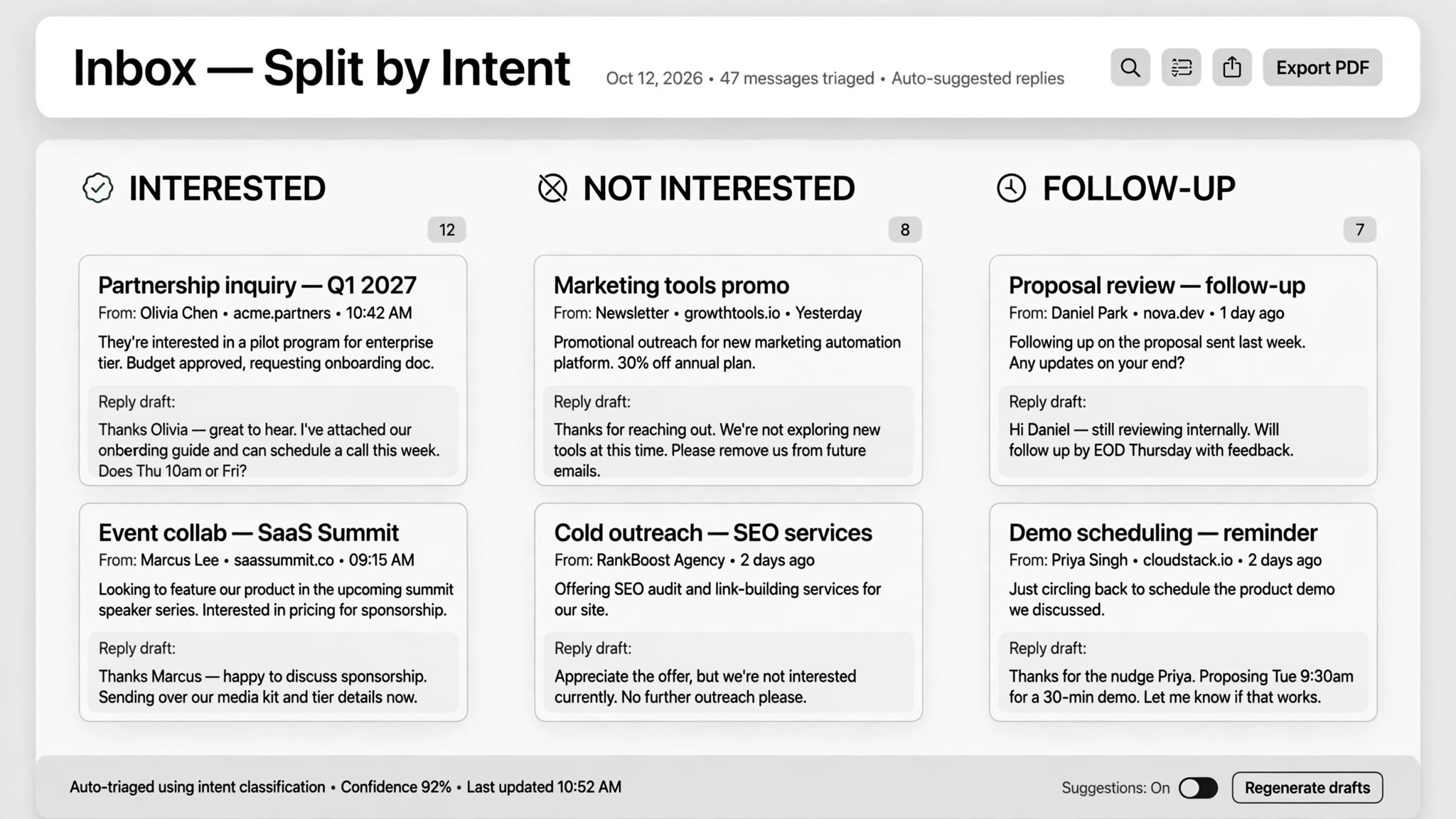
アプローチへの返信をすべて、返信の下書き・通話の予約・CRM更新に変換します。送信前に必ずあなたが承認します。
3ステップでインストール
登録不要。CLIツールも不要です。お使いのAIを選んで、1行コピーして貼るだけです。
ご自分で入れたい場合は、スキルを購入($4.99)し、購入完了画面からZIPをダウンロードして、上のディレクトリに展開し、AIのセッションを再起動してください。結果は同じです。すでに購入済みの場合は、AIアシスタントにダウンロードしてもらうこともできます。
実際の活用事例
実際のユーザーがAIエージェントで、まさにこの仕事をやり遂げた事例です。
Reply to cold emails and book sales calls
事例を読む →活用事例Reply to outreach responses from email and LinkedIn inboxes
事例を読む →パックの内容
SKILL.md(手順書)1点とスターターテンプレート1点が入っています。プレビューはこちらです:
Outreach Replies
When to use
- Cold email replies pile up while you're on calls and the hot ones go cold
- Your LinkedIn outreach gets replies faster than you can answer them
- Interested leads are buried among "not interested", reschedules, and follow-up questions
- Follow-ups slip through the cracks because nobody owns the thread
- You want every reply answered in your voice, without typing each one yourself
Workflow
- Watch the inboxes (input: connected inboxes → output: reply queue)
Connect your outreach inboxes — email (via webhook or MCP) and LinkedIn (via a scraper on a safe schedule, e.g. every 10 minutes). Filter for replies to your outreach campaigns only; ignore newsletters, notifications, and unrelated threads. Everything new lands in one queue. - Sort by intent (input: raw replies → output: interested / not interested / needs follow-up)
Classify every reply into exactly three buckets: interested (they want to talk or buy), not interested (unsubscribe and log), needs follow-up (questions, reschedules, vague replies). When in doubt, it goes in needs follow-up — never auto-guess an "interested" from a vague one. - Draft in your voice (input: reply + tone samples → output: draft response)
Write a reply draft for each item in your own tone, referencing the original message and the campaign that triggered it. Keep it short, answer what they asked, and end with one clear next step. Drafts that require pricing or policy answers must stay within your approved charter (see step 6). - Book the call (input: interested reply + calendar → output: confirmed meeting)
For interested leads: check your calendar for real open slots, send one time option plus a booking link, and once they confirm, lock the time and log notes from the conversation. In one real deployment this booked 20 sales calls in 8 days — report your own numbers, not anyone else's. - Sync the CRM (input: conversation outcomes → output: updated lead statuses)
Update every lead's status after each touch: new → responded → booked → rescheduled → unsubscribed. Log the date, the action, and the draft that was sent. The CRM is the single source of truth — if it isn't logged, it didn't happen. - Route approvals (input: drafts → output: sent / edited / skipped)
Batch the drafts for your review in one screen per batch. Nothing sends without your approval by default — outreach auto-sends are where deals die and accounts get flagged. Write a "charter" of what can be promised (prices, discounts, time windows) and what must never be said; the more specific the charter, the more you can trust later automation. High-value threads you handle personally.
Output spec
テンプレートのプレビュー
Outreach Replies — Reply Queue & Charter Template
Two pages. Fill the charter first (once), then use the queue per batch.
Charter (fill once, review monthly)
What the agent may promise:
Red lines — never say or promise:
High-value threads to handle personally: {e.g. "accounts > 50 seats, any legal/procurement questions"}
Reply queue — {date} {batch: morning/evening}
Item 1/3 — 🔥 INTERESTED
From: {name} <{email}> — {LinkedIn / cold email} Original reply: "{quote their words}" Context: {campaign name}; {one-line thread summary} Draft: > {reply, ≤120 words, one time option + booking link}
スキルパック本体(SKILL.md とテンプレート)は英語で書かれています。


