Message Sequence Lanes
すべてのメッセージが自分のレーンに、順番に、混乱なく。
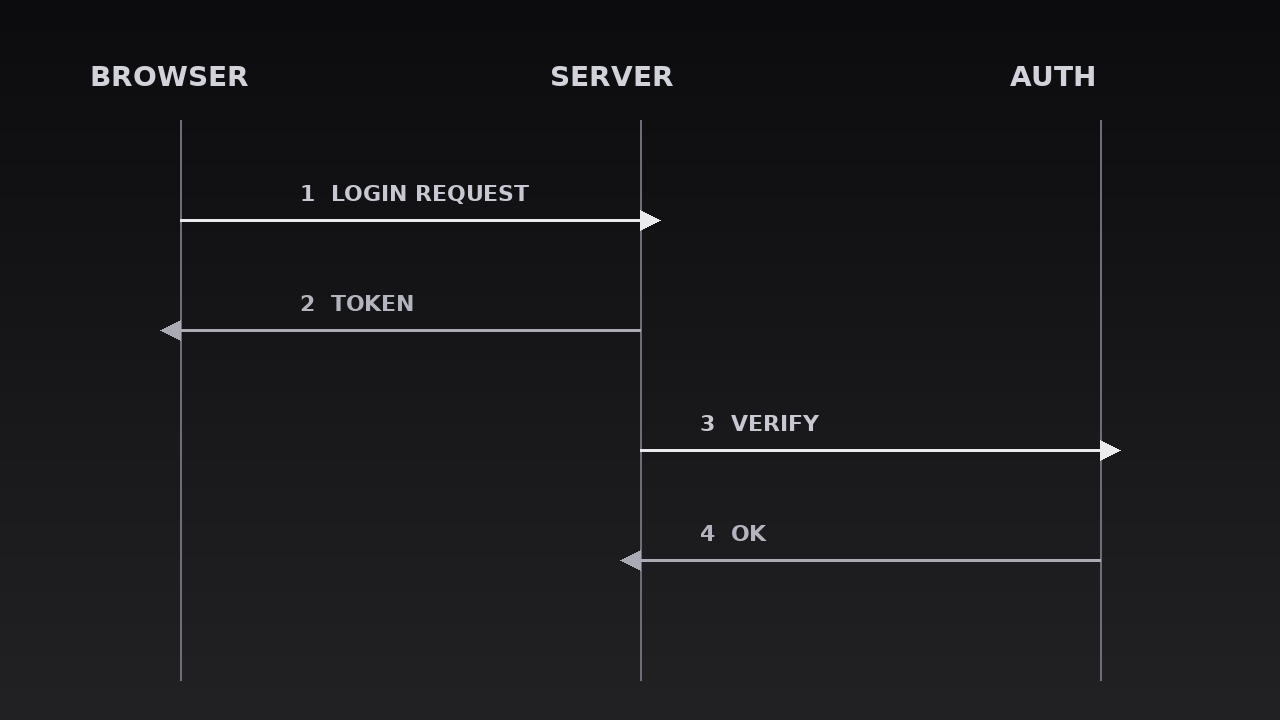
AIを、メッセージシーケンス図のモーションデザイナーに変えます。メッセージが参加者間の平行なレーンを移動し、誰が誰に何を、どの順番で言ったかが一目で見えます。メッセージの順序そのものが要点であるプロトコル解説、システム設計のウォークスルー、デバッグストーリーのために。
3ステップでインストール
登録不要。CLIツールも不要です。お使いのAIを選んで、1行コピーして貼るだけです。
ご自分で入れたい場合は、スキルを購入($4.99)し、購入完了画面からZIPをダウンロードして、上のディレクトリに展開し、AIのセッションを再起動してください。結果は同じです。すでに購入済みの場合は、AIアシスタントにダウンロードしてもらうこともできます。
パックの内容
SKILL.md(手順書)1点とスターターテンプレート1点が入っています。プレビューはこちらです:
Message Sequence Lanes
When to use
- A protocol or API explainer where the audience must see the exact order of requests and responses between services
- A system-design walkthrough where three or more components exchange messages and the sequence is the architecture
- A debugging or incident story where the bug hides in the order of two messages, not in either message alone
- An auth, payment, or handshake flow where "who talks to whom, when" is the part everyone gets wrong
- A tutorial on async patterns (queues, webhooks, retries) where messages overtake, repeat, or arrive late
- A comparison of two flows (before/after, sync vs. async) where the lane layout makes the difference visible
Workflow
- List the participants (input: your flow → output: participant list)
Name the 2–5 actors that actually send or receive messages — services, users, devices, queues — one short label each (≤3 words: "Browser", "Auth server", "Payment queue"). Every participant gets exactly one lane; a participant who only appears once still gets a full lane, because merging lanes mid-diagram breaks the reader's mental map. Cut passive observers: if an actor never sends or receives, it is context, not a participant — mention it in narration, not in lanes. Order the lanes to minimise crossing: the two actors that talk most should sit adjacent, so their arrows stay short and horizontal. - Assign the lanes (input: participant list → output: lane layout)
Draw one vertical lane per participant, evenly spaced, each topped with a labelled header (the participant's name, plus a small icon if the system uses one). Lanes run the full height of the diagram, with a thin vertical line marking each lane's spine. Time flows downward: the top of the frame is "first", the bottom is "later" — never the reverse, and never left-to-right for time in this pattern, because horizontal time collides with horizontal messages. Leave generous vertical space between messages: a cramped sequence diagram reads as a ladder, not a story. If the flow has more than ~10 messages, split it into two diagrams at a natural phase boundary (e.g. "login" then "checkout") rather than compressing. - Order the messages (input: the flow → output: numbered message list)
List every message in true chronological order, each with four facts: sender, receiver, label (≤5 words, verb-first: "Send login request", "Return token"), and type (request, response, event, error). Number them in order — the numbers are the diagram's spine, and the audience uses them to re-trace the flow. Check the order against reality: in async flows, a response can arrive before a later request is sent, and that is exactly the kind of ordering the diagram exists to show. If two messages are genuinely simultaneous, stack them at the same height with a shared number (e.g. 3a / 3b) rather than faking an order. - Animate the message travel (input: numbered message list → output: travel animation)
Animate messages one at a time, in numbered order: a message dot or pill travels along an arrow from the sender's lane to the receiver's lane over 300–500ms (ease-in-out), then the full arrow and label fade in (150ms) and stay. Arrows for requests point in one style (solid line), responses in another (dashed line returning), errors in a third (a distinct marker — thicker line or a warning glyph, never colour alone). The travelling dot is what makes the sequence feel alive: without it, the diagram is a static picture that appears all at once; with it, the audience follows each message like a ball in a rally. Pause 400–600ms after each message lands before the next one travels, so the audience can read the label before the next arrow starts. - Show replies, retries, and branches (input: travel animation → output: full sequence)
Handle the complicated cases with the same grammar, not new grammar: a reply is a dashed arrow back along the same path; a retry is the same arrow drawn again, slightly lower, with a small "retry 2" tag — never a new arrow style; a timeout is an arrow that stops halfway with a cross mark; a branch (one message fanning out to two receivers) is two arrows departing from the same point, staggered 100ms apart. Keep every special case labelled in words — a dashed arrow means nothing until the first one is labelled "response". If the flow forks into two independent paths, show them in the same lanes but separated by a horizontal phase divider with a label ("If payment succeeds…"), so the audience never wonders whether the fork is sequential or alternative. - Highlight the key exchange (input: full sequence → output: finished diagram)
Once the full sequence is drawn, highlight the one exchange the video is about — the message pair where the bug lived, the handshake that matters, the step everyone gets wrong. Highlight by dimming the rest of the diagram to 40% opacity and bringing the key exchange to full strength with a bracket or outline around its two arrows, held for 2–3 seconds while the narration explains it. The rest of the diagram stays visible but quiet, so the key exchange is seen in its context, not in isolation. End on the highlighted frame held for the narration beat, then cut — never animate the diagram away, which reads as the evidence being withdrawn.
テンプレートのプレビュー
Message Sequence Lanes — Starter Template
One lane per participant, time flows downward, one message at a time.
Flow: {title} | Participants: {n} | Messages: {n} (max ~10 per diagram)
The key exchange (the one this diagram exists to show): messages #{n}–{n} — "{what happens / what goes wrong}"
1. Participants (2–5, one lane each, ordered to minimise crossings)
Cut test: every participant sends or receives at least once — passive observers removed: [ ] Chattiest pair adjacent: [ ] (lanes reordered so their arrows stay short)
2. Messages (true chronological order)
Order verified against reality (async arrivals, overtakes, retries in true order): [ ]
スキルパック本体(SKILL.md とテンプレート)は英語で書かれています。


