AI Services Market › スキルファクトリー › 動画 › Latest Then History
$4.99 · サインイン不要v1.0.0– 回表示
Latest Then History
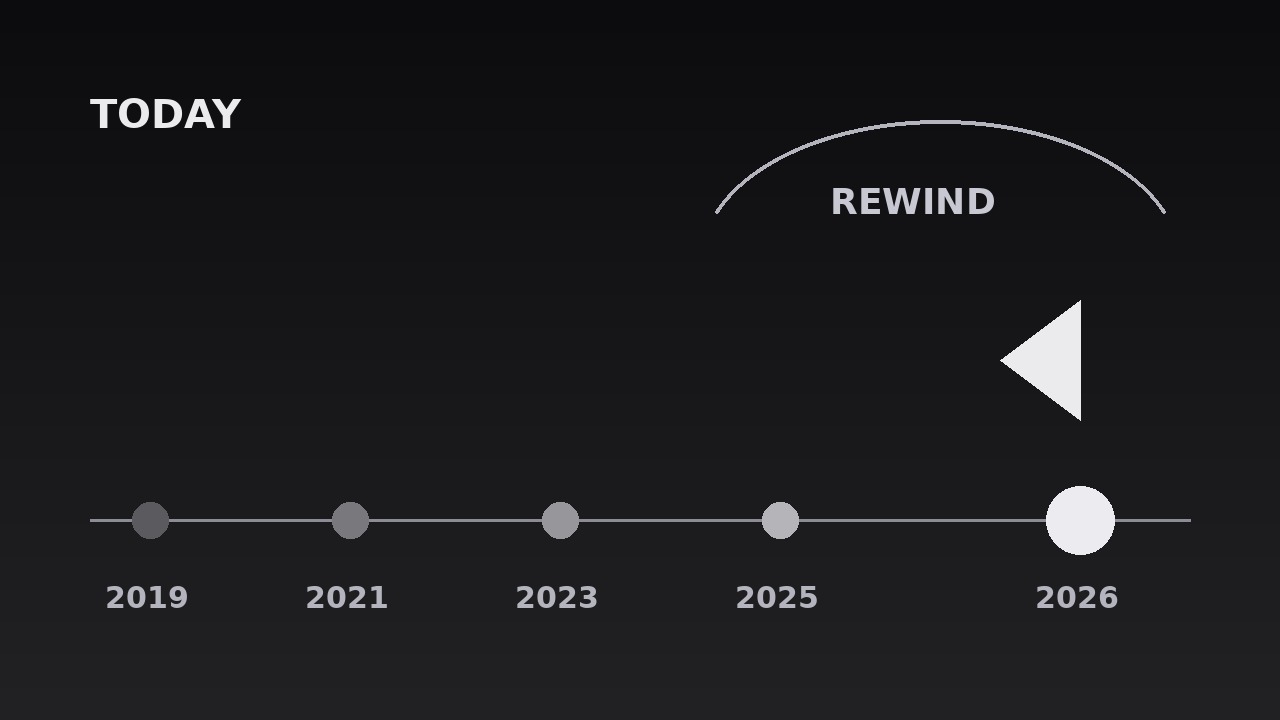
今から始め、その後ここまでの道を巻き戻します。
AIを、最新優先タイムラインのモーションデザイナーに変えます。最新の出来事が先に着地し、その後フレームが歴史を巻き戻すことで、視聴者はここまでの道を見ます。過去が見えて初めて現在が意味を持つニュース解説、製品ストーリー、回顧のために。
こんな方におすすめ
ニュース解説者、ドキュメンタリー編集者、製品ストーリーテラーの方
所要時間
20分
レベル
初級
3ステップでインストール
登録不要。CLIツールも不要です。お使いのAIを選んで、1行コピーして貼るだけです。
ご自分で入れたい場合は、スキルを購入($4.99)し、購入完了画面からZIPをダウンロードして、上のディレクトリに展開し、AIのセッションを再起動してください。結果は同じです。すでに購入済みの場合は、AIアシスタントにダウンロードしてもらうこともできます。
パックの内容
SKILL.md(手順書)1点とスターターテンプレート1点が入っています。プレビューはこちらです:
Latest Then History
When to use
- A news explainer opens on today's headline and the audience needs the backstory before they can judge it
- A product or company story starts with the launch everyone saw, then rewinds to the decisions that made it possible
- A retrospective or anniversary video anchors on the present moment, then walks backward through the milestones
- A "how we got here" segment where chronological order would bury the news, but the news alone lacks context
- A documentary or essay needs to answer "why is this happening now?" by showing the chain of events behind it
- A timeline would normally start at the beginning, but the beginning is slow and the ending is the hook
Workflow
- Anchor the latest event (input: your story → output: the "now" beat)
Pick the single newest event — the one the audience already knows or the one that just happened. It must be one event, one date, one sentence: "Today, X happened." If the latest beat needs two sentences, it is two events — pick the newer one. This event gets the biggest visual weight in the whole sequence and the most screen time, because everything that follows is measured against it. Write its date in full (day, month, year) — vague "recently" dates make the rewind feel unanchored. - Select the history beats (input: the backstory → output: 3–6 history events)
Work backward from the latest event and pick the 3–6 events that actually caused it or explain it — not everything that happened, just the load-bearing links in the chain. Each beat is one event, one date, one short label (≤6 words). Cut anything that is merely adjacent in time; if removing a beat leaves the causal chain intact, it does not belong. Order them newest-to-oldest for the rewind, and check that each beat's date is real and sourced — a timeline with one wrong date teaches the audience to doubt all of them. - Stage the present (input: the "now" beat → output: opening frame)
Open on the latest event alone: large label, full date, and one supporting visual (a photo, a headline, a frame from the event) filling the frame. Hold it for 1.5–2 seconds with no other timeline elements visible — the audience must absorb "this is now" before any rewinding starts. The frame should feel like a full stop: centred, stable, no motion except a slow 2-second push-in of at most 3% scale. If the opening already shows the timeline, the rewind has nothing to reveal. - Run the rewind (input: opening frame + history beats → output: rewind motion)
Signal the rewind clearly: a brief visual cue — the frame desaturates slightly, a rewind glyph or "X years earlier" stamp appears for 300ms, and the motion direction reverses. Then step backward one beat at a time: each history event slides in from the past side of the frame (usually right-to-left for backward motion, or rightward for a right-to-left reading audience — pick one direction and keep it), arriving over 400–500ms with ease-out, and landing on a visible timeline spine. Between beats, pause 600–800ms so each date can be read. Total rewind: 3–6 beats × ~1.2s ≈ 4–7 seconds. Never auto-play the whole rewind as one continuous scroll — stepped beats let the audience feel each jump backward in time. - Build the timeline spine (input: rewind motion → output: full timeline)
As each beat lands, it stays on the spine: a horizontal line across the lower third, with a node (dot or tick) per event and the date beneath each node. Node spacing should reflect real time gaps — a ten-year gap gets visibly more space than a ten-day gap — or, if the gaps are extreme, state "not to scale" on the spine rather than lying with even spacing. The latest event's node is the largest and brightest; history nodes are smaller and quieter, all in the same style. By the end of the rewind, the full spine is visible: now on one end, the earliest beat on the other, and the audience can see the whole arc at a glance. - Return to the present (input: full timeline → output: closing beat)
End where you started: the frame returns to the latest event, now with the timeline spine visible beneath it, so the audience sees the present sitting on top of its history. The return is a 400ms ease-out move — a gentle push forward, or a highlight sweep along the spine from oldest to newest that lands on the "now" node. Hold this closing frame for 2 seconds while the voiceover restates the latest event with its new context ("Today's X happened because of A, B, and C"). Never end the sequence stranded in the past: the last thing the audience sees must be the present, re-understood.
テンプレートのプレビュー
Latest Then History — Starter Template
Start with now. Then rewind, one causal beat at a time, and end back in the present.
Story: {title} | Sequence length target: {8–12s}
1. The "now" beat (one event, one date, one sentence)
- Event: {what just happened}
- Date: {day / month / year — full date, not "recently"}
- One-sentence version: "{Today, X happened.}"
- Opening visual: {photo / headline / frame from the event}
2. History beats (3–6, newest → oldest, causal chain only)
Cut test: removing any beat above must break the causal chain — if it doesn't, cut it: [ ]
3. Motion plan
スキルパック本体(SKILL.md とテンプレート)は英語で書かれています。


