Keyword Cloud to Conclusion
キーワードの雲が、1つの結論に凝縮します。
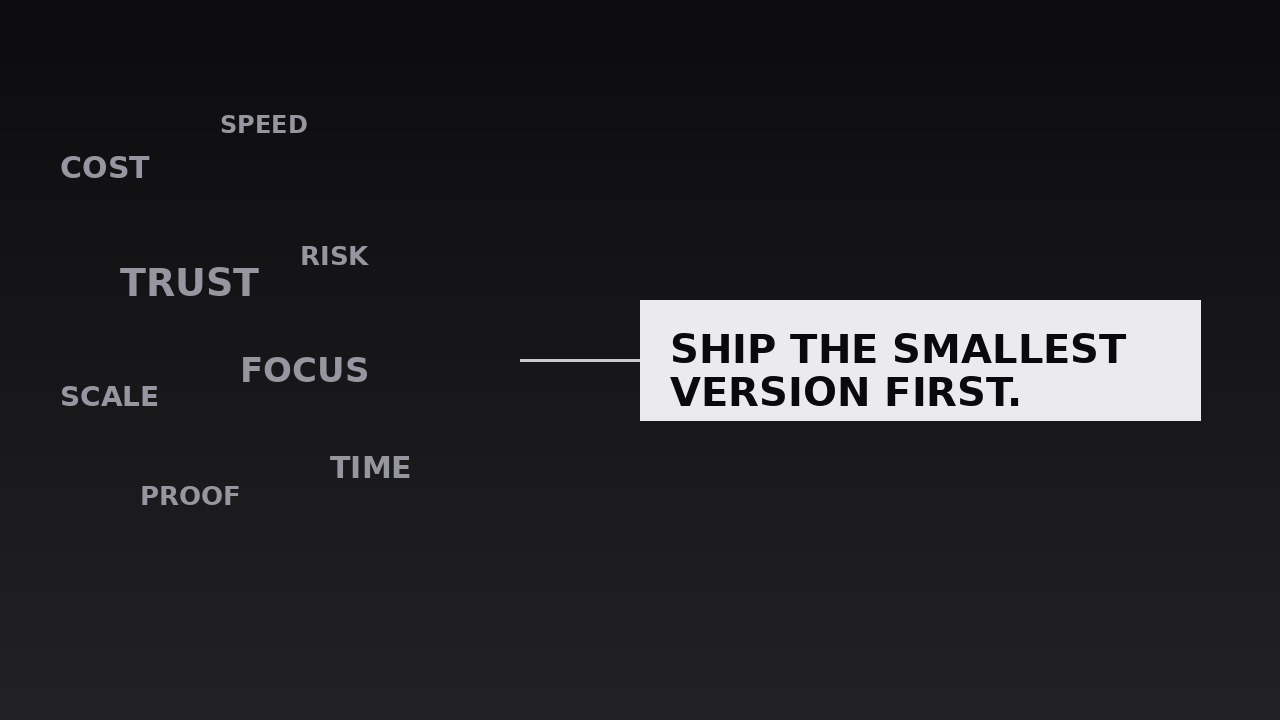
AIを、雲から結論へのシーケンスのモーションデザイナーに変えます。議論からのキーワードの漂う雲が、1つの締めの文に凝縮し、要点はそれまでに来たすべてによって稼がれたものに感じられます。結論が重みを持って着地しなければならないエッセイ、講演、解説の締めのために。
3ステップでインストール
登録不要。CLIツールも不要です。お使いのAIを選んで、1行コピーして貼るだけです。
ご自分で入れたい場合は、スキルを購入($4.99)し、購入完了画面からZIPをダウンロードして、上のディレクトリに展開し、AIのセッションを再起動してください。結果は同じです。すでに購入済みの場合は、AIアシスタントにダウンロードしてもらうこともできます。
パックの内容
SKILL.md(手順書)1点とスターターテンプレート1点が入っています。プレビューはこちらです:
Keyword Cloud to Conclusion
When to use
- A video essay or talk reaches its closing, and the conclusion needs to feel like the sum of everything argued, not a new claim dropped from nowhere
- An explainer has covered five or six sub-points and needs a visual recap before the final takeaway
- A pitch or keynote closes with one recommendation that the whole deck has been building toward
- A documentary segment gathers scattered evidence — names, places, numbers — and then states what it all means
- A lesson or training video ends with the one rule the learner should carry out of the room
- A social clip's final beat needs a payoff that replays the video's keywords in two seconds before the conclusion
Workflow
- Collect the cloud words (input: your script or argument → output: keyword cloud list)
Gather every keyword the piece actually used — 10–20 words or short phrases, each one a real term from the body of the argument, not invented for the cloud. If a word never appeared in the piece, it does not belong in the cloud; the cloud is a recap, and a recap that introduces new terms feels dishonest. Rank them loosely: the 3–4 load-bearing terms (the ones the conclusion depends on) get the largest sizes, the rest fill in smaller. Cut synonyms — if two words mean the same thing here, keep the one the audience already heard. - Lay out the cloud (input: keyword cloud list → output: cloud layout)
Scatter the keywords across the frame in a loose, organic cluster — varied sizes, varied angles (±12° maximum tilt), no grid, no columns. The largest words sit near the centre, smaller ones orbit them, and the edges stay soft: no word touches the frame edge, and no two words overlap enough to hurt legibility. Leave a clear patch of empty space where the conclusion will eventually sit — usually centre-frame or lower third — so the convergence has somewhere to go. The cloud should look like a thought in progress, not a word-search puzzle. - Set the drift (input: cloud layout → output: drifting cloud)
Give the cloud life before it converges: each word drifts slowly in its own direction — 4–10px of travel over 2–3 seconds, with a gentle 2–4° rotation wobble, eased in-out so the motion feels like floating, not sliding. Words never leave the frame and never collide hard; the drift is ambient, like dust in light. Hold this drift for 2–4 seconds while the voiceover recaps the argument, so the audience reads the cloud as "everything we just covered" before anything happens to it. The drift must be slow enough that any single word can be read while it moves. - Converge the cloud (input: drifting cloud → output: convergence)
On the voiceover's turn toward the conclusion ("So what does it all mean?", "Which leaves us with one rule"), every keyword begins travelling toward the conclusion point. Travel time: 700–900ms, ease-in — the words accelerate as they gather, like being pulled. As they travel, each word shrinks (to 30–40% of its size) and fades (to 0% opacity by arrival), so they dissolve into the gathering point rather than piling up on it. Stagger the departures by 20–40ms per word, outermost words first, so the convergence reads as a wave collapsing inward rather than a single clump jumping. The 3–4 load-bearing terms depart last and linger longest — they are the ones the conclusion is made of. - Reveal the conclusion (input: convergence → output: conclusion reveal)
The moment the last cloud word fades, the conclusion appears at the convergence point: one sentence, ≤12 words, in type 2–3× the size of the largest cloud word. It enters with a single decisive motion — scale 0.9 → 1.0 over 200ms with ease-out, opacity 0 → 100% over the same 200ms — then holds perfectly still. No stagger, no letter-by-letter build: the conclusion is one thought and it arrives whole. If the conclusion has a natural two-part structure ("Do X — because Y"), the dash or line break may split it across two lines, but both lines appear together. The background, which was busy with the cloud, is now empty around the sentence: the contrast is the point. - Hold the conclusion (input: conclusion reveal → output: finished sequence)
Hold the conclusion alone for 2–3 seconds — long enough to read twice — while the voiceover says it aloud. The voiceover and the on-screen sentence must match word for word; a spoken conclusion that differs from the written one splits the audience's attention and halves retention. If the video continues after the conclusion, cut hard to the next shot rather than dissolving the sentence away; if the video ends here, the conclusion may fade out over 400ms into the end card, but never shrink back into a cloud. Total sequence: drift (2–4s) + convergence (0.7–0.9s) + hold (2–3s) ≈ 5–8 seconds.
テンプレートのプレビュー
Keyword Cloud to Conclusion — Starter Template
The cloud is a recap of words the audience already heard. Every cloud word must have appeared in the body of the piece.
Piece: {title} — {runtime} | Conclusion beat at: {timestamp}
Conclusion sentence (≤12 words, final wording): "{conclusion}"
Spoken conclusion (must match on-screen word for word): "{same sentence}"
Cloud words (10–20, all from the body of the piece)
Honesty check: every word above was actually said in the piece — no invented terms: [ ] Synonym check: no two words mean the same thing here: [ ] (cut the weaker twin)
Layout
- Cloud area: {full frame / upper two-thirds on vertical}
スキルパック本体(SKILL.md とテンプレート)は英語で書かれています。


