AI Services Market › スキルファクトリー › Web › Image Tiles Hero
$4.99 · サインイン不要v1.0.0– 回表示
Image Tiles Hero
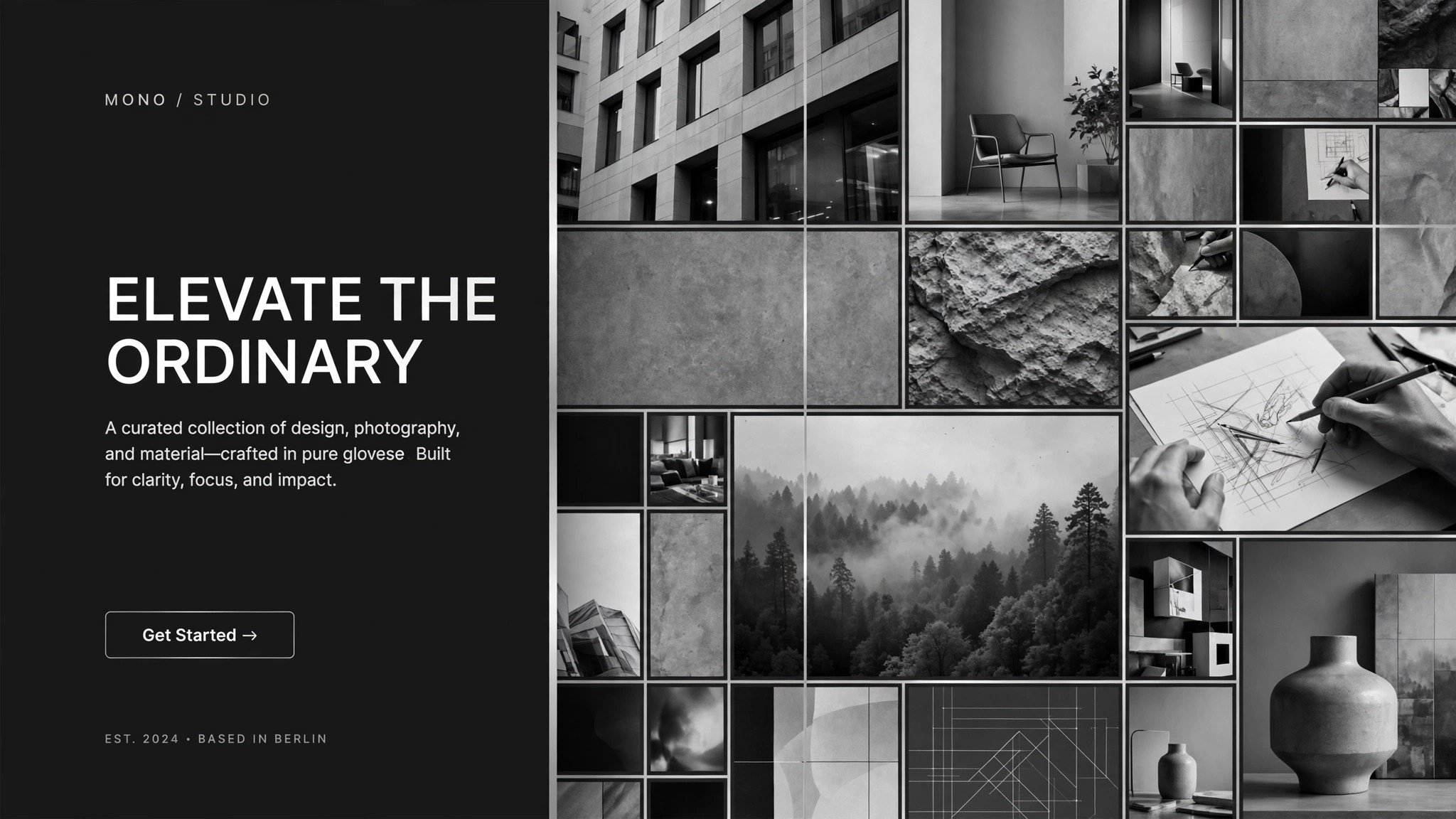
画像タイルがモザイクにはまる、ヒーローセクション。
AIをヒーローセクションデザイナーに変え、画像タイルのモザイクでランディングページのヒーローを作ります。グリッド状の写真、明確な見出しスロット、そしてどの画面でもモザイクを崩さないレスポンシブルールを備えています。
こんな方におすすめ
1枚の写真に賭けるのではなく、幅の広さを見せたいヒーローが必要なランディングページオーナー、マーケター、創業者の方
所要時間
~20分
レベル
初心者向け
3ステップでインストール
登録不要。CLIツールも不要です。お使いのAIを選んで、1行コピーして貼るだけです。
ご自分で入れたい場合は、スキルを購入($4.99)し、購入完了画面からZIPをダウンロードして、上のディレクトリに展開し、AIのセッションを再起動してください。結果は同じです。すでに購入済みの場合は、AIアシスタントにダウンロードしてもらうこともできます。
パックの内容
SKILL.md(手順書)1点とスターターテンプレート1点が入っています。プレビューはこちらです:
Image Tiles Hero
When to use
- Your landing page hero needs to show range — many products, places, dishes, or faces — instead of betting everything on one photo
- A single stock-style hero image makes your product look generic, and you want a mosaic that feels curated
- You have 6–20 good photos but no design system for turning them into a first-screen composition
- Your hero has to work as hard on mobile as on desktop, without the collage collapsing into a random stack
- You are redesigning a homepage and the headline keeps fighting the background photo for attention
Workflow
- Pick the story the tiles tell (input: your photos and one headline → output: tile brief)
Decide what the mosaic must communicate in three seconds: range, craft, people, or place. Choose 6–20 photos that each show one clear subject with breathing room around it — busy photos blur into noise at tile size. Write the headline first (≤8 words) and the subhead (≤20 words); the mosaic exists to earn attention for those words, not to replace them. One tile brief, one story, no mixed messages. - Set the grid (input: tile brief → output: grid spec)
Choose a grid that fits your tile count: 4 columns × 2 rows for 8 tiles, 5 × 2 for 10, 6 × 3 for a dense showcase. Vary tile sizes on purpose — one or two double-width feature tiles for the strongest images, the rest uniform — and keep gutters tight (8–16px) so the grid reads as one picture, not a scattered gallery. Specify the aspect behavior: tiles crop to fill, never stretch, and the focal point of each photo is marked so cropping never cuts off a face or a product. - Place the headline (input: grid spec + headline → output: hero layout)
Reserve one tile position — or a full overlay band — for the headline, and protect it: no busy photo sits behind the text. If the headline overlays tiles, it sits on a solid or scrim-backed panel with contrast checked against the darkest tile beneath it. The call to action goes directly under the headline, inside the same protected zone, so the eye lands on words first and the mosaic second. - Define the motion (input: hero layout → output: motion spec)
Give the mosaic one quiet behavior: tiles fade or rise in on load in a staggered sequence (top-left to bottom-right, ≤600ms total), or a slow Ken Burns drift on the feature tiles. Never animate every tile independently — a mosaic that wriggles looks broken. On reduced-motion settings, everything renders static; the layout must look finished without any animation at all. - Write the responsive rules (input: hero layout → output: responsive spec)
Specify exactly how the grid reflows: desktop shows the full grid; tablet drops to 3 columns with feature tiles kept; mobile shows 2 columns and the headline moves above the grid if overlay text gets cramped. Set a minimum tile size (no tile narrower than ~140px on mobile) and a maximum hero height (the mosaic never pushes the call to action below the fold on a phone). If a tile would be illegible at mobile size, it gets swapped for a simpler crop, not shrunk into mush. - Hand off build-ready specs (input: responsive spec → output: build pack)
Produce the final pack: the grid spec with column counts per breakpoint, the cropped tile images with focal points marked, the headline/subhead/CTA copy, the color and type tokens, and the motion and reduced-motion rules. A developer or a site builder should be able to build the hero from this pack without asking a single follow-up question.
テンプレートのプレビュー
Image Tiles Hero — Build Template
Fill this in before building the hero. One hero = one completed template.
Hero: {page / product} — {one-sentence story the mosaic tells}
Headline (≤8 words): {headline} Subhead (≤20 words): {subhead} Primary CTA: {button text → destination} Secondary CTA (optional): {button text → destination}
Tile inventory (6–20 tiles, one clear subject each)
Alt text (one sentence per tile):
- {alt text}
- {alt text}
Grid spec
- Desktop: {columns} × {rows}, gutter {8–16}px, feature tiles at {positions}
- Tablet: {columns} columns, feature tiles {kept / dropped}
- Mobile: {2} columns, headline {above grid / overlay}
スキルパック本体(SKILL.md とテンプレート)は英語で書かれています。


