AI Services Market › スキルファクトリー › 動画 › Grouped Metric Bars
$4.99 · サインイン不要v1.0.0– 回表示
Grouped Metric Bars
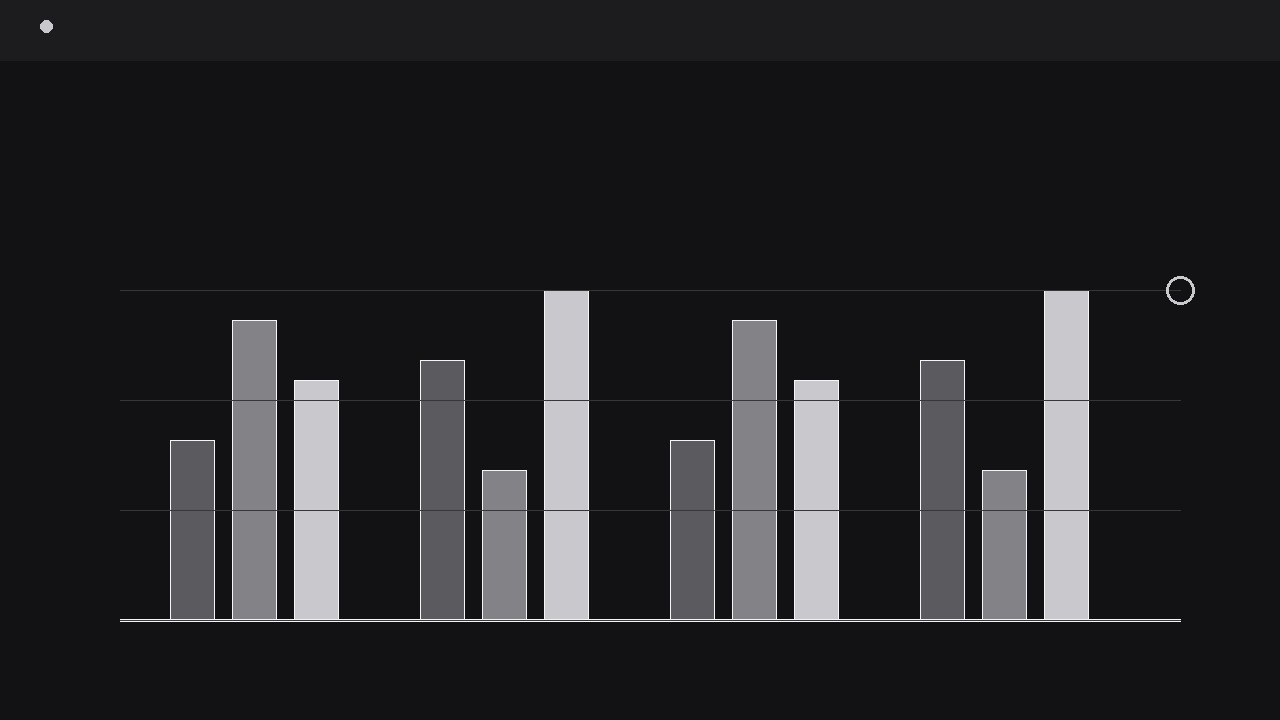
バーのグループが一緒に立ち上がります——比較が一目で着地します。
AIを、グループ化された棒グラフのモーショングラフィックス監督に変えます。グループ化された数値を受け取り、系列ごとに1色のきれいなバーレイアウトを構築し、各グループを順に立ち上がるアニメーションにし、読みやすい値ラベルと明確な比較の拍を付けます。スライドに置くだけでなく、動画の中で着地させたい方のために。
こんな方におすすめ
動画でチャートをアニメーション化するプレゼンター、アナリスト、制作者の方
所要時間
30分
レベル
初級
3ステップでインストール
登録不要。CLIツールも不要です。お使いのAIを選んで、1行コピーして貼るだけです。
ご自分で入れたい場合は、スキルを購入($4.99)し、購入完了画面からZIPをダウンロードして、上のディレクトリに展開し、AIのセッションを再起動してください。結果は同じです。すでに購入済みの場合は、AIアシスタントにダウンロードしてもらうこともできます。
パックの内容
SKILL.md(手順書)1点とスターターテンプレート1点が入っています。プレビューはこちらです:
Grouped Metric Bars
When to use
- A quarterly review video needs to compare two or three series side by side — say, this quarter vs. last quarter vs. target — across five or six categories
- A product demo has to show how three plans, tiers, or variants perform on the same set of metrics without cutting to a static screenshot
- A pitch video needs one chart that proves a gap: your numbers against two competitors, group by group, with the gap visible rather than narrated
- A tutorial walks through survey or test results where each question has several answer groups and the audience must compare within each question
- A social clip needs a chart that animates in under ten seconds and still reads on a phone screen at arm's length
Workflow
- Shape the data table (input: raw numbers → output: tidy grouped table)
Start with a table, not a timeline. One row per category (the groups on the horizontal axis), one column per series (the bars inside each group). Cap it at six groups and three series — beyond that the bars get too thin to read in motion and the audience stops comparing and starts squinting. Give every series a short label of one or two words ("Q1", "Target", "Plan B") and keep units identical across the whole table: never mix percentages and raw counts in one chart. Decide the axis maximum now — a single shared scale for all bars, with headroom of about 10% above the tallest value so the tallest bar never kisses the top edge. If one value is an extreme outlier, either break the axis visibly with a zigzag gap marker or split the chart into two; silently rescaling mid-animation destroys trust in the comparison. - Lay out the frame (input: tidy table → output: static chart layout)
Build the still frame before anything moves. Group width is the unit: inside each group, bars sit with a small gap between them and a larger gap between groups, so the eye reads "these bars belong together, those belong to the next group". One shade per series — in a black-silver palette, use black, mid-grey, and light silver with a thin white edge on the darkest bar so it separates from a dark background. Baseline, gridlines, and axis labels go in at low contrast: gridlines at roughly 15% opacity, labels large enough to read at 50% video scale. Place value labels above each bar in the layout, but keep them hidden until the reveal step; planning their positions now prevents label collisions later. Leave a title band at the top (one line, the comparison the chart proves, e.g. "Target beaten in 4 of 6 regions") and a legend row that never moves during the animation — a legend that jumps mid-motion forces the viewer to re-learn the mapping. - Animate the group rise (input: static layout → output: bars rising in sequence)
Animate group by group, left to right, not all bars at once. Within each group, the bars rise together from the baseline with a 60–90 ms stagger between series, so the group reads as one unit with internal order. Each bar grows over 350–450 ms with an ease-out cubic curve — fast off the baseline, settling gently at its final height — which reads as confident rather than bouncy. The next group starts 120–180 ms after the previous one begins, creating a visible left-to-right wave that carries the eye across the chart. Bars should grow from the baseline, never scale from their centre: scaling from the centre makes a bar appear to float, and the audience subconsciously distrusts its height. If the chart sits on a transparent background for compositing, grow the bars with a clip mask tied to the baseline rather than scaling the shape, so stroke widths and corner radii stay constant while the height changes. - Reveal the values (input: risen bars → output: labelled, readable chart)
Once a group's bars reach full height, fade its value labels in over 150 ms and hold them. Labels appear per group, in the same left-to-right order as the rise, so the eye never has to hunt backwards. Format values consistently — one decimal place everywhere or nowhere, same thousand separators — and place them 6–10 px above each bar's top edge, centred on the bar. If two neighbouring bars are close in height, offset the shorter bar's label slightly higher so the labels never overlap; overlapping labels are the single most common readability failure in animated charts. For the final beat, add a one-second hold on the completed chart with a subtle highlight on the group or series the narration is about: a thin underline under the winning group, or a brief brightness lift on one series. The hold is what turns motion into comprehension — without it, the audience remembers movement, not numbers. - Add the comparison beat (input: labelled chart → output: chart with a clear takeaway)
A grouped bar chart exists to make one comparison obvious, so end with a beat that states it. Options: a bracket that spans two bars with the delta ("+18%"), a dashed target line that drops in across the chart with its label, or a short callout that slides in beside the group that matters most. Whichever you choose, it enters after the full chart has held for at least half a second, moves in over 250 ms, and then everything holds still for a full two seconds while the voiceover or caption lands the takeaway. Never animate the comparison beat and the bars at the same time — two moving stories compete, and the viewer retains neither. If the video has no voiceover, the comparison beat carries the title text itself, and the hold extends to three seconds so a reader can finish it. - Check readability at delivery size (input: finished animation → output: verified export)
Export a test frame at the actual delivery size — a 1080p chart viewed on a phone is effectively 360 px wide — and check three things: every value label is legible, the legend still maps to the right series, and the smallest bar is still visibly taller than the baseline. If any label fails, enlarge the type or drop a decimal rather than shrinking the chart. Then watch the full animation at 1x speed with the sound off: the story must survive without narration, because most social viewers watch muted. Loop the animation only if the loop point is a clean return to the empty baseline; a jump-cut loop that snaps from the finished chart back to empty bars looks like a glitch. Otherwise, end on the held final frame and let the editor cut away.
テンプレートのプレビュー
Grouped Metric Bars — Starter Template
Fill in the table, then hand it to your AI with the instructions at the bottom.
The comparison this chart proves (one sentence)
{Example: "Plan B beats Plan A in 4 of 6 regions."}
Data table (max 6 groups × 3 series, one unit throughout)
Unit: {%, $, units, points — one only} | Axis max: {value, ~10% above tallest bar} | Outliers: {none / group + handling}
Series styling (one shade per series)
Animation settings
- Rise: {350–450 ms} per bar, ease-out cubic, from baseline
- Within-group stagger: {60–90 ms} | Group-to-group delay: {120–180 ms}
スキルパック本体(SKILL.md とテンプレート)は英語で書かれています。


