AI Services Market › スキルファクトリー › 動画 › Funnel Absorption
$4.99 · サインイン不要v1.0.0– 回表示
Funnel Absorption
多くの入力が入って、1つの出力が出てきます。
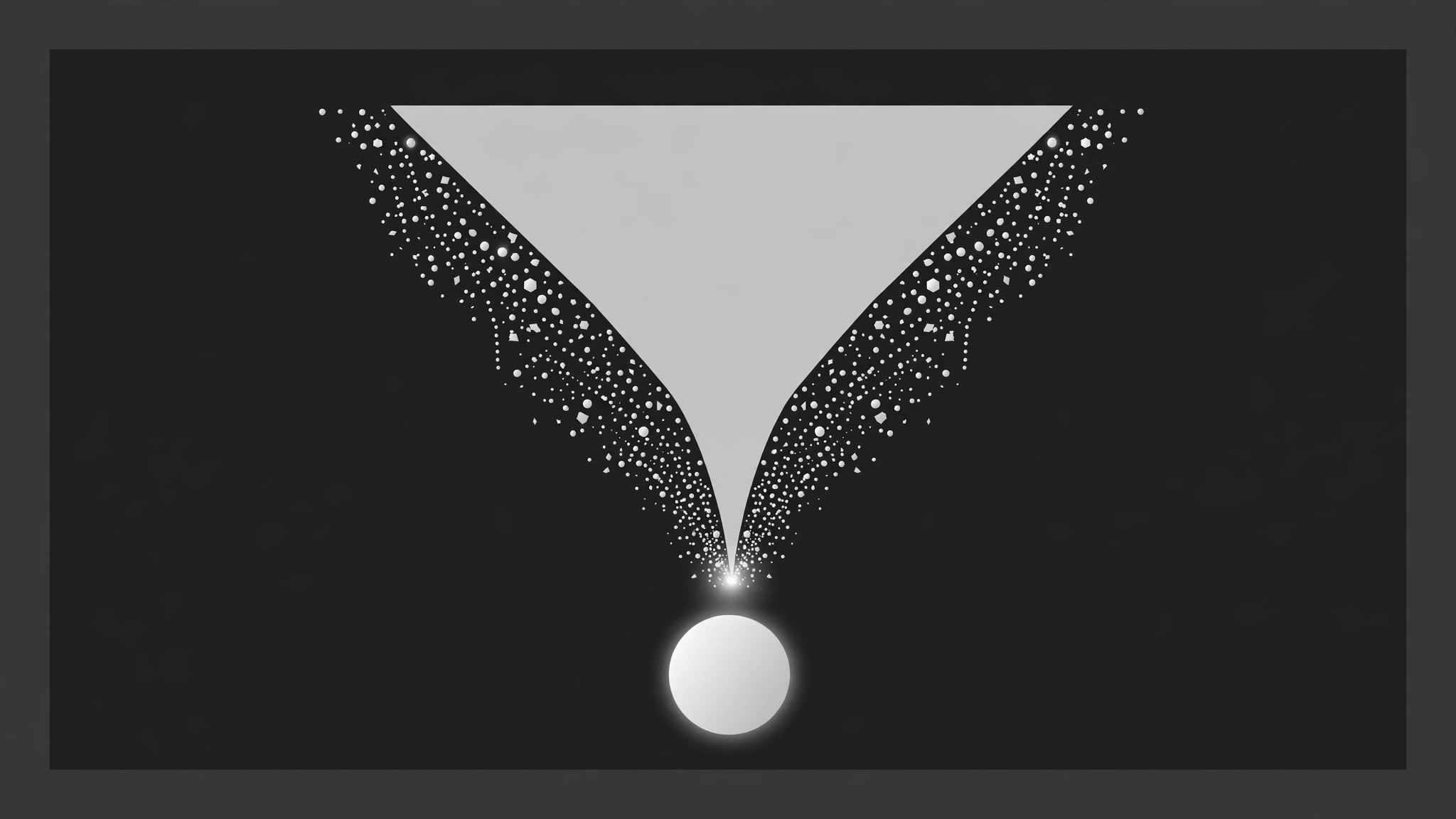
散らかった入力がファネルの上に集まり、狭くなりながら壁を下って縮み、首の部分で光る点に圧縮され、下にすべての入力のカラーチップを運ぶ1つの統一された出力として現れます。リード獲得の解説、データパイプライン、戦略のまとめのために作られています。
こんな方におすすめ
マーケター、ストラテジスト、データパイプライン解説者の方
所要時間
35分
レベル
中級
3ステップでインストール
登録不要。CLIツールも不要です。お使いのAIを選んで、1行コピーして貼るだけです。
ご自分で入れたい場合は、スキルを購入($4.99)し、購入完了画面からZIPをダウンロードして、上のディレクトリに展開し、AIのセッションを再起動してください。結果は同じです。すでに購入済みの場合は、AIアシスタントにダウンロードしてもらうこともできます。
パックの内容
SKILL.md(手順書)1点とスターターテンプレート1点が入っています。プレビューはこちらです:
Funnel Absorption
When to use
- A marketing or sales video shows many leads, channels, or touchpoints becoming one pipeline
- A data or AI explainer shows many sources feeding one model, report, or decision
- A strategy video shows scattered ideas, feedback, or requests converging into one plan
- A product video demonstrates aggregation: many inputs in, one dashboard / one answer out
- A recap video compresses a messy process (research, interviews, drafts) into one deliverable
- You have 4–10 distinct inputs and one output they jointly produce, and the merging is the story
Workflow
- Name the inputs and the single output (input: your process → output: funnel map)
List 4–10 inputs, each with a short label (2–4 words: "Surveys", "Support tickets", "Ad clicks") and a distinct colour chip or icon. Then write the output: one thing (a report, a shortlist, a decision, a product) with a 2–5 word name. The output must genuinely be made of the inputs — if two inputs never affect the output, cut them. The funnel's claim is "these became this"; every input that enters must be absorbed, none may be quietly dropped. - Draw the funnel (input: funnel map → output: layout)
The funnel is a wide-top trapezoid or cone, centred, spanning 75–90% of frame width at the mouth and narrowing to 12–18% at the neck. The mouth sits in the upper third of the frame; the neck ends at mid-frame; the output zone occupies the lower third, empty at the start. Funnel walls are solid 2–3px strokes or a filled shape at low opacity — visible enough to guide the eye, quiet enough not to compete with the inputs. Label the funnel stages if the process has them (e.g. "Gather → Filter → Decide") in small text along the left wall — 3 stages maximum, or the funnel becomes a diagram. - Release the inputs (input: layout → output: entry choreography)
Inputs appear above the mouth, one at a time, 250–350ms apart: each fades + drops 10px in over 200ms, settling in a loose row above the funnel. Hold the full row of inputs for 500ms so the viewer reads what is going in. Inputs keep their colour chips — colour is identity here; if two inputs share a colour, the viewer cannot track who got absorbed. Never drop inputs straight into the funnel without this staging beat; a funnel with no visible ingredients is just a shape. - Flow and absorb (input: entry choreography → output: absorption keyframes)
The core move, per input, staggered 200ms apart in a fixed order (left to right, or by size — pick one and keep it): each input travels down along the funnel wall toward the neck over 700ms, ease-in, shrinking as the funnel narrows — scale 1.0 → 0.35, opacity 100% → 60% — following the wall's slope, never crossing the centre line early. At the neck, the absorption beat: over 250ms the input compresses to a dot (scale 0.35 → 0.08), its colour chip flashes once (opacity pulse to 100% for 100ms), and it merges into a glowing point at the neck. The neck point brightens slightly with each absorption (+8% brightness per input, capped) so the viewer feels accumulation. An input that vanishes mid-funnel without a neck beat reads as lost, not absorbed. - Emit the output (input: absorption keyframes → output: output beat)
300ms after the last input is absorbed, the neck releases the output: the unified item drops out below the neck, growing scale 0.2 → 1.0 over 400ms with ease-out back, opacity 0 → 100%, landing in the output zone. The output carries a small echo of the inputs — a row of tiny colour chips beneath its name, one per input, in input order — so the viewer can see the ingredients inside the result. Hold the output alone for ≥1.2s: the funnel may fade to 30% opacity behind it, but the output stays full-brightness and centred. - Check the funnel tells the truth (input: finished motion → output: verified animation)
Freeze the final frame: does the output's chip row show every input exactly once? If a colour is missing, an input was dropped — fix the choreography, not the chip row. Count the absorptions in the playback: inputs in must equal absorptions at the neck, or the viewer will sense a leak. Check the funnel width on a phone screen: a neck narrower than ~60px makes the absorption beat invisible; widen the neck slightly on vertical layouts rather than shrinking the inputs.
テンプレートのプレビュー
Funnel Absorption — Starter Template
Fill in every {placeholder}. Inputs in = absorptions = chips under the output, one-to-one.
Funnel map
Inputs (4–10, each with a distinct colour chip)
Output (one thing)
- Output name (2–5 words): {output_name}
- What it is: {report | shortlist | decision | product | dashboard}
- Genuinely made of all inputs? {yes — inputs that never affect the output are cut}
Layout
- Funnel mouth: {75–90%} of frame width, upper third · Neck: {12–18%} of frame width, ends mid-frame
- Output zone: {lower third}, empty at the start
- Funnel walls: {2–3px} strokes / filled shape at low opacity — visible, quiet
スキルパック本体(SKILL.md とテンプレート)は英語で書かれています。


