File Organizer
ファイルをフォルダに仕分けし、索引付きで——削除は一切しません
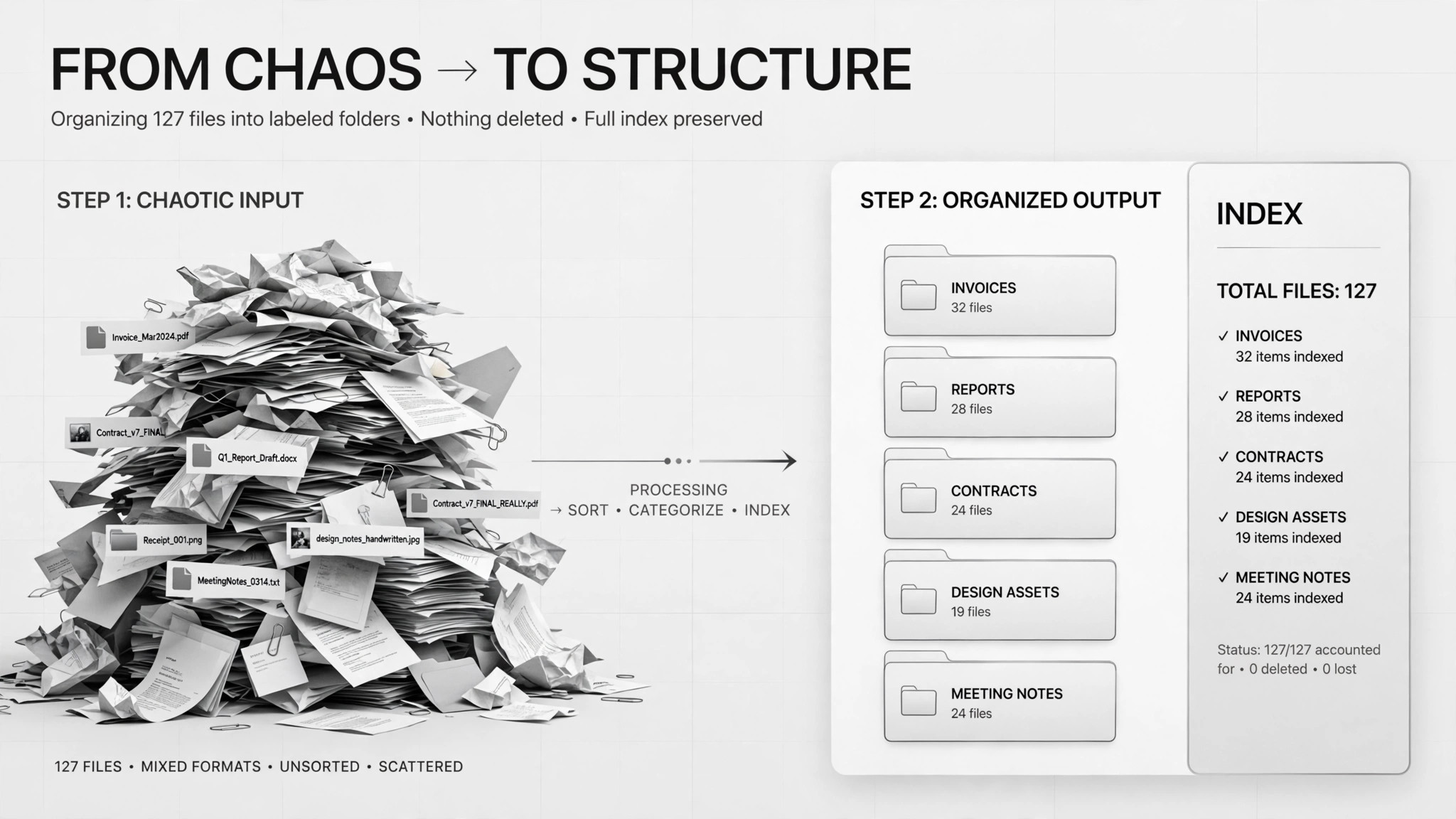
山積みの未整理ファイルを、ラベル付きフォルダと索引に変換します。まずグループ化プランを提示して承認を得てから、すべてを所定の場所へ移動(削除は決してしません)します。
3ステップでインストール
登録不要。CLIツールも不要です。お使いのAIを選んで、1行コピーして貼るだけです。
ご自分で入れたい場合は、スキルを購入($4.99)し、購入完了画面からZIPをダウンロードして、上のディレクトリに展開し、AIのセッションを再起動してください。結果は同じです。すでに購入済みの場合は、AIアシスタントにダウンロードしてもらうこともできます。
実際の活用事例
実際のユーザーがAIエージェントで、まさにこの仕事をやり遂げた事例です。
Sort 400 PDFs into folders
事例を読む →活用事例Sort 2,200 Downloads files into folders with summaries
事例を読む →パックの内容
SKILL.md(手順書)1点とスターターテンプレート1点が入っています。プレビューはこちらです:
File Organizer
When to use
- Your Downloads folder has thousands of files and finding anything takes minutes
- A project folder is full of PDFs (contracts, reports, receipts) with no structure
- You inherited a shared drive where nobody knows what goes where
- You want an index spreadsheet showing where everything ended up after the cleanup
- Files are duplicated or misnamed and you need them sorted before a move, backup, or audit
Workflow
- Inventory the folder (input: messy folder path → output: full file list)
Count and list everything first — file names, sizes, dates. In a real case with 2,200 Downloads files, the agent's first deliverable was just a count and a plan, not action. You can't organize what you haven't seen. - Propose a grouping plan with summaries (input: file list → output: folder scheme + per-group summary)
Draft the folder structure (by client, type, year — your call) and write a one-sentence summary of what goes in each group. The real cases both required this as a written plan before anything moved: the 400-PDF case included a sample assignment of files to folders so the human could spot misfits. - Get human approval (input: grouping plan → output: approved plan)
You review the plan, fix the grouping rules, and approve. This is the mandatory gate — one case put "the grouping plan must be approved by a human" as an explicit hard rule. Anything you don't understand goes to a "review" folder, not a guess. - Move files, never delete (input: approved plan → output: organized folders)
Move files into the approved folders. Never delete anything — duplicates and old installers get their own group, not the trash. In the 2,200-file case, suspicious files went into a separate "needs review" folder rather than being sorted by assumption. - Build the index (input: organized folders → output: index spreadsheet)
Generate a spreadsheet: file name, new location, date, summary. This is your map back — without it, a reorganization is just a different kind of mess. Optionally, rename cryptic files only after you confirm each rename.
Output spec
- Full file inventory before organizing (count + list)
- Grouping plan: folder names, the rule for each, and a one-sentence summary per group
- Sample assignment: a handful of files shown in their proposed folders for approval
- Organized folders on disk — move only, nothing deleted
- "Needs review" folder for anything unclassified or suspicious
- Index spreadsheet: file name → new location, with dates and summaries
- Optional: rename log, only for renames the human confirmed
Good vs. bad examples
テンプレートのプレビュー
File Organizer — Grouping Plan Template
One cleanup = one plan. Get this approved before anything moves.
Target folder: {path}
Inventoried: {n} files — [ ] inventory list saved
Proposed grouping plan
Sample assignment (spot-check before approving):
{file name}→{folder}— {why}{file name}→{folder}— {why}{file name}→{folder}— {why}
Approval checklist: [ ] Folder names make sense to me [ ] Rules are specific enough (no "misc" bucket without a rule) [ ] Suspicious files go to Needs-review, not a guess [ ] I know nothing will be deleted
Approved by: {me} on {date}
Execution log
Index
スキルパック本体(SKILL.md とテンプレート)は英語で書かれています。


