AI Services Market › スキルファクトリー › 動画 › Feature Matrix Reveal
$4.99 · サインイン不要v1.0.0– 回表示
Feature Matrix Reveal
比較表を、行ごとに表示します。
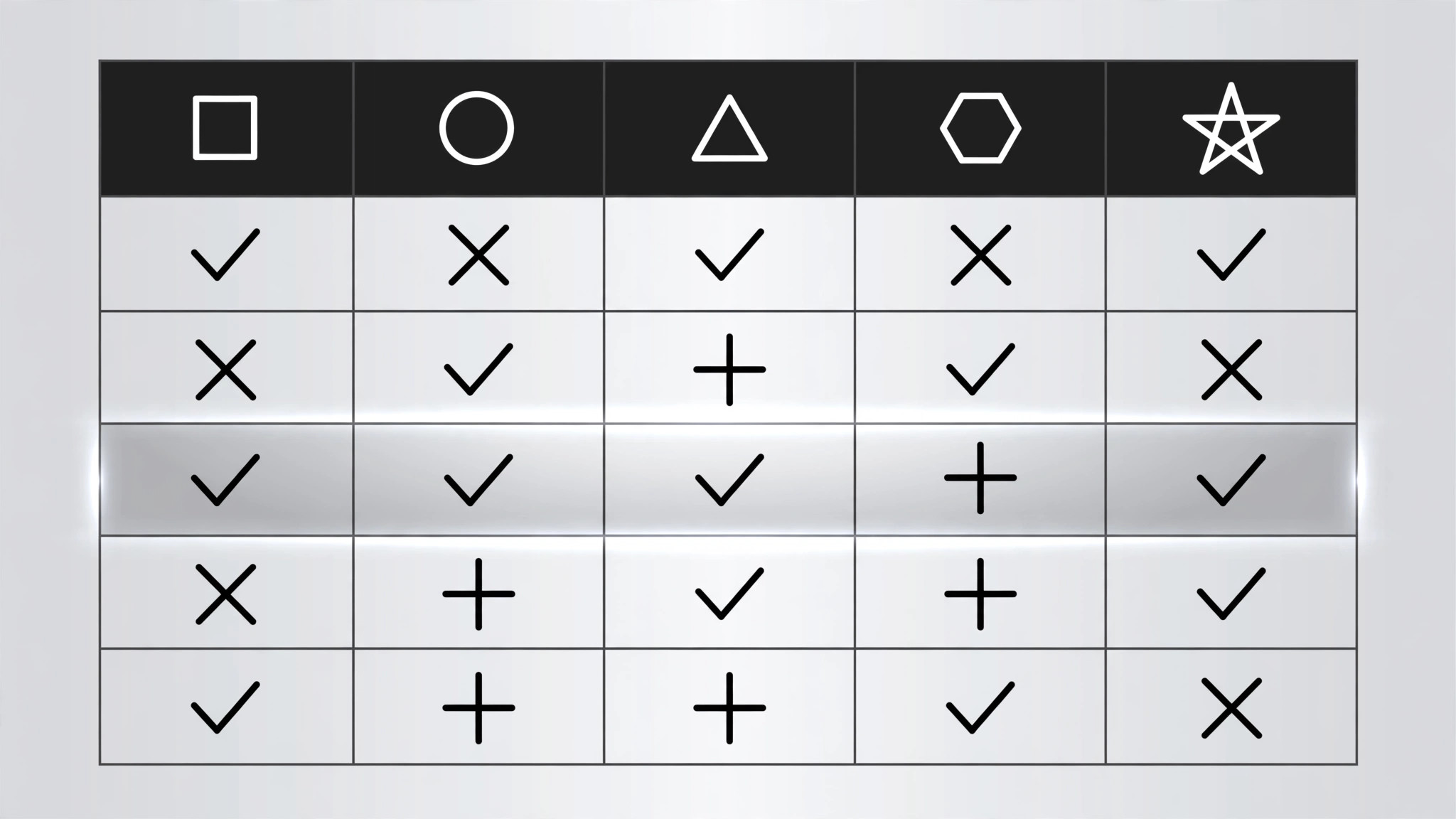
機能×選択肢のマトリクスがまず骨格を表示し、その後チェックマークが左から右へ飛び出しながら行ごとに全体を表示し、最後は特定の用途における勝者を名指しする要点ストリップで終わります。比較動画、価格解説、購入ガイドのために作られています。
こんな方におすすめ
レビュアー、製品マーケター、購入ガイド制作者の方
所要時間
30分
レベル
初級
3ステップでインストール
登録不要。CLIツールも不要です。お使いのAIを選んで、1行コピーして貼るだけです。
ご自分で入れたい場合は、スキルを購入($4.99)し、購入完了画面からZIPをダウンロードして、上のディレクトリに展開し、AIのセッションを再起動してください。結果は同じです。すでに購入済みの場合は、AIアシスタントにダウンロードしてもらうこともできます。
パックの内容
SKILL.md(手順書)1点とスターターテンプレート1点が入っています。プレビューはこちらです:
Feature Matrix Reveal
When to use
- A comparison video lines up 2–4 products, plans, or tools against the same set of features
- A pricing explainer must show what each tier includes without flashing a wall of checkmarks
- A buyer's guide compares options feature by feature and lands on a recommendation
- A product launch video shows how the new option stacks up against the old one and the rival
- A tutorial explains which plan a viewer needs by walking the feature rows that matter to them
- You have a table that is genuinely useful, and a static screenshot of it would get skipped
Workflow
- Build the matrix (input: your comparison → output: matrix data)
Columns: 2–4 options (products, plans, tiers). Rows: 5–8 features, each one a real decision factor — not filler ("Colour: yes"). Every cell holds exactly one of three values: a check (✓), a cross (✗), or a short value ("10 GB", "$29", "Unlimited"). No paragraphs in cells, no footnotes inside the grid. Order the rows by decision weight: the row that most often decides the purchase goes first. Name the columns with the option names, not "Option A" — the viewer must be able to read the verdict off the headers. - Lay out the grid (input: matrix data → output: layout)
Header row in bold with a tinted background; feature labels in the left column, left-aligned, in a smaller but readable size (≥16px at 1080p). Columns equal width; rows equal height. Cell contents centred. Use one accent colour for checks (green or the brand accent) and one muted colour for crosses (grey or soft red — never bright red, which reads as an error). Zebra-striping or hairline dividers separate rows; pick one, not both. The grid must fit the frame with ≥40px margins — if it does not fit, cut a row, not the font size. - Reveal the skeleton first (input: layout → output: frame keyframes)
The grid frame enters before any data: header row fades + slides down 8px over 250ms, then the feature labels fade in left-to-right staggered 40ms apart over ~300ms. The cells stay empty — the viewer sees the shape of the comparison before any verdict appears. This skeleton beat takes ≈550ms total. Never reveal a checkmark before its row label exists; a floating ✓ with no label is noise. - Reveal row by row (input: frame keyframes → output: row choreography)
Reveal one full row at a time, top to bottom, 500–700ms apart. Within a row, the cells pop left to right, 80ms apart: each cell's content scales 0.6 → 1.0 over 180ms with ease-out back, plus a 150ms fade. Checks get a tiny extra beat — a 200ms ring or scale pulse on the check itself — so the eye registers "included" rather than just "something appeared". The row's feature label brightens to full opacity as its cells land (labels start at 60% so the active row visibly steps forward). Between rows, hold 150ms of stillness: the stagger must read as deliberate pacing, not lag. - Land the takeaway row (input: row choreography → output: verdict beat)
After the last feature row, reveal a final takeaway strip below the grid: one line naming the winner for a named use case ("Best for solo creators: Option B — every row you need, nothing you don't"). The strip slides up 10px + fades in over 300ms, starting 300ms after the last row settles, in a tinted band distinct from the grid. If there is no single winner, the strip states the split honestly ("Pick A for storage, B for collaboration"). Hold the full grid + takeaway for ≥1.5s so the viewer can scan the whole comparison. - Check the matrix reads as a comparison (input: finished motion → output: verified animation)
Freeze the final frame and ask: can a viewer find any single cell's meaning in under a second? If two columns look identical, either the rows are wrong or the options are not really different — fix the data, not the animation. Check on a phone screen: if the grid needs squinting, split it into two grids of 2 columns each rather than shrinking the type. Never let a cell wrap to two lines; a wrapped cell breaks the row rhythm.
テンプレートのプレビュー
Feature Matrix Reveal — Starter Template
Fill in every {placeholder}. Cells hold ✓ / ✗ / short value only — no paragraphs in cells.
Matrix data
- Options (columns, 2–4): {option_1} | {option_2} | {option_3} | {option_4}
- Rows (5–8, ordered by decision weight, most decisive first):
- Row where the favourite loses (include it): {feature_n — option_X loses here}
Layout
- Header: {bold}, tinted background {hex} · Feature labels left-aligned, ≥{16px}
- Columns: {equal width} · Rows: {equal height} · Cell contents: {centred}
- Check colour: {accent_hex} · Cross colour: {muted_grey_or_soft_red_hex}
- Row separators: {zebra_striping | hairline_dividers} — pick one
スキルパック本体(SKILL.md とテンプレート)は英語で書かれています。


