Education Explainer Kit
1本に概念1つ、身につく教え方で。
AIが解説動画キットのビルダーになります——1本に概念1つを軸に教育キットを企画し、必要なスキル(概念の台本、視覚的な比喩、実例、誤解チェック)を組み立て、それぞれが満たすべき基準を設定します。視聴者はただ見るのではなく、実際に学ぶことができます。
3ステップでインストール
登録不要。CLIツールも不要です。お使いのAIを選んで、1行コピーして貼るだけです。
ご自分で入れたい場合は、スキルを購入($4.99)し、購入完了画面からZIPをダウンロードして、上のディレクトリに展開し、AIのセッションを再起動してください。結果は同じです。すでに購入済みの場合は、AIアシスタントにダウンロードしてもらうこともできます。
パックの内容
SKILL.md(手順書)1点とスターターテンプレート1点が入っています。プレビューはこちらです:
Education Explainer Kit
When to use
- You teach something (a product, a process, a school topic) and your videos get views but viewers still ask the same questions afterward
- Your explainers cram three ideas into one video and viewers drop off halfway
- You want a repeatable way to turn any topic into a teaching video, not a fresh invention each time
- Your videos look polished but nobody can say what the viewer should be able to do after watching
- You keep re-explaining the same concept because the first video never landed
Workflow
- Scope the kit (input: your topics and audience → output: kit scope sheet)
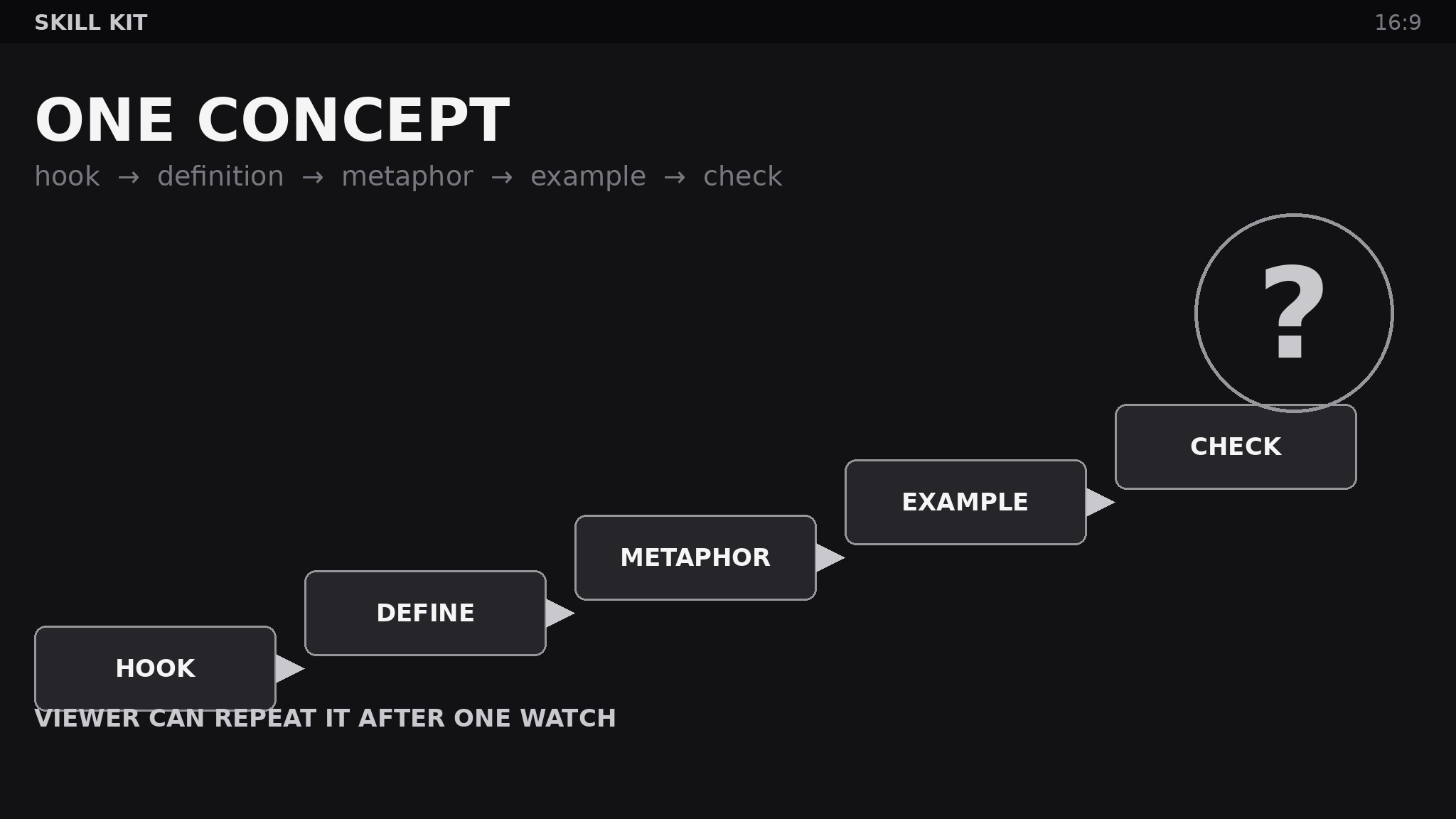
Define the audience's starting knowledge in one paragraph — what they already know, what vocabulary they already have, what they are trying to do with this knowledge. Then set the kit's iron rule: one concept per video, stated as a single sentence the viewer should be able to repeat afterward ("After this video, the viewer can explain why a loan's monthly payment barely dents the balance in year one"). Every skill in the kit serves that one sentence. A kit that allows two concepts per video is a kit that teaches neither. - Inventory the teaching skills (input: scope sheet → output: skill inventory)
List the skills the kit needs, one per teaching job: Concept script (turns the one-concept sentence into a spoken script with a hook, a plain-language definition, and a recap), Visual metaphor (turns the abstract part of the concept into one concrete analogy with a matching visual brief), Worked example (turns the concept into a step-by-step example the viewer can follow with a pencil), Misconception check (turns the concept's common wrong turns into on-screen corrections and a self-test question), Production pack (turns script + visuals + example into a shot list, narration cues, and on-screen text). If the kit has no misconception skill, viewers will leave with the same wrong idea they arrived with — just more confidently held. - Write the contract for each skill (input: skill inventory → output: per-skill input/output contracts)
For every skill, write the input, the output, and the pass bar. The pass bars are teaching bars, not production bars: Concept script — "a viewer with the stated starting knowledge can paraphrase the concept after one watch, no jargon left undefined"; Visual metaphor — "one analogy, carried through the whole video, never mixed with a second"; Worked example — "every step shown, no step skipped with 'and then you just…', viewer can redo it alone"; Misconception check — "names the two most common wrong answers and shows why each fails." A beautiful video that fails these bars is a failed lesson with nice lighting. - Build the composition order (input: contracts → output: kit playbook + template pack)
Fix the order the skills compose into a video: hook (why this matters, 15 seconds) → plain definition → visual metaphor → worked example → misconception check → recap in the viewer's own words → self-test question. Provide templates: script skeleton with timing marks, metaphor brief (analogy, what maps to what, where it breaks down), example worksheet, check-question bank. The composition order is the pedagogy — changing it (example before definition, recap skipped) changes what viewers retain, so it is not optional. - Test on one real viewer and harden (input: playbook → output: hardened kit + fixes log)
Show the first video built with the kit to one person from the actual audience, then ask them to explain the concept back and redo the worked example alone. Where they stumble is where the kit failed — log it, fix the responsible skill's contract or template, and re-test. A kit validated against a real viewer beats a kit reviewed by its own author. Re-test after every third video; audiences drift, and the scope sheet's starting-knowledge paragraph goes stale.
テンプレートのプレビュー
Education Explainer Kit — Video Pack
One concept per video. If this template needs a second "viewer can…" sentence, it needs a second video.
1. Kit scope sheet
Audience starting knowledge: {what they already know, vocabulary they have, what they want to do with it} One-concept sentence: After this video, the viewer can {explain / do / decide} {concept}. Video length target: {minutes}
2. Concept script skeleton
Hook (≤15 sec): {why this matters, in the viewer's words} Plain-language definition: {concept in one paragraph, no jargon left undefined} Recap (viewer repeats it): {the concept restated as the viewer would say it}
スキルパック本体(SKILL.md とテンプレート)は英語で書かれています。


