AI Services Market › スキルファクトリー › 動画 › Chapter Grid Flip
$4.99 · サインイン不要v1.0.0– 回表示
Chapter Grid Flip
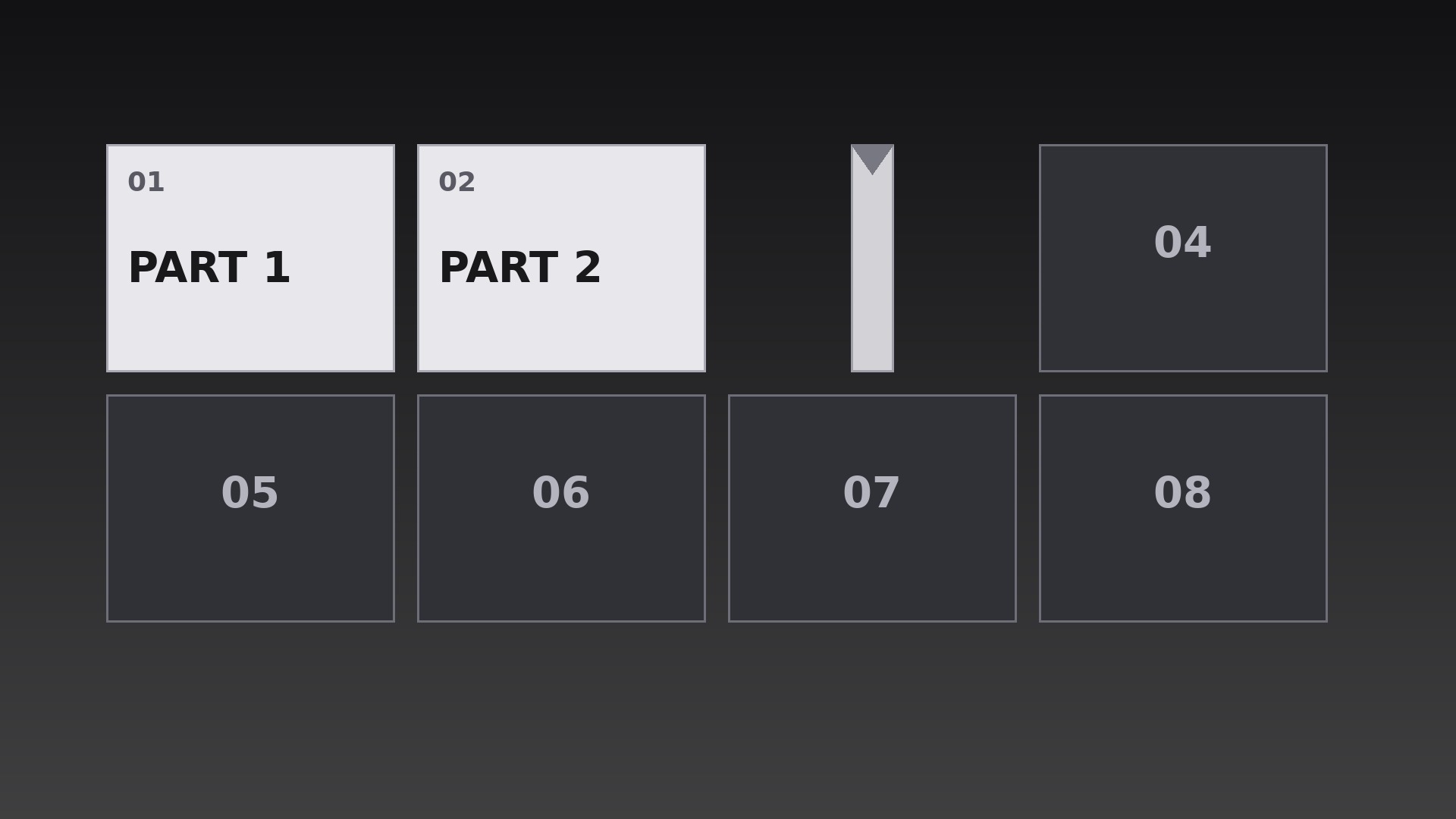
章タイルのグリッドが1枚ずつめくれ、地図全体が表向きになります。
AIに、各タイルが読み順のカスケードで本物の3D Y軸フリップを行う章グリッドの作り方を教えます。隠れた中間点での面の入れ替えと、きれいな着地の落ち着き付きです。
こんな方におすすめ
視覚的な目次が必要なコース制作者とシリーズプロデューサーの方
所要時間
初稿まで約25分
レベル
初心者向け
3ステップでインストール
登録不要。CLIツールも不要です。お使いのAIを選んで、1行コピーして貼るだけです。
ご自分で入れたい場合は、スキルを購入($4.99)し、購入完了画面からZIPをダウンロードして、上のディレクトリに展開し、AIのセッションを再起動してください。結果は同じです。すでに購入済みの場合は、AIアシスタントにダウンロードしてもらうこともできます。
パックの内容
SKILL.md(手順書)1点とスターターテンプレート1点が入っています。プレビューはこちらです:
Chapter Grid Flip
When to use
- A course or series menu where the viewer should see every chapter laid out as a grid before choosing one
- A video's table of contents where each chapter tile flips to reveal its title in sequence
- A season or episode index where each tile flips to show its episode art and number
- A workshop agenda where the day's sessions appear tile by tile as the host previews them
- A documentary with distinct segments where a flipping grid recaps what has been covered and what is next
- A compilation video where each segment gets its own tile and flips open as its segment begins
Workflow
- Define the grid (input: chapter list → output: grid layout + tile contents)
Lay out one tile per chapter in a grid that fits the frame with comfortable gutters — 3×2 or 4×2 for six to eight chapters, never more than 12 tiles on screen at once (merge or paginate beyond that). Each tile carries exactly three things: chapter number, a short title (1–4 words), and one small visual cue (icon, number, or still). Tiles start face-down showing a uniform back: a neutral panel with the chapter number only. Write all tile contents before animating — a flip that reveals unfinished copy is the most common failure of this pattern. - Set the flip mechanics (input: grid layout → output: flip spec)
Each tile flips around its vertical center axis (a Y-axis 3D flip, like a card turning over), rotating from 0° to 180° over 0.55s with an ease-in-out curve — fast in the middle, settled at both ends. At 90°, the tile is edge-on and invisible for one frame; swap the back face for the front face exactly at that midpoint so the change is hidden in the edge-on moment. Add a subtle perspective: tiles further from the frame center skew very slightly, but keep the effect restrained — a grid that looks like a casino card trick has gone too far. - Choreograph the flip order (input: flip spec → output: flip sequence timeline)
Flip tiles one by one in reading order — left to right, top to bottom — at 0.18s stagger intervals, so the flips cascade like a wave across the grid rather than firing all at once. Each flip lasts 0.55s, so consecutive flips overlap: tile 2 is mid-flip as tile 1 lands. The full grid resolves in roughly (tiles × 0.18s) + 0.55s — for 8 tiles, about 2.0s. After the last tile lands, hold the complete grid still for at least 1.5s so the viewer can scan the whole map before anything else happens. - Land each tile (input: sequence timeline → output: landing treatment)
When a tile lands at 180°, give it a tiny settle: scale 1.00 → 1.03 → 1.00 over 0.15s, plus a soft shadow that grounds it on the background. The shadow is the detail that sells the flip — a tile with no shadow looks pasted on; a tile with a heavy drop shadow looks like a sticker. Use a short, soft, downward shadow at 20–30% opacity. No bounce, no wobble, no sound effect louder than a soft paper tick — the flip is crisp, not playful, unless the video's tone is explicitly playful. - Connect flips to chapters (input: landed grid → output: navigation behavior)
Decide what the grid does after it resolves. In a menu context, the grid stays and the viewer picks a tile (highlight the selected tile with a border, never by re-flipping it). In a linear video, the grid is a preview: after the 1.5s hold, the camera pushes into the first chapter's tile (a 0.6s scale-up) and the chapter begins — the grid was the map, now the journey starts. In a recap context, already-covered tiles stay face-up while upcoming tiles flip, so the grid doubles as a progress map. Pick one behavior per video and keep it consistent. - Export and check (input: finished grid animation → output: verified renders)
Render at the source frame rate with true 3D transforms (never fake the flip with a horizontal scale squeeze — the eye can tell, and the midpoint face-swap will look wrong). Verify by stepping through frame by frame at one flip's midpoint: the tile must be a clean vertical edge, not a smeared smudge. Check the smallest target screen: tile titles must remain legible — if they are not, cut words, never shrink the grid to fit more tiles.
テンプレートのプレビュー
Chapter Grid Flip — Starter Template
Fill in every {placeholder}, then hand this spec to your video tool or motion designer.
Project
- Video title: {video_title}
- Frame size: {width}x{height} @ {fps}fps
- Grid purpose: {menu / linear_preview / recap_progress} (pick one)
Grid layout
- Grid dimensions: {columns}x{rows} (3×2 or 4×2 typical; max 12 tiles on screen)
- Tile size: {tile_width}x{tile_height}px, gutters {gutter}px
- Tile back (face-down): neutral panel + chapter number only, fill {back_color}
- Tile front: chapter number + title (1–4 words) + one visual cue (icon, number, or still)
Tiles (reading order: left to right, top to bottom)
スキルパック本体(SKILL.md とテンプレート)は英語で書かれています。


