Browser Chapter Reveal
1つのブラウザウィンドウの中で章をめくり、タイトルを1つずつ見せます。
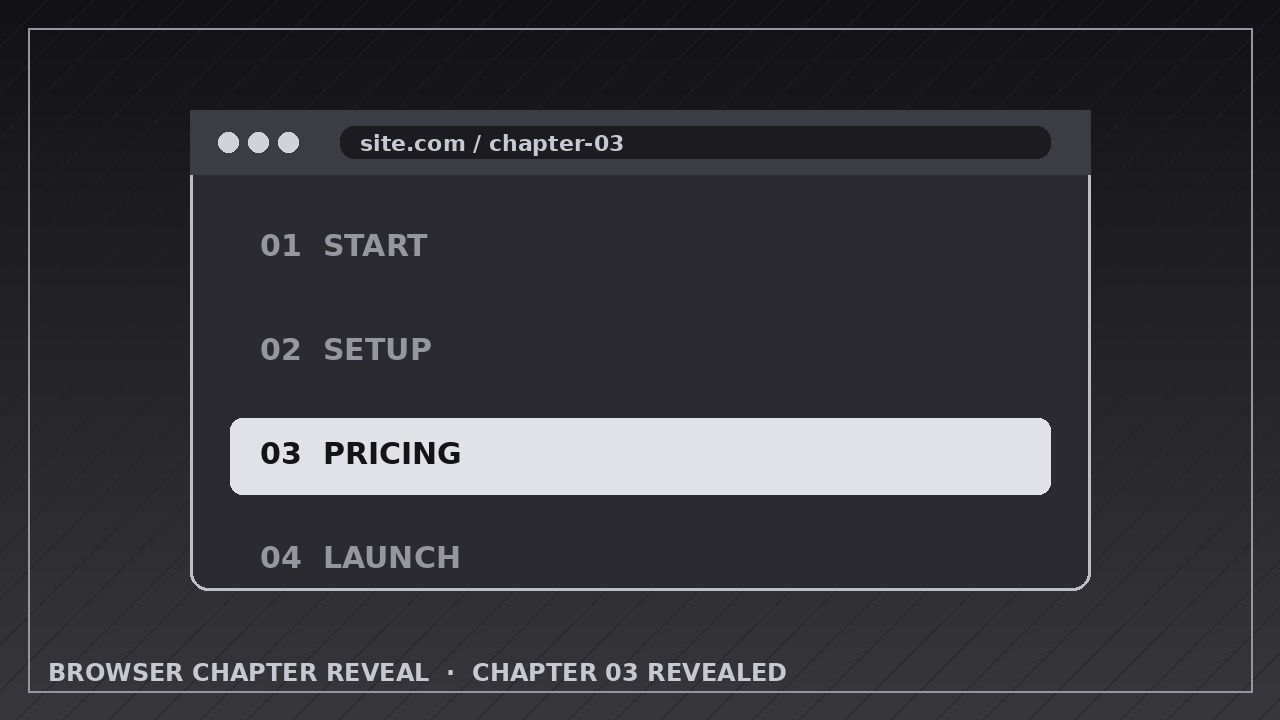
AIに、ブラウザのモックアップで章を順番にめくる演出方法を教えます。各タイトルはきれいに表示され、URLとフレームは完全に一貫して保たれます。
3ステップでインストール
登録不要。CLIツールも不要です。お使いのAIを選んで、1行コピーして貼るだけです。
ご自分で入れたい場合は、スキルを購入($4.99)し、購入完了画面からZIPをダウンロードして、上のディレクトリに展開し、AIのセッションを再起動してください。結果は同じです。すでに購入済みの場合は、AIアシスタントにダウンロードしてもらうこともできます。
パックの内容
SKILL.md(手順書)1点とスターターテンプレート1点が入っています。プレビューはこちらです:
Browser Chapter Reveal
When to use
- Previewing a course, book, or documentation set where each chapter deserves its own title card inside a browser frame
- Touring a multi-section landing page or dashboard, one section at a time, without scrolling past everything at once
- Showing the chapters of a guide, report, or onboarding flow in reading order
- Demoing a website's key pages (home, features, pricing, FAQ) as a quick flip-through
- Building a video table of contents where each chapter title doubles as a navigation cue
- Teasing a product launch by revealing feature sections one by one inside the browser
Workflow
- List the chapters in order (input: your content → output: chapter list with title, one-line teaser, and key visual)
Write every chapter as a title of 2–6 words plus one teaser line of under 12 words, and note the single screenshot or mockup visual that represents it. Order them the way a reader meets them. Cap the list at 8 chapters — beyond that, group chapters or split the video. Cut any chapter whose visual is identical to another's; if two chapters look the same in the browser, the flip feels like a glitch, not a reveal. - Build the browser stage (input: chapter list → output: browser mockup with first chapter loaded)
Construct one consistent browser window: a top bar with traffic-light dots, a URL pill showing the chapter's address, and a content area with generous padding. The window stays in the same position, size, and perspective for the whole video — only its contents change. Load the first chapter before the video starts so the opening frame is already readable. Keep the URL in sync with each chapter; a stale URL is the detail viewers notice first. - Reveal each chapter title (input: browser stage → output: title reveal keyframes)
When a chapter arrives, its title reveals over 0.4–0.6 seconds: slide up 12–20 px with a fade, ease-out, landing on a clean baseline. The title sits above or overlaid on the chapter visual, never buried in body text. If the title has a chapter number ("03 — Pricing"), animate the number and title as one unit. Hold the title fully visible for at least 1.0 second before any further motion — a title that flashes past is a title that was never read. - Flip to the next chapter (input: title reveal → output: chapter transition keyframes)
Transition between chapters with one consistent move: a soft page-flip, slide, or crossfade lasting 0.5–0.7 seconds with ease-in-out. Pick one transition and use it for every chapter — mixing flips, slides, and zooms makes the tour feel random. During the transition, the browser frame itself never moves; only the content inside it changes. The outgoing chapter's title exits as part of the transition (slides or fades with its page), and the incoming chapter's title reveals only after the transition completes — never overlap two chapter titles. - Stage each chapter's visual (input: transition keyframes → output: per-chapter content choreography)
Within each chapter's screen time, choreograph at most one secondary motion: a gentle scroll of 100–200 px, a cursor moving to one element, or a single element highlighting. Keep it subordinate — the chapter title and hero visual carry the shot. Give each chapter 2.5–4 seconds of screen time (title reveal + hold + one secondary motion), longer for chapters whose visual needs reading. If the narration names a chapter, its flip should land on that word. - End on the index, then export (input: per-chapter choreography → output: rendered video)
After the last chapter, cut or flip to a closing frame listing all chapter titles in order — the same titles, same order, same wording — so the video doubles as a table of contents. Hold it 2–3 seconds. Export at the platform's native size (1920×1080 for YouTube, 1080×1920 vertical with the browser window re-laid-out, not cropped), 30 fps, H.264. Watch the export once at full speed and check: every title readable, no two titles ever overlapping, URL matching the chapter on screen.
テンプレートのプレビュー
Browser Chapter Reveal — Animation Spec Template
Fill in one row per chapter. One transition for the whole video; one chapter title on screen at a time.
Video: {title / product / course}
Canvas: {1920×1080 / 1080×1920} | Frame rate: 30 fps | Export: H.264 Transition (one for all chapters): {soft slide / page flip / crossfade} — {0.5–0.7 s, ease-in-out} Title reveal: slide up {12–20 px} + fade, {0.4–0.6 s, ease-out}, hold ≥1.0 s fully visible Screen time per chapter: {2.5–4 s}
Browser stage (fixed for the whole video)
Chapters (reading order, max 8)
Layers (bottom → top)
- Background — {color / texture, static}
スキルパック本体(SKILL.md とテンプレート)は英語で書かれています。


