AI Services Market › スキルファクトリー › 画像 › Appliance Exploded Poster
$4.99 · サインイン不要v1.0.0– 回表示
Appliance Exploded Poster
紙の上で分解すれば、誰でも元に戻せます
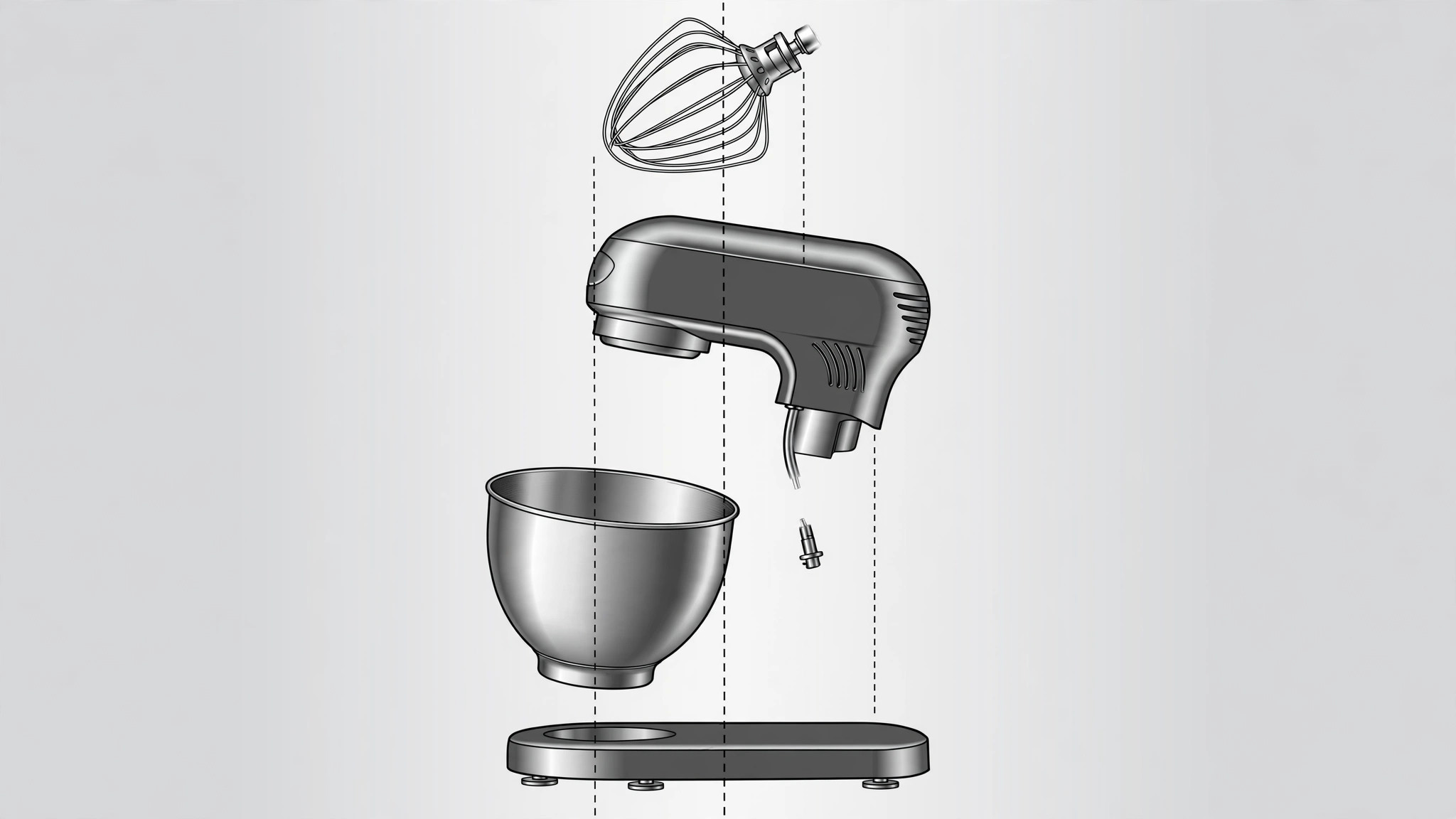
家電の分解図ポスターを構築します。部品を組み立て順に1本の軸上に配置し、ガイドラインで結び、すべての部品にラベルを付けて、全体の組み上がり方が読者に分かるようにします。
こんな方におすすめ
誰でも読める技術ポスターが必要な修理技術者、製品マニュアルライター、プレゼンター
所要時間
初稿まで約30分
レベル
中級
3ステップでインストール
登録不要。CLIツールも不要です。お使いのAIを選んで、1行コピーして貼るだけです。
ご自分で入れたい場合は、スキルを購入($4.99)し、購入完了画面からZIPをダウンロードして、上のディレクトリに展開し、AIのセッションを再起動してください。結果は同じです。すでに購入済みの場合は、AIアシスタントにダウンロードしてもらうこともできます。
パックの内容
SKILL.md(手順書)1点とスターターテンプレート1点が入っています。プレビューはこちらです:
Appliance Exploded Poster
When to use
- You need a poster for a repair workshop that shows exactly which parts come out in which order
- A product manual needs one page that names every component instead of burying them in paragraphs
- You are presenting a product teardown and want the audience to grasp the internal layout at a glance
- A retail or trade-show display needs a technical-but-readable visual that draws people in
- You are documenting a disassembly so someone else can reassemble the appliance without guessing
Workflow
- Collect the parts list (input: appliance + reference photos → output: numbered parts inventory)
Photograph the appliance from the front, back, and sides before you take anything apart, then list every part you will show: housing, fasteners, motor, wiring harness, controls, seals, and accessories. Number each part in disassembly order and note which parts are small enough to get lost. If you cannot name a part, describe it by location and function ("rubber gasket, seals the door") rather than inventing a technical name. - Set the explosion axis (input: parts inventory → output: layout direction)
Choose one axis for the explosion — usually vertical, bottom-to-top in reassembly order, or horizontal for long appliances like a vacuum. Parts that sit inside one another should separate along that same line so the reader can trace the stack. Keep the outer housing at one end and the innermost components at the other; never scatter parts in two directions at once. - Place and space the parts (input: layout direction → output: exploded arrangement)
Lay the parts out along the axis with even gaps between them, largest parts anchoring the composition and small fasteners grouped near the component they belong to. Keep every part large enough to recognize — if a screw is invisible at poster size, show it in a small magnified inset next to its parent part instead of shrinking the whole layout. Leave a clear margin around the edges for labels. - Draw the alignment guides (input: exploded arrangement → output: guided layout)
Connect each part to its position in the assembled appliance with a thin dotted or dashed line running along the explosion axis. Lines should never cross a part they do not belong to; reroute or reorder parts rather than letting lines tangle. One line per part, same line style throughout, so the eye reads the assembly order instead of a web of strings. - Label every part (input: guided layout → output: labeled poster draft)
Give every part a number on the poster and a matching entry in a legend, or a short leader-line label with the part name directly beside it — pick one system and use it for all parts. Labels use plain words ("heating element", "drain pump") and match the parts inventory exactly, including spelling. Check that no number appears twice and no part is left unlabeled. - Review against the real appliance (input: labeled draft → output: print-ready poster)
Compare the poster against the actual appliance or your reference photos, part by part: is anything missing, misplaced, or mislabeled? Confirm the assembly order reads correctly from one end to the other and that labels are legible at the poster's final print size. Fix errors now — a mislabeled poster teaches the wrong disassembly.
テンプレートのプレビュー
Appliance Exploded Poster — Build Template
One appliance = one poster. Fill this in before laying out any art.
Appliance: {name} — {model, if known}
View: Exploded view — assembly order, {bottom to top / left to right} Poster size: {e.g., A2 portrait / 16:9} | Display location: {workshop wall / manual page / trade show}
Reference photos
- [ ] Front view photographed
- [ ] Back view photographed
- [ ] Side views photographed
- [ ] Photos taken before disassembly
Parts inventory (disassembly order)
Small parts that need a magnified inset:
Explosion axis
Direction: {vertical, bottom-to-top / horizontal, left-to-right}
スキルパック本体(SKILL.md とテンプレート)は英語で書かれています。


