Wall Checklist Reveal
Un elemento spuntato alla volta — finché la parete finita prova che il lavoro è fatto.
Rivela una checklist su una parete con un timbro per ogni passaggio completato, la camera che percorre la lista in discesa e uno stato finale onesto per gli elementi non finiti. Copre la scrittura della lista, il layout della parete, le tempistiche delle spunte e l'inquadratura ampia di chiusura.
Installala in 3 passaggi
Nessuna registrazione. Nessuno strumento da riga di comando. Scegli la tua AI, copia una riga e incollala.
Preferisci fare da te? Acquista la skill ($4.99), scarica lo ZIP dalla conferma d'acquisto, decomprimilo nella cartella mostrata sopra e riavvia la sessione della tua AI — stesso risultato. L'hai già acquistata? Il tuo assistente AI può scaricarla per te.
Cosa contiene
Un file SKILL.md (la guida operativa) + un modello di partenza. Un'anteprima:
Wall Checklist Reveal
When to use
- You are showing a process with visible steps — a launch sequence, a setup guide, a safety procedure, a renovation — and you want the audience to feel each step land
- The video needs a completion payoff: a wall of checked items is the most satisfying proof that the work is done
- You have 4–10 steps that can each be stated in 2–6 words, in an order that matters
- The footage or the set has a wall, a board, or a flat surface where a list can live — real or built in graphics
- You want a repeatable closer: the finished checklist wall can end every episode of a series
Workflow
- Write the list (input: process → output: 4–10 checklist items)
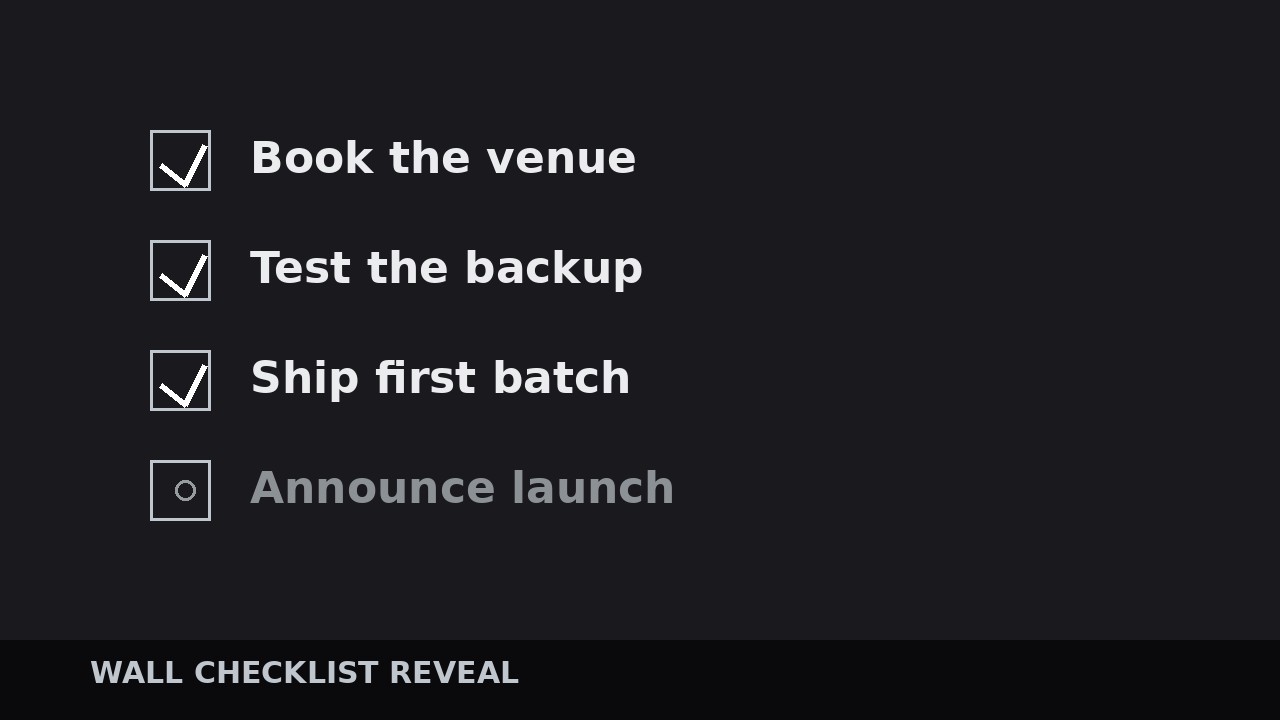
Write each step as 2–6 words starting with a verb: "Book the venue", "Test the backup", "Ship the first batch". If a step needs more than 6 words, it is two steps or it is badly written — rewrite it. Aim for 4–10 items: fewer than 4 and the wall looks bare; more than 10 and the reveal drags past the audience's patience. Order them in true sequence, not in importance order — the wall's power is that it shows a process completed in order. Mark the one item that is the emotional peak of the process (usually the hardest or the most dramatic step) — that item gets the biggest check and a half-beat of extra hold later. Every item must be checkable: a viewer should be able to tell from the video whether it was done. "Improve quality" is not checkable; "Pass the 50-cycle test" is. - Build the wall (input: checklist → output: wall layout)
Lay the items out as a vertical list on a wall-like surface: left-aligned, generous line spacing, one consistent typeface, all items in the same dim "unchecked" state at the start (40–50% opacity, gray or muted ink). Leave a checkbox square or circle beside each item — empty at the start, so the audience can see the checks coming. Size the list to fill 70–85% of frame height with even margins; the wall should feel like a real board, not a slide. If you are shooting a real wall, print or write the list large enough to read on a phone at arm's length, and leave real physical space for the checks. If you are building it in graphics, add a subtle paper or board texture and a soft shadow under the list so it reads as an object in space, not a floating overlay. Number the items or not — numbers help when the audience may refer back ("step three"), plain checks are cleaner when the list is short. - Reveal and check, one item at a time (input: wall layout + narration/footage → output: timed check sequence)
Reveal each item and check it in the same beat: the item brightens from dim to full (0.3 s), then the check mark lands (0.25–0.4 s) — a hand-drawn stroke, a stamp, or a bold tick that draws itself with a slight overshoot, plus a short check sound (a marker squeak, a stamp thud, a soft click) if the video has sound design. The check must visibly arrive: a check that fades in reads as a loading screen; a check that draws or stamps reads as done. Space the checks 1.2–2.0 s apart in a fast montage, or match them to the narration when each step is explained on camera — but never check an item before the audience has seen the step happen or heard it described. The peak item gets a bigger check (120–130% of the others), a 0.5 s extra hold, and optionally a second sound accent. The camera travels with the checks: a slow downward drift or a gentle step-down move that keeps the current item in the middle third of the frame, settling still for each check. - Handle the unfinished items (input: check sequence → output: honest final state)
If the process is not fully done — and in real stories it often is not — do not fake the checks. Leave unfinished items dim and unchecked, and mark the in-progress item with a half-check, a pulsing dot, or a "next" tag. An honest wall with 7 of 9 items checked is more persuasive than a wall of 9 fake checks, because the audience can feel the difference between a story and a sales pitch. If the video's point is "here is what is left", end the reveal on the first unchecked item with a 1 s hold and let the narrator name it — the unfinished item becomes the call to action. Never animate a check onto an item the video has not earned; the audience may not catch the lie consciously, but the wall's authority quietly evaporates. - Resolve the wall (input: checked wall → output: finished wall + exit)
After the last check, pull back to show the whole wall: a slow zoom-out over 1.0–1.5 s until all items are in frame, then a 2–3 s hold on the finished wall. If every item is checked, this is the payoff shot — let it breathe, with the narrator silent or summing up in one sentence. If items remain, the wide shot shows the honest state and the narrator points forward. Exit by pushing gently into the wall (into the peak item or the first unchecked item) toward the next scene, or fade out on the full wall for an ending. Keep the finished wall as a reusable end card: the same layout, same checks, same typeface every episode, with only the items changing — the audience learns to read it instantly.
Anteprima del modello
Wall Checklist Reveal — Build Template
One wall, one process, one check at a time. Fill in the list before building the wall.
Process: {name} | Items: {4–10} | Wall: {real wall / graphics board}
Checklist (true sequence, verb-led, 2–6 words, checkable)
Peak item (hardest / most dramatic): #{n} — {item} Unfinished / in-progress items (stay unchecked): {list or "none"}
Wall layout
Typeface: {one family} | List height: {70–85% of frame} | Alignment: left-aligned Unchecked state: opacity {40–50%}, {gray / muted ink} | Checkbox per item: {square / circle}, empty at start
Il pacchetto della skill (SKILL.md + modello) è scritto in inglese.


