Trend Card Tour
Un numero per scheda, la camera che scorre tra loro — dati che sembrano una storia.
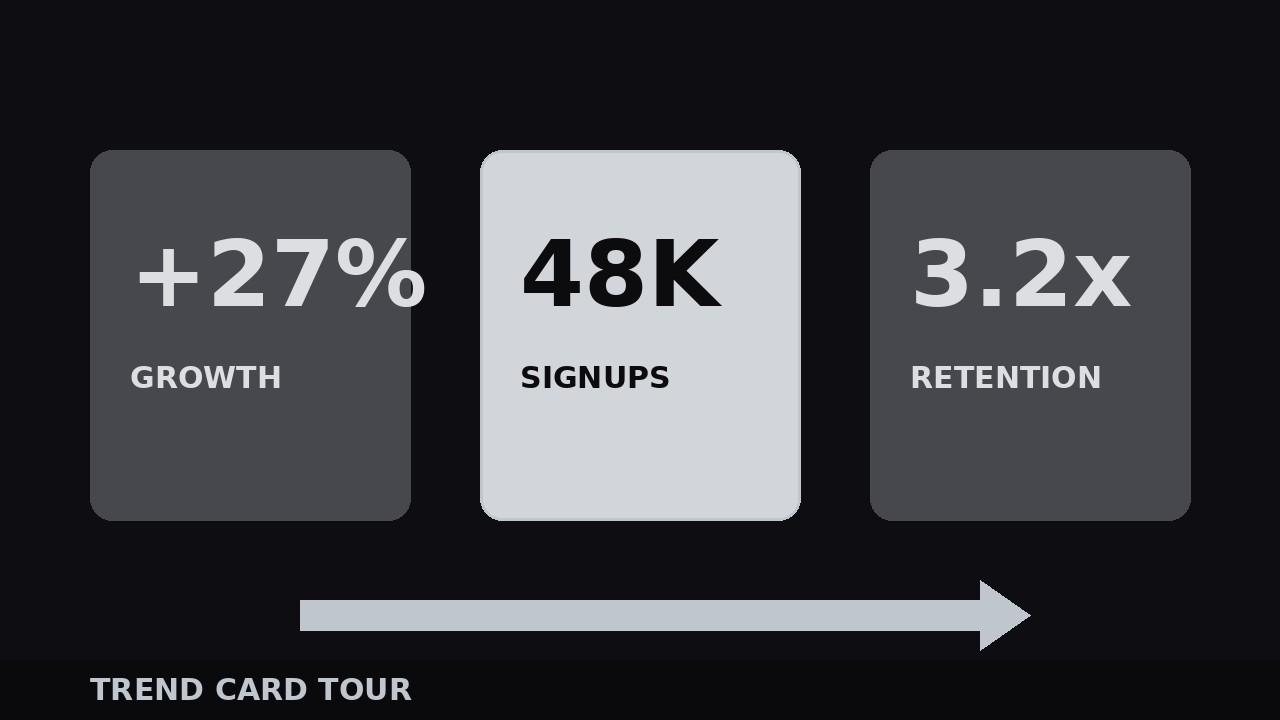
Guida chi guarda attraverso 3–7 schede di trend, una statistica alla volta, con una camera che scorre, una pausa di atterraggio per ogni numero e un fotogramma di recap. Copre design delle schede, coreografia della camera, ingressi dei numeri e la chiusura del tour.
Installala in 3 passaggi
Nessuna registrazione. Nessuno strumento da riga di comando. Scegli la tua AI, copia una riga e incollala.
Preferisci fare da te? Acquista la skill ($4.99), scarica lo ZIP dalla conferma d'acquisto, decomprimilo nella cartella mostrata sopra e riavvia la sessione della tua AI — stesso risultato. L'hai già acquistata? Il tuo assistente AI può scaricarla per te.
Cosa contiene
Un file SKILL.md (la guida operativa) + un modello di partenza. Un'anteprima:
Trend Card Tour
When to use
- You have 3–7 trends or statistics to present and a wall of numbers on one slide would glaze every eye in the room
- The video is a market recap, a quarterly summary, a "what changed" explainer, or a data-driven argument where each number deserves its own moment
- You want viewers to remember the numbers, not just nod at them — one card at a time is the only pace memory works at
- The numbers need context: each card carries one number, one label, and one line of "so what"
- You are building a recurring segment ("this week's three numbers") where the same card tour can run every episode
Workflow
- Pick the tour stops (input: data + argument → output: 3–7 trend cards)
Choose 3–7 trends — fewer than 3 is not a tour, more than 7 is a lecture and viewers stop retaining. For each trend, write the card in this strict shape: one big number (the only number on the card), one label of 2–5 words naming the trend, and one "so what" line of 5–10 words saying why it matters. Cut ruthlessly: if a trend needs two numbers, it is two cards or it is cut. Order the cards for story, not for size: start with the most surprising number (the hook), put the most important number in the middle where attention peaks again, and end with the number that points at what to do next. Write the numbers exactly as you will say them — if the card says "38%" and you say "almost 40%", the viewer does a needless mental conversion. - Design one card (input: card content → output: reusable card layout)
Build one card and reuse it for every stop; the tour's rhythm comes from sameness, not variety. Layout: big number at 14–18% of frame height, heavy weight, centered or left-aligned; label directly under it at 4–5%; "so what" line under that at 3–3.5%, regular weight, muted color. One accent color for the number, one neutral for the rest — the number is the star and nothing else on the card competes with it. Card background: solid dark or light panel with a thin border, sized to occupy 60–75% of frame width so there is room for the camera to move. Test the card at phone size: if the "so what" line needs squinting, it is too small or too long. No charts on the card — a chart is a different segment. The card's job is one number, landed. - Choreograph the camera (input: card sequence → output: camera path with timings)
The camera is the tour guide. Between cards, move with a single continuous motion — a lateral glide is the default (cards laid out in a horizontal row, camera panning left to right), a gentle push-in works for a vertical stack. Each move takes 0.6–0.9 s with ease-in-out: accelerate out of the old card, decelerate into the new one, and settle for 2 frames of perfect stillness before the next beat. Hold each card for 2.5–4 s: long enough for the viewer to read the number, the label, and the "so what" line once, in that order. The camera never moves while a card is being read — motion and reading do not share the screen. If the tour is narrated, the camera should arrive at the new card 0.3 s before the narrator says its number, so the eye lands first and the ear confirms. - Land each number (input: camera holds → output: per-card number entrance)
The number itself gets an entrance on every card — this is the moment the viewer remembers. As the camera settles, the number pops in over 0.35–0.5 s: scale 85% → 100% with a slight overshoot to 103% and back, or a quick count-up from zero for round figures (count-ups suit money and percentages; skip them for decimals and anything with a minus sign). The label fades in 0.15 s after the number, the "so what" line 0.3 s after the label — a three-beat cascade, number first, always. Add a soft tick or thump sound on the number landing if the video has sound design; the audio cue marks the moment for memory. Never animate the number while the camera is still moving — one motion at a time, or the viewer tracks neither. - Close the tour (input: finished card sequence → output: recap + exit)
End with a 2–3 s recap frame: all the card numbers in a single row or column at small size, no "so what" lines, so the viewer sees the whole tour at once. Hold it while the narrator says the one-sentence takeaway ("Three numbers, one story: ..."). Then exit the tour with the same camera language in reverse — a glide out, a fade, or a push through the last card into the next scene — never a hard cut from the recap, which feels like the video fell off a cliff. If the tour is a recurring segment, keep the card design, the camera speed, and the recap frame identical every episode; the audience learns the format once and then spends every episode on the numbers instead of the packaging.
Anteprima del modello
Trend Card Tour — Build Template
One number per card. Fill in the tour stops before designing anything.
Tour: {title} | Stops: {3–7} | Narrator: {voiceover / on-camera}
Tour stops (story order: surprising → important → action-pointing)
Cut test: every trend has exactly one number? [ ] | Every "so what" says what to do, not a restated label? [ ]
Card design (identical for every stop)
Number: {14–18% frame height}, heavy weight, accent color {color} Label: {4–5%}, under the number "So what": {3–3.5%}, regular weight, muted color Card background: {solid panel + thin border} | Card width: {60–75% of frame}
Il pacchetto della skill (SKILL.md + modello) è scritto in inglese.


