Tile Scene Dissolve
Scene che si smontano tessera per tessera.
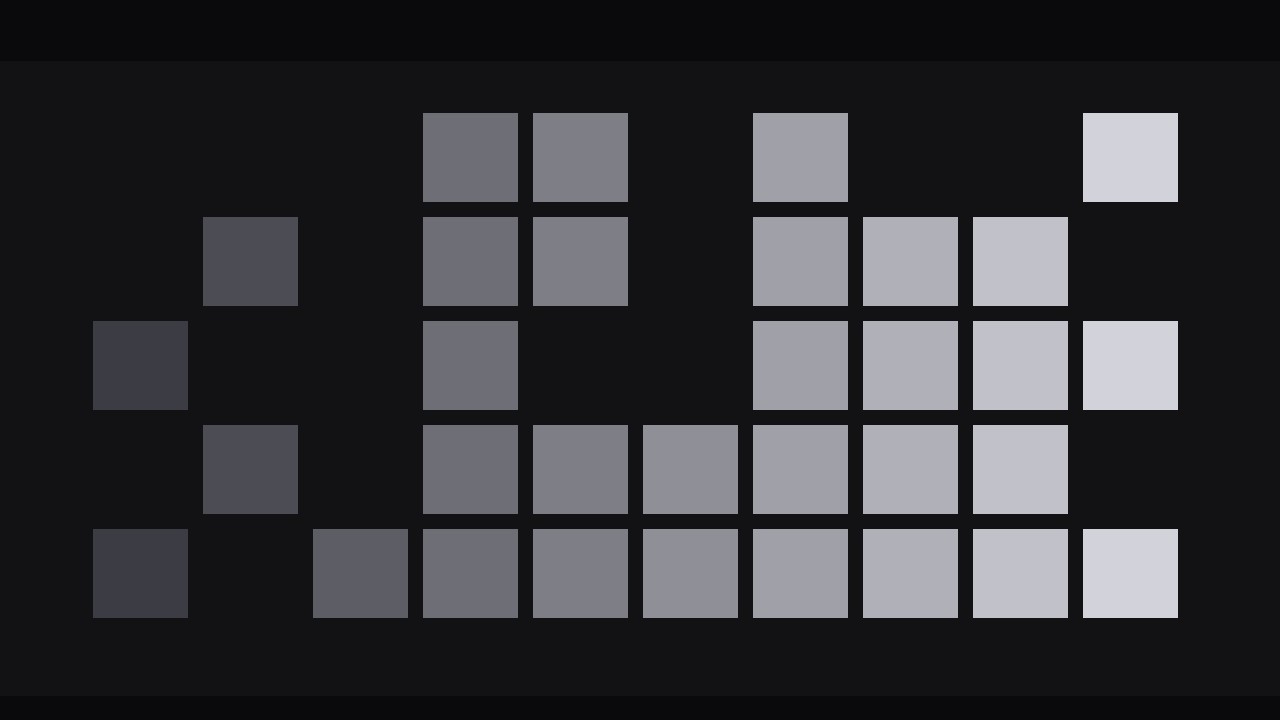
Una transizione in cui la scena uscente si rompe in tessere che si dissolvono in una direzione scelta per rivelare la scena successiva — con texture, ritmo e un atterraggio pulito per ogni tessera.
Installala in 3 passaggi
Nessuna registrazione. Nessuno strumento da riga di comando. Scegli la tua AI, copia una riga e incollala.
Preferisci fare da te? Acquista la skill ($4.99), scarica lo ZIP dalla conferma d'acquisto, decomprimilo nella cartella mostrata sopra e riavvia la sessione della tua AI — stesso risultato. L'hai già acquistata? Il tuo assistente AI può scaricarla per te.
Cosa contiene
Un file SKILL.md (la guida operativa) + un modello di partenza. Un'anteprima:
Tile Scene Dissolve
When to use
- A scene change in an explainer, documentary, or vlog where a hard cut feels abrupt but a crossfade feels lazy
- A before/after reveal: the old scene tiles away to expose the new one underneath
- A montage where each beat needs a visible, repeatable transition that becomes part of the video's rhythm
- A title-to-content handoff: the title card breaks into tiles and the first scene emerges
- A product or location change where you want the audience to feel the old scene physically come apart
Workflow
- Choose the two scenes (input: edit timeline → output: outgoing scene + incoming scene + transition point)
Pick the exact cut point first. The outgoing scene's last frame and the incoming scene's first frame are the two images the transition connects. Watch 2 seconds either side of the cut: if the outgoing scene ends mid-motion (a hand swinging, a car passing), the tiles will inherit that motion and the dissolve can look chaotic — choose a cut point where the outgoing frame is relatively stable, or freeze its last 4–6 frames as the dissolve source. The incoming scene should start stable too, for the same reason. If either scene is very dark or very bright, note it: tile edges read best when the two scenes differ in tone, and worst when both are near-black. - Set the tile grid (input: two scenes → output: grid size, tile shape, and dissolve direction)
Divide the frame into a grid of tiles. For a 16:9 frame, a good starting point is 8×5 or 10×6 (40–60 tiles); fewer than 24 tiles reads as a crude mosaic, more than 100 reads as noise and will choke slower machines. Tiles are usually rectangles matching the frame's aspect, but square tiles work when you want a more graphic, game-like feel. Choose the dissolve direction now — the order in which tiles vanish: left-to-right (a wipe with texture), top-to-bottom (a falling curtain), centre-outward (an opening), or random (organic decay). Direction is meaning: left-to-right pushes the story forward, centre-outward opens a reveal, random suits decay or memory. Write the grid and direction down before animating; changing them mid-build means rebuilding every tile's keyframes. - Animate the dissolve (input: grid + direction → output: tile dissolve pass)
Each tile dissolves in three small stages: it holds for its turn, then fades and shrinks slightly (scale to 92–95%, opacity to 0) over 6–10 frames with ease-in, revealing the incoming scene beneath it. Stagger the tiles along the chosen direction: in a left-to-right dissolve, each column starts 2–3 frames after the one before it, with a 1–2 frame random jitter per tile inside the column so the edge never looks like a ruler line. The total transition lasts 0.8–1.5 s: faster feels like a glitch, slower feels like the video is buffering. Keep a soft 1–2 px feather on tile edges — hard-edged tiles read as a mosaic filter; feathered edges read as dissolving. Never dissolve all tiles at once: a simultaneous dissolve is just a crossfade wearing a costume. - Add texture to the tiles (input: dissolve pass → output: finished transition with per-tile variation)
Uniform tiles look procedural. Break the uniformity with three small variations, applied subtly. First, brightness: as each tile dissolves, let it brighten or darken by 3–6% before vanishing — a tile that flares slightly as it goes reads as burning away, one that darkens reads as crumbling. Second, drift: give each tile a 2–4 px drift in the dissolve direction during its fade, so tiles feel like they are lifting off rather than blinking out. Third, scale variance: vary the shrink target per tile (90–96%) with a seeded random so no two neighbouring tiles behave identically. Keep every variation small — the audience should feel texture, not notice tricks. If any single tile draws attention to itself, dial that tile back; the transition is an ensemble effect. - Land the incoming scene (input: finished transition → output: incoming scene with a clean arrival)
The last tile to dissolve should vanish 2–4 frames before the incoming scene's first real motion begins — the audience needs a clean frame of the new scene before anything in it moves, or the transition and the scene's own motion blur together. If the incoming scene starts with a title or a lower third, delay that element by 4–6 frames after the dissolve completes. Optional landing cue: a very brief (2–3 frame) 1–2% scale settle on the incoming scene, from 101% to 100%, as the last tiles clear — it reads as the new scene "arriving" rather than merely being uncovered. Use this sparingly; on every transition in a montage it becomes a tic. - Check the middle frame and export (input: finished transition → output: final render verified at the halfway point)
Scrub to the exact middle of the transition and freeze: half the tiles should be gone, the incoming scene should be readable through the gaps, and the remaining tiles should still show a coherent (if partial) outgoing scene. If the middle frame looks like confetti, the tiles are too small or the stagger too random — increase tile size or tighten the jitter. Check the transition at full speed twice: once watching the tiles, once watching the story. The second viewing is the real test — if you notice the transition instead of the scene change, it is too slow, too busy, or both. Export the main cut.
Anteprima del modello
Tile Scene Dissolve — Build Template
Fill this in before animating. One transition per cut.
The cut
Outgoing scene: {description / timecode of last frame} Incoming scene: {description / timecode of first frame} Outgoing frame stable? [ ] yes — or freeze last {4–6} frames as dissolve source Incoming scene starts stable? [ ] yes Tone contrast between scenes: {strong / weak — if weak, add 3–5% tile brightening}
Grid
- Grid size: {8×5 / 10×6 — 40–60 tiles for 16:9}
- Tile shape: {rectangular / square}
- Edge feather: {1–2 px}
- Dissolve direction: {left-to-right / top-to-bottom / centre-outward / random}
Il pacchetto della skill (SKILL.md + modello) è scritto in inglese.


