Target Overrun
Supera il bersaglio, poi assestati — arrivi che sembrano guadagnati.
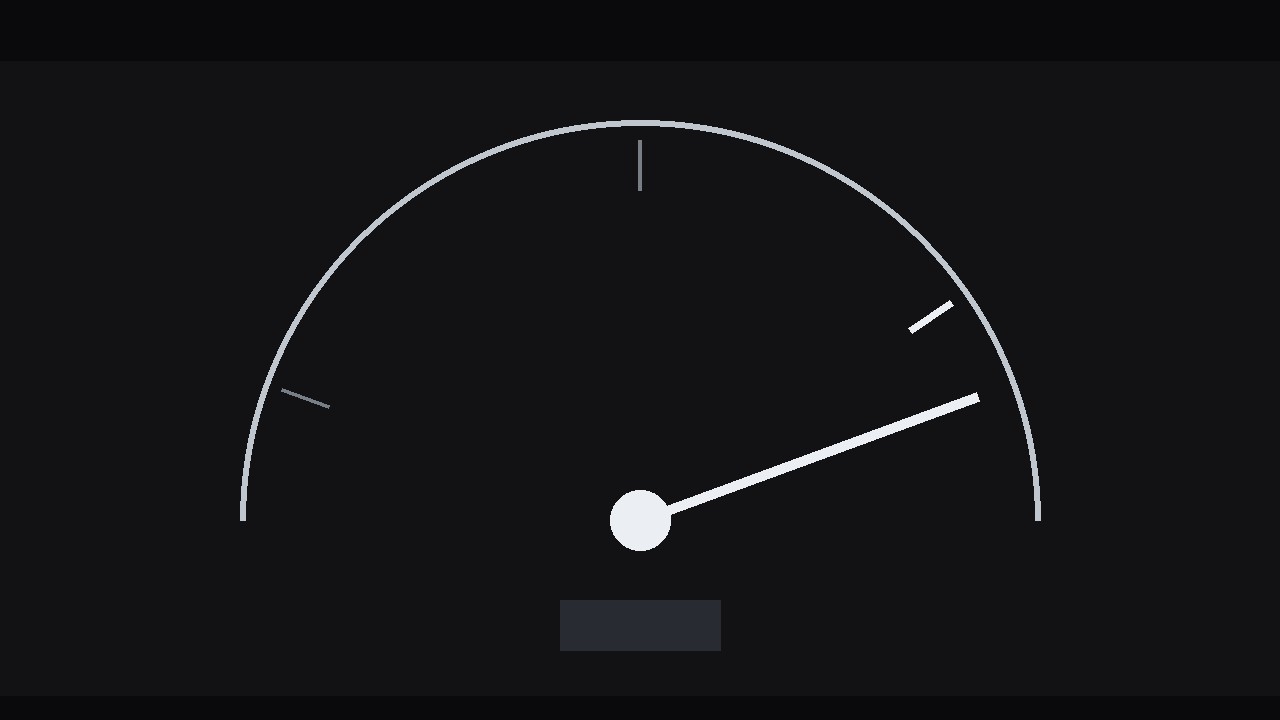
Un indicatore accelera verso il suo segno, lo supera di slancio, si ferma, poi torna ad assestarsi — il superamento che fa sembrare l'atterraggio di un indicatore, una barra o una tappa un impatto reale.
Installala in 3 passaggi
Nessuna registrazione. Nessuno strumento da riga di comando. Scegli la tua AI, copia una riga e incollala.
Preferisci fare da te? Acquista la skill ($4.99), scarica lo ZIP dalla conferma d'acquisto, decomprimilo nella cartella mostrata sopra e riavvia la sessione della tua AI — stesso risultato. L'hai già acquistata? Il tuo assistente AI può scaricarla per te.
Cosa contiene
Un file SKILL.md (la guida operativa) + un modello di partenza. Un'anteprima:
Target Overrun
When to use
- A progress bar, gauge, or counter reaches a goal and you want the arrival to feel like an impact, not a fade
- A milestone graphic — funding target, subscriber count, project completion — where the number landing matters
- An explainer where a value overshoots its expected range and you want the audience to feel the excess before it corrects
- A dashboard-style animation where a needle, arrow, or dot travels to a marked target
- A sports, finance, or sales graphic where a result beats the target and the overshoot is the story
Workflow
- Define the target (input: the number and its context → output: target value, scale, and overshoot amount)
Write down three numbers: the starting value, the target value, and the overshoot value — the amount the indicator will pass the target by before settling back. The overshoot should be 8–15% of the total travel distance: enough to read clearly, small enough that the target still feels like the destination. A 5% overshoot is invisible; a 30% overshoot makes the target look missed rather than hit. Mark the target visibly on the graphic — a ring, a tick line, a labelled threshold — because an overshoot only means something if the audience can see what was overshot. If the graphic has no visible target, this effect is just a bounce; add the marker first. - Build the track (input: target + overshoot → output: static gauge/bar/track with start point, target marker, and overshoot zone)
Lay out the path the indicator will travel: a horizontal bar, an arc gauge, a vertical meter, or a simple line with a dot. Draw the target marker boldly — a thicker tick, a ring, a contrasting colour — and leave the overshoot zone beyond it visually open so the indicator has somewhere to go. Label the start, the target, and (if the format allows) the peak of the overshoot. Keep the track itself quiet: thin lines, muted fills. The indicator is the actor; the track is the stage. Decide the indicator's form now — a needle, an arrowhead, a dot, a filled bar edge — and keep it chunky enough to read at a glance: a 2 px dot on a phone screen will not sell an overshoot. - Animate the approach (input: static track → output: approach pass with accelerating travel)
The approach should accelerate. Over roughly 60% of the total move duration, the indicator travels from the start to about 85% of the target distance, easing in (slow start, gathering speed — cubic-bezier(0.5, 0, 0.75, 0) or ease-in). Acceleration matters because it sells momentum: the audience must believe the indicator is going fast enough that it cannot stop exactly on the target. If the approach is a constant speed, the overshoot looks programmed; if it accelerates, the overshoot looks inevitable. Total approach time depends on the format — 0.8–1.2 s for a snappy UI-style graphic, 1.5–2.5 s for a dramatic reveal — but the acceleration curve stays the same shape either way. - Animate the overshoot and settle (input: approach pass → output: overshoot + settle keyframes)
This is the signature move, in three beats. Beat one, the overshoot: over 8–12 frames (0.3–0.5 s), the indicator blows past the target to the overshoot value, still fast, with no easing — or a slight ease-out at the very end of the travel. Beat two, the pause: hold at the peak for 3–5 frames. Short, but the audience must register that it went too far — without this hold, the overshoot blurs into the return and reads as a wobble. Beat three, the settle: over 14–20 frames (0.6–0.8 s), the indicator returns to the target with a damped spring feel — ease-out with one small secondary overshoot in the opposite direction (2–4% past the target on the near side) before resting exactly on the mark. The settle is where the physics lives: it should feel like a needle finding its rest, not a magnet snapping into place. If your tool has a spring or overshoot easing preset, tune it until the secondary overshoot is barely visible — a visible second bounce looks cartoonish. - Add impact cues (input: overshoot + settle → output: finished motion with hit, number, and sound cues)
Three cues make the hit land. First, a hit frame: on the frame the indicator crosses the target, add a 1–2 frame accent — a ring pulse expanding from the target marker, a brief brightening of the target tick, or a 1-frame scale pop (103%) on the marker. Second, the number: if a value is displayed, let it count up with the indicator, overshoot past the target value, then count back down to the exact target during the settle — a number that overshoots and corrects sells the effect twice over. Third, sound (if your format uses it): a soft whoosh on the approach, a distinct tick or thump on the target crossing, silence during the settle. Use the hit frame every time; use the counting number whenever a number is shown; use sound only if the piece has a designed soundscape — a lone tick in a silent video sounds like a glitch. - Check the rest frame and export (input: finished motion → output: final render with a truthful rest frame)
The last frame is the one that lives longest — in a paused video, a thumbnail, a screenshot. Verify it: the indicator must rest exactly on the target, the number must read exactly the target value, and no residual motion or blur may remain. A rest frame that sits 1–2 px off the target, or a number reading 101 when the target is 100, quietly tells the audience the graphic is sloppy. Export the main cut, and if the graphic will loop (a dashboard, a social loop), export a loop variant where the indicator eases back to the start over 0.8 s, holds 0.5 s, and runs again — never cut from the rest frame straight back to the start.
Anteprima del modello
Target Overrun — Build Template
Fill this in before animating. One target per graphic.
The numbers
What is being measured: {e.g. quarterly signups, funding raised, completion %} Start value: {n} | Target value: {n} | Overshoot value: {n} Overshoot size: {% of travel distance, target 8–15%} Story: {hit the target / beat the target / exceeded a limit — circle one}
Track design
- Form: {horizontal bar / arc gauge / vertical meter / line + dot}
- Indicator: {needle / arrowhead / dot / filled bar edge} — size: {px, must read at a glance}
- Target marker: {ring / thick tick / threshold label} — style: {bold, contrasting colour}
Il pacchetto della skill (SKILL.md + modello) è scritto in inglese.


