Response Line Spotlight
Una risposta si illumina mentre l'intero thread si attenua
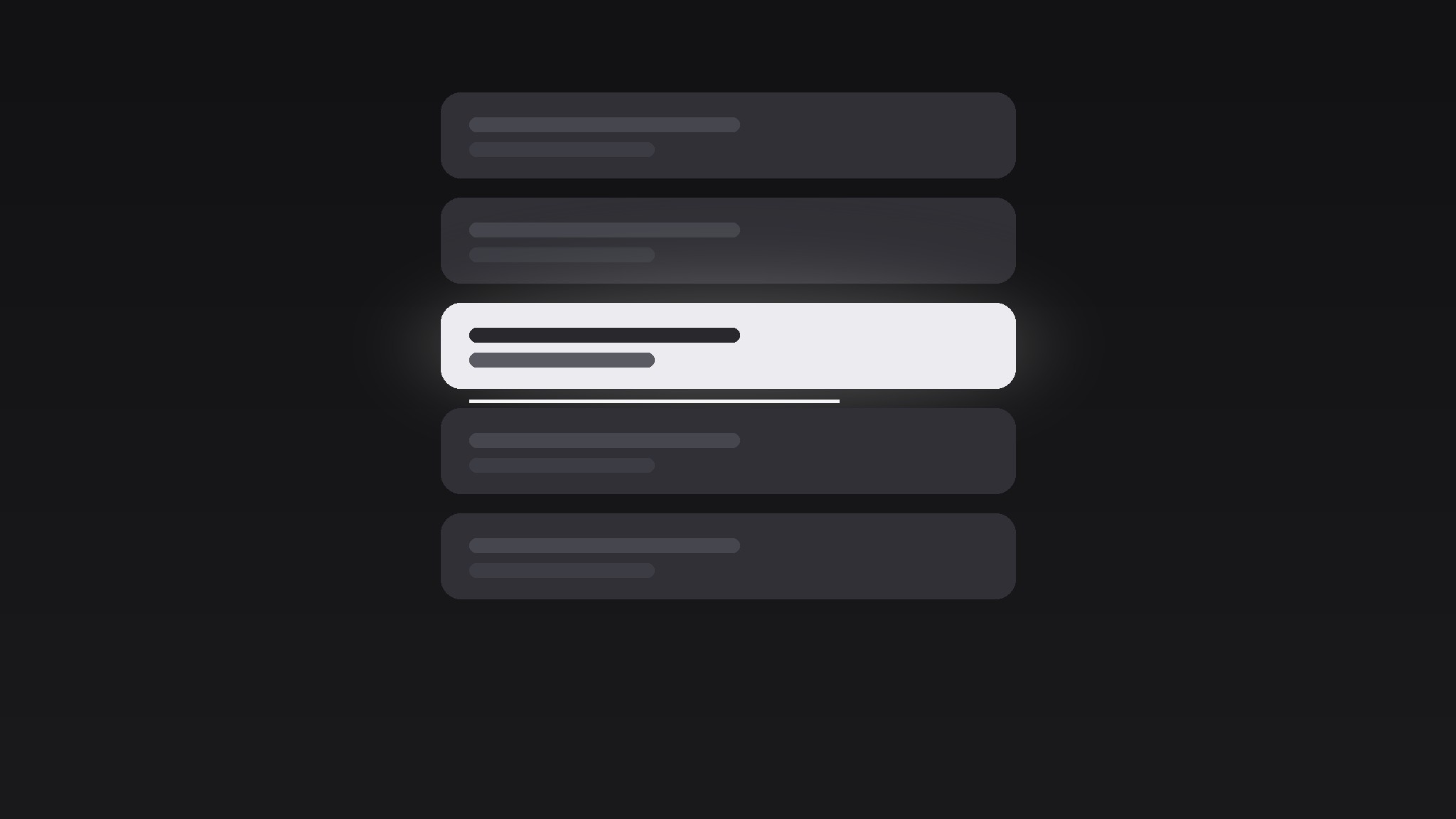
Trasforma la tua AI in un regista di motion graphics per il pattern «riflettore sulla riga di risposta» — attenua in grigio un intero thread di chat, poi illumina una riga di risposta con un riflettore morbido e una pausa di lettura, così chi guarda legge esattamente la riga che conta e nient'altro.
Installala in 3 passaggi
Nessuna registrazione. Nessuno strumento da riga di comando. Scegli la tua AI, copia una riga e incollala.
Preferisci fare da te? Acquista la skill ($4.99), scarica lo ZIP dalla conferma d'acquisto, decomprimilo nella cartella mostrata sopra e riavvia la sessione della tua AI — stesso risultato. L'hai già acquistata? Il tuo assistente AI può scaricarla per te.
Cosa contiene
Un file SKILL.md (la guida operativa) + un modello di partenza. Un'anteprima:
Response Line Spotlight
When to use
- A screen recording shows a long chat thread, and only one reply carries the decision, the joke, or the twist
- A testimonial video quotes one customer message out of a busy support conversation
- A tutorial needs the viewer to read one specific bot or teammate reply before the next step makes sense
- A reaction video pauses on the single comment that changed the argument
- A product demo shows an AI assistant answering, and the answer itself — not the interface — is the hero
Workflow
- Pick the line (input: full chat screenshot or recording → output: one chosen line)
Choose exactly one line: the reply that carries the payload. It must fit on one or two wrapped lines at the final font size — if it needs three, trim the quote or split the moment into two spotlights. Note the line's position, its sender colour, and the two lines directly above and below it (they stay visible but dimmed, so the viewer keeps context). Everything else in the thread is set dressing. - Build the dim (input: chosen line → output: dimmed thread frame)
Drop the whole thread to 25–35% brightness and 0% saturation except the chosen line, which stays at full colour. Add a soft radial glow behind the chosen line (radius ~1.6× the line height, feathered edge, white at 12–18% opacity). The dim must read as "the room lights went down", not "the screenshot broke": keep message bubbles, avatars, and timestamps faintly legible. If the thread scrolls, lock the scroll before the dim starts — motion plus dimming at once makes viewers seasick. - Spotlight the line (input: dimmed frame → output: spotlight animation)
Animate in three beats over 1.2–1.6 seconds: (a) 0–0.3s, the glow fades in from 0 to full opacity with an ease-out; (b) 0.2–0.9s, the line itself scales from 98% to 100% and shifts from its dimmed state to full brightness — never a pop, always a settle; (c) 0.7–1.2s, a thin underline (2px, sender colour or white) draws left to right beneath the line, 0.4s, ease-in-out. The underline is the "read this now" signal. If the line is long, draw the underline only under the key phrase, not the whole bubble. - Hold for reading (input: spotlighted frame → output: timed hold)
Hold the spotlight still for reading time: count the words in the line and allow ~3 words per second, minimum 1.5s, maximum 4s. No pulsing, no shimmer, no camera drift during the hold — the viewer's eyes are doing the work, and any motion competes with reading. If the line is a punchline, add a 0.3s beat of silence before the next cut; if it is instructions, cut the moment the reading time ends. - Release (input: held frame → output: clean exit)
Release in reverse and faster: underline fades out in 0.2s, glow fades in 0.3s, full thread brightness returns over 0.4s with an ease-in. Never hard-cut from spotlight to full thread — the brightness jump reads as a flash. If another line gets spotlighted next, return to full brightness for at least 0.4s first so the two spotlights read as separate moments, not one sliding highlight.
Anteprima del modello
Response Line Spotlight — Template
Fill in the line, then let the dim + glow + underline do the focusing.
The thread
Source: {screenshot / screen recording of chat thread} Platform look: {iMessage / WhatsApp / Slack / in-app chat / other}
The line (exactly one)
> {the full reply text, 1–2 wrapped lines max}
Sender: {name} | Sender colour: {bubble colour hex} Why this line: {decision / punchline / key instruction / twist} Word count: {n} → Hold time: {n ÷ 3, clamped to 1.5–4s}s
Dim settings
Spotlight-in (1.2–1.6s total)
Underline scope: {whole line / key phrase only: "{phrase}"}
Hold
Il pacchetto della skill (SKILL.md + modello) è scritto in inglese.


