Radar Explanation Reveal
Una spazzata radar che rivela la tua spiegazione un segnale alla volta.
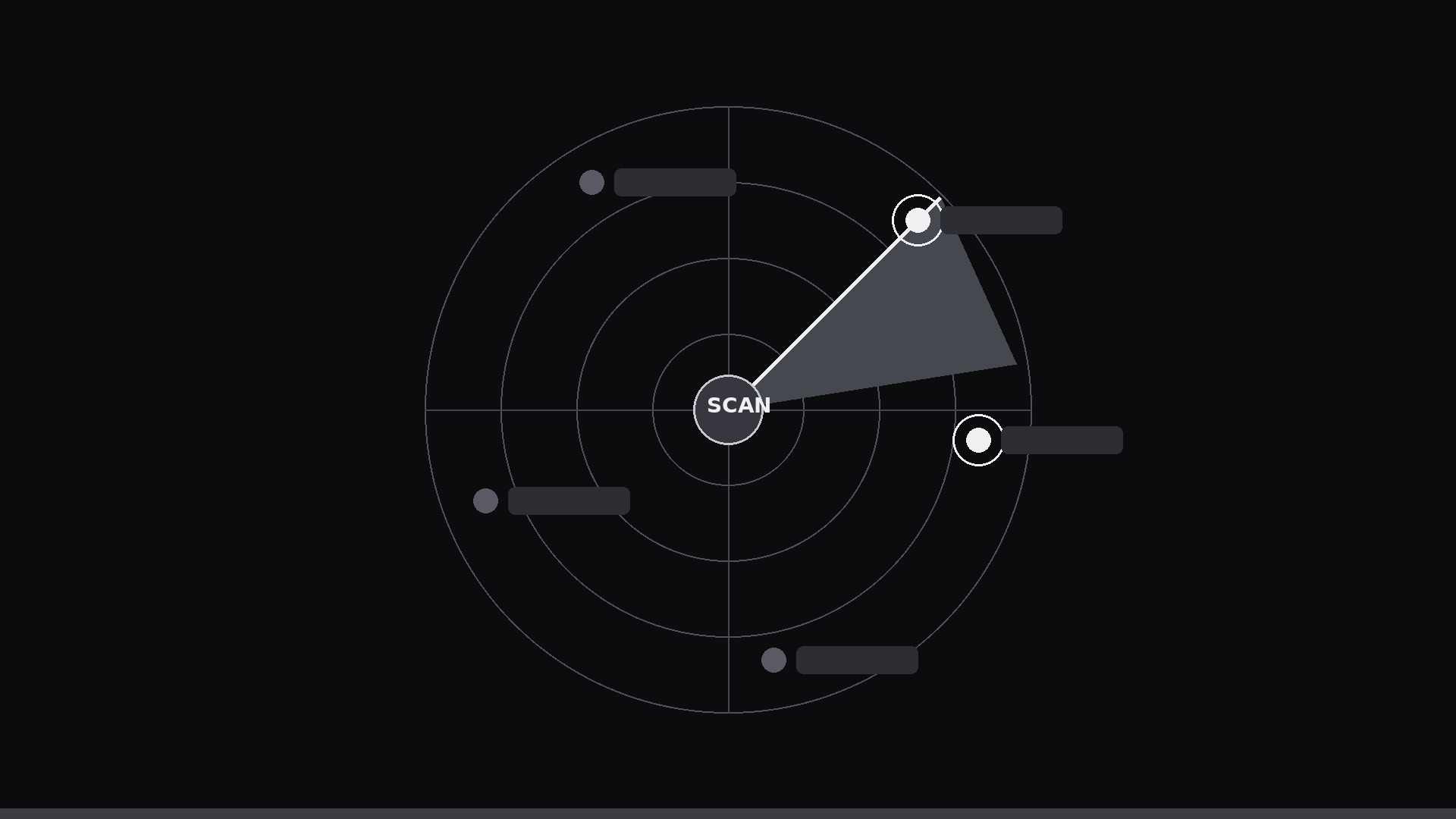
Una scansione radar rotante che rivela una spiegazione pezzo per pezzo: ogni volta che la spazzata tocca un segnale, quella parte si illumina e compare la sua etichetta, in ordine, intorno al quadrante.
Installala in 3 passaggi
Nessuna registrazione. Nessuno strumento da riga di comando. Scegli la tua AI, copia una riga e incollala.
Preferisci fare da te? Acquista la skill ($4.99), scarica lo ZIP dalla conferma d'acquisto, decomprimilo nella cartella mostrata sopra e riavvia la sessione della tua AI — stesso risultato. L'hai già acquistata? Il tuo assistente AI può scaricarla per te.
Cosa contiene
Un file SKILL.md (la guida operativa) + un modello di partenza. Un'anteprima:
Radar Explanation Reveal
When to use
- You need to explain a system with 4–8 parts and want the reveal order to feel inevitable, not random
- A static labeled diagram gets skimmed and forgotten; you want each piece to arrive one at a time
- The concept has a natural scanning or monitoring metaphor (detection, coverage, patrol, search, watchlist)
- You are making a 20–45 second explainer loop for a landing page, pitch, or lesson intro
- The audience must remember the sequence — the sweep gives every item a moment in the spotlight
Workflow
- Map the system to blips (input: explanation → output: 4–8 labeled points on a circle)
Reduce the explanation to 4–8 items, each one short label (1–4 words) plus one line of explanation (≤10 words). Place them as blips around a circular display — most important or first-in-sequence at 12 o'clock, the rest clockwise in the order you will explain them. If an item needs more than one line to explain, it is two items or it belongs in the voiceover, not on the dial. - Build the radar (input: blip map → output: static radar frame)
Draw concentric range rings (3–4), crosshair axes, and a faint grid. Keep the rings thin and dim — they are furniture, not content. Center hub: the system name or the thing being scanned (e.g. "Network", "City", "Pipeline"). Blips start dim/unlit: small dots with labels at 30–40% opacity. Background: dark, so lit blips pop. One accent color for lit state, one dim color for unlit. - Animate the sweep (input: static frame → output: sweep keyframes)
The sweep is a wedge of light (60–90° arc, soft trailing edge fading over ~40°) rotating clockwise. One full rotation takes 6–10 s — slow enough to read, fast enough to feel alive. Easing: linear, constant speed; a radar that speeds up and slows down feels broken. The sweep wedge sits above the rings but below the labels so text never gets washed out. - Reveal on contact (input: sweep + blips → output: timed reveals)
The rule: a blip lights up the instant the sweep's leading edge touches it. On contact: blip brightens to full opacity over 0.15 s, emits a brief expanding ring (0.6 s, fades out), and its label + one-line explanation fade/slide in over 0.4 s (ease-out, 12–16 px rise). The explanation line stays visible after reveal — by the end of the first rotation, the whole system is lit and labeled. Optional: a soft ping sound on each contact, mixed 12 dB below the voiceover. - Close the loop (input: full reveal → output: finished 20–45 s clip)
After the first full rotation, hold the completed display for 2–3 s. Then either loop seamlessly (sweep continues, labels persist, second rotation adds nothing new) or end with a 0.5 s fade. If the clip has a voiceover, time the narration so each item is spoken as its blip lights — never describe an item two beats before or after its reveal. Export 1080×1080 or 1920×1080, 30 fps.
Anteprima del modello
Radar Explanation Reveal — Template
Fill in the blanks, then build the clip from the SKILL.md workflow.
System
System / thing being explained: {name — goes in the center hub} Total blips (4–8): {n} Format: [ ] Square 1080×1080 / [ ] Horizontal 1920×1080 | Loop: [ ] Yes / [ ] No
Blips (clockwise from 12 o'clock, in explanation order)
Radar setup
Rings: {3–4} | Background: {dark color} | Unlit blip opacity: 30–40% Lit accent color: {one color} | Hub label: {system name}
Sweep
Wedge angle: {60–90°} | Rotation period: {6–10 s} | Easing: linear (constant)
Il pacchetto della skill (SKILL.md + modello) è scritto in inglese.


