Photo to Rap Video
Due ritratti in ingresso, un video rap sincronizzato in uscita
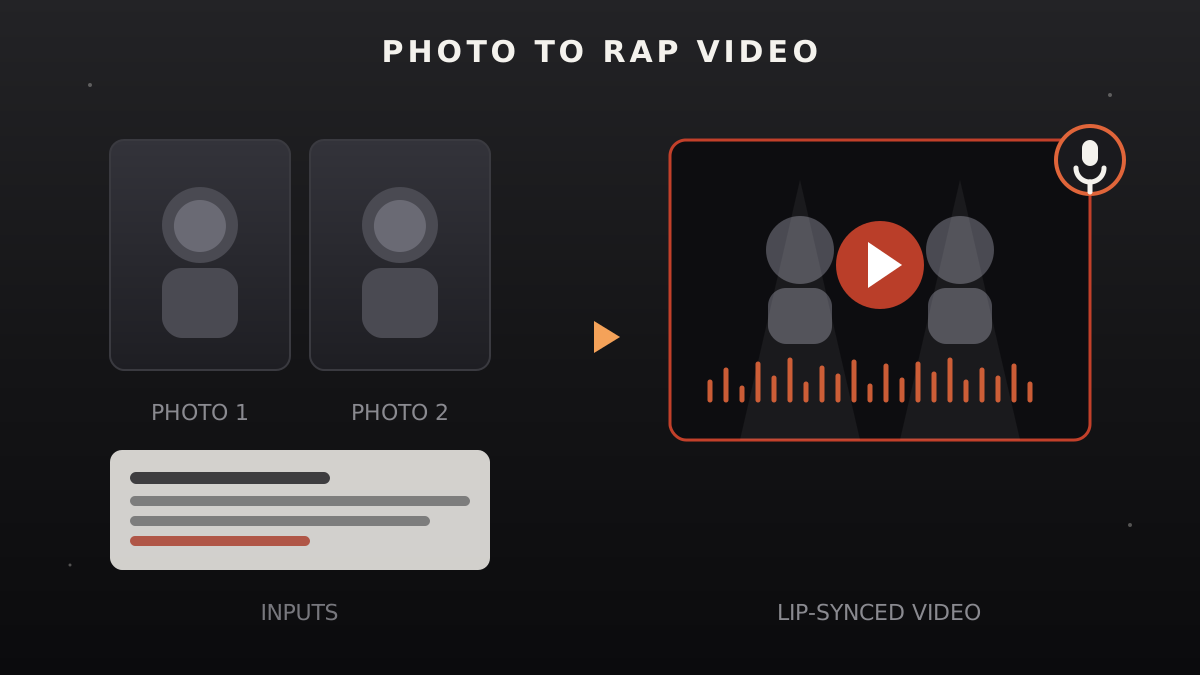
Dirigi la tua produzione rap: prepara i ritratti, scrivi una strofa originale, dirigi il beat, poi passa a un servizio video IA per il rendering lip-sync con una checklist neutrale. L'assistente guida la parte creativa; il rendering avviene su una piattaforma terza di tua scelta.
Installala in 3 passaggi
Nessuna registrazione. Nessuno strumento da riga di comando. Scegli la tua AI, copia una riga e incollala.
Preferisci fare da te? Acquista la skill ($4.99), scarica lo ZIP dalla conferma d'acquisto, decomprimilo nella cartella mostrata sopra e riavvia la sessione della tua AI — stesso risultato. L'hai già acquistata? Il tuo assistente AI può scaricarla per te.
Cosa contiene
Un file SKILL.md (la guida operativa) + un modello di partenza. Un'anteprima:
Photo to Rap Video
The facts this skill runs on (verified 2026-11-02)
- This skill is a director, not a render farm. Your AI assistant handles everything creative and organizational: picking and prepping the photos, writing an original verse, directing the beat and flow, and preparing the exact inputs an AI video service needs. The actual lip-synced video is rendered by a third-party AI video platform — this skill does not generate video locally, and it says so plainly.
- You need an account with an AI video service. Lip-sync video generation (photo + audio → talking/singing video) is a paid API or web-app feature offered by several vendors. You pick the vendor, you hold the account, you pay their rate. The skill gives you a vendor-neutral handoff checklist so the inputs are right wherever you render.
- The verse is always original. The assistant writes new lyrics for every video — it never lifts bars from real artists. Flow, rhyme scheme, and beat direction are part of the creative package.
- Likeness needs consent. The people in the photos must have agreed to appear in the video — especially for anything posted publicly. No exceptions for "it's just a joke."
When to use
- A birthday or party gag: two friends' portraits turned into a rap battle video.
- A brand or creator wants a fun promo — their mascot or founder "rapping" the announcement.
- You want to test AI lip-sync video services and need the inputs prepared properly first.
- A music demo: hear how a verse flows before booking studio time.
Safety rules (non-negotiable)
- Consent for every face. Everyone recognizable in the photos has agreed to be in the video. Public figures used without permission, ex-partners, private individuals as the butt of a joke — refused.
- Original lyrics only. No copying verses from real songs, no "in the style of" imitations that lift identifiable lines. Parody of a public figure's persona still needs the verse to be newly written.
- No deceptive deepfakes. The video must not be presented as a real recording of the person actually rapping. Label it as AI-generated wherever it's posted. Anything designed to mislead — fake endorsements, fabricated statements put in someone's mouth — is refused outright.
- The render bill is yours to approve. The skill lists the vendor's per-video or per-minute cost before you render, so there's no surprise charge.
Workflow
- Cast and consent (input: the idea → output: confirmed cast list)
Who's in the video? Get the photos (see step 2) and confirm every recognizable person agreed. Decide the concept: rap battle, solo hype verse, birthday roast (affectionate, consented), promo announcement. - Photo prep (input: raw portraits → output: render-ready images)
The assistant checks each photo: face clearly visible and front-facing, good lighting, minimum resolution for the vendor you chose (the handoff sheet lists common minimums). Two portraits is the classic setup — one per "performer." The assistant crops and normalizes them, and tells you honestly if a photo is too dark, blurry, or angled to lip-sync well. - Verse writing (input: concept + cast → output: original lyrics)
The assistant writes an original verse: topic, tone, and any names/details you want woven in. You get the full lyric sheet with bar structure marked, and you approve or request rewrites. Nothing proceeds with placeholder lyrics. - Beat and flow direction (input: approved verse → output: beat brief)
Tempo, mood, and flow pattern (e.g., double-time chorus, laid-back verses). The assistant writes a beat brief you can hand to a producer — or feed to an AI music tool — plus delivery notes: where the emphasis lands, where the pauses breathe. If you're using an AI music generator, the brief doubles as the prompt. - Voice track (input: verse + beat brief → output: audio file or voice plan)
Options, your call: record it yourself, have a friend perform it, or use an AI voice tool. The assistant prepares a clean vocal guide (timing-marked lyric sheet) either way. The lip-sync render needs an audio track — this is the step that produces it. - Vendor handoff (input: prepped photos + audio → output: render checklist)
The assistant fills the handoff sheet: the exact files to upload, the settings to pick (aspect ratio — 9:16 for social, duration, lip-sync strength if the vendor offers it), and the vendor's stated cost for this render. You run the render on the vendor's site or API with your own account. - Review and deliver (input: rendered video → output: final video + production report)
Watch the render: lip-sync alignment, artifacts around the mouth and hands, audio sync drift. Minor issues get a re-render note (what to change in the inputs); the production report logs the verse, the vendor, the settings, and the cost — filled into template.md.
Anteprima del modello
Photo to Rap Video — Production Report
One report per video. Fill every field — "n/a" is an answer, a blank is not.
Concept & cast
- Concept (battle / solo / roast / promo):
- Cast:
- Consent confirmed for all faces: yes / no
Photo prep
Verse
- Title/working title:
- Bars:
- Originality check: original, no lifted lines
- Approved by / date:
Beat brief
- Tempo/mood:
- Flow notes:
Voice track
- Source (recorded / AI voice / other):
- Duration:
- File:
Vendor handoff
- Vendor:
- Settings (aspect / duration / lip-sync strength):
- Stated cost:
- Rendered at:
Review
Il pacchetto della skill (SKILL.md + modello) è scritto in inglese.
FAQ
How does a photo become a rap video?
The skill runs a seven-step production: confirm the cast and their consent, prep the portraits for render quality, write an original verse, direct the beat and flow, produce the vocal track, then hand exact files and settings to an AI lip-sync video service. You get a lyric sheet, beat brief, handoff checklist, and production report.
Does the skill generate the video itself?
No — and it says so plainly. Lip-synced video rendering happens on third-party AI video platforms (paid, per-video or per-minute). The skill's job is everything around the render: creative direction, input prep, and a vendor-neutral handoff so your paid render comes out right the first time.
Can it make a rap video of anyone?
Only with consent. Everyone recognizable in the photos must have agreed to appear — the skill refuses public figures used without permission, joke videos targeting private individuals, and anything presented deceptively as a real recording. AI-generated output should be labeled as such wherever it's posted.