Phone Completion Scale
Un telefono, una scala, un progresso che vedi salire
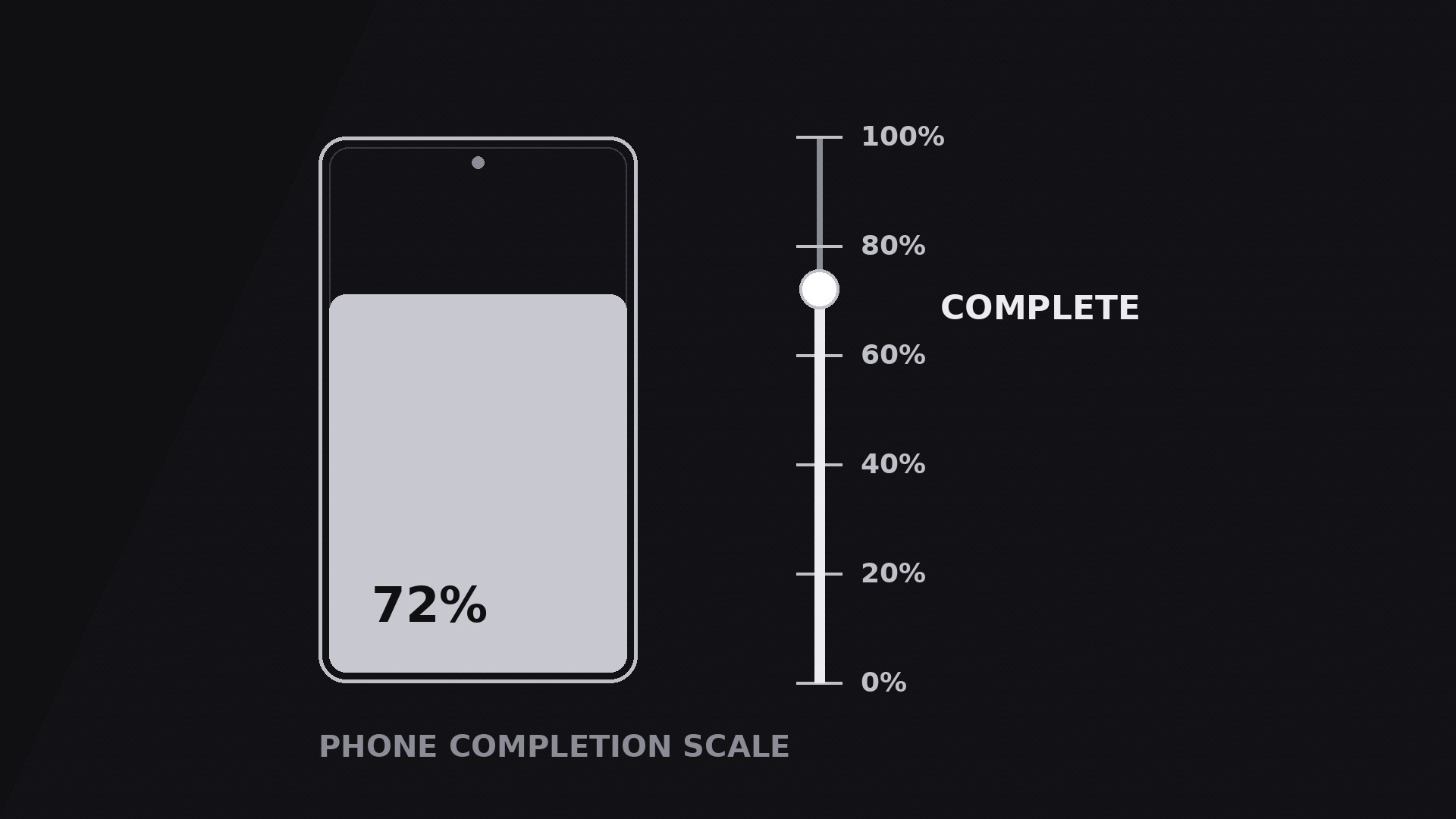
Trasforma la tua AI in un regista di motion graphics per il pattern «scala di completamento sul telefono» — uno schermo di telefono abbinato a una scala crescente che rende visibile il progresso, dallo 0% al completato, così chi guarda sente il traguardo avvicinarsi invece di sentirselo solo raccontare.
Installala in 3 passaggi
Nessuna registrazione. Nessuno strumento da riga di comando. Scegli la tua AI, copia una riga e incollala.
Preferisci fare da te? Acquista la skill ($4.99), scarica lo ZIP dalla conferma d'acquisto, decomprimilo nella cartella mostrata sopra e riavvia la sessione della tua AI — stesso risultato. L'hai già acquistata? Il tuo assistente AI può scaricarla per te.
Cosa contiene
Un file SKILL.md (la guida operativa) + un modello di partenza. Un'anteprima:
Phone Completion Scale
When to use
- A tutorial or onboarding video where the viewer needs to sense how far along they are — "step 3 of 5" as a visible scale, not a spoken aside
- A product demo showing a task completing on a phone: a download, an install, a form, a render, a backup
- A fitness, learning, or habit video tracking progress toward a goal — streaks, lessons finished, miles logged
- A launch or countdown video where anticipation is the point: the scale climbs while the voiceover builds to the reveal
- A before/after video where the scale is the proof — the same phone, the same task, the number moving from low to high
Workflow
- Lock the one number (input: your topic → output: a single progress metric)
Pick exactly one number the scale measures: percent complete, steps finished, lessons done, files uploaded. Give it a start value, an end value, and a unit the viewer already understands. "72% synced" works; "synergy index 72" does not. The number must be able to move in one direction only — up — for the whole shot. If your story needs the number to go down, this is the wrong pattern; use a comparison instead. Write the start and end values down before building anything, because every keyframe downstream is derived from them. - Pair the phone with the scale (input: metric → output: a two-element layout)
Place the phone on one side of frame and the scale on the other — phone left, scale right reads best for left-to-right audiences. The phone shows the thing progressing (the app screen, the checklist, the upload list); the scale shows the number. Keep them visually linked: the scale's fill colour matches the phone screen's accent, and the scale sits at the same vertical centre as the phone. Never let the scale drift into a corner where it reads as a decorative border. The two elements are one instrument — a viewer glancing at either one should get the same message. - Choreograph the climb (input: layout → output: timed motion plan)
Standard timing: the phone fades or slides in over 0.4 s, the scale track draws in over 0.3 s, then the fill climbs. The climb is the hero move: 1.5–2.5 s of continuous rise with an ease-out curve (fast start, gentle landing), so the end feels earned rather than snapped. Add tick marks at 25/50/75% that light up as the fill passes them, each with a tiny 0.1 s pop. The number counts up in sync with the fill — never let the number and the fill disagree, even by a frame, or the viewer senses the fake. If the climb covers a real process (a file uploading), match the climb duration to the real duration; if it is illustrative, keep it under 2.5 s. - Stage the milestones (input: motion plan → output: milestone beats)
If the task has natural checkpoints, mark them on the scale and pause the climb briefly at each — a 0.25 s hesitation at 50% while a label like "Halfway" fades in, then the climb resumes. One label per milestone, at most 2 words, placed beside the tick, never on top of the fill. Milestones turn a smooth climb into a story with chapters; without them, a long climb feels like a loading bar. Cap milestones at three — more than that and the scale becomes a checklist wearing a costume. - Land the finish and exit (input: finished climb → output: hold-and-exit plan)
When the fill reaches the end value, give the finish a moment: a 0.3 s overshoot to 102% settling back to 100% (or the end value), a soft glow or ring pulse on the final tick, and the number locking in place with a 0.2 s scale pop to 105% and back. Hold the completed state for 1.5–2.5 s so the viewer can register "done" — this hold is the payoff, do not cut it short. Exit by either fading the whole instrument out as the voiceover moves on, or zooming into the phone as the next shot begins. Never exit mid-climb unless the point is interruption (a failed upload, a cancelled task) and the video says so. - Render and check honesty (input: motion plan → output: final clip)
Render a draft and watch it on a phone: the number must be legible at small size, the fill must be visible against the track, and the tick labels must not overlap the phone. Check the number-fill sync frame by frame at the milestones. If the scale represents a real measurement, verify the end value against the real data — a completion scale that claims 100% when the task is at 80% is a lie the viewer will catch the moment they try it themselves.
Anteprima del modello
Phone Completion Scale — Starter Template
One phone, one scale, one number climbing. Fill in the metric first — every keyframe follows it.
The metric
What the scale measures: {percent complete / steps finished / lessons done / files uploaded}
Start value: {0%} → End value: {100%}
Unit (as shown on screen): {% / steps / lessons}
Voiceover line: "We're {start} — watch it climb to {end}."
Layout
Milestones (max 3)
Motion plan
Honesty check
[ ] End value matches the real measurement (or "sped up" is labelled) [ ] Number and fill agree at every frame, including milestones [ ] Number legible on a phone screen at 50% zoom
Il pacchetto della skill (SKILL.md + modello) è scritto in inglese.


