Parts to Whole Equation
Le parti volano dentro, si sommano e diventano il tutto
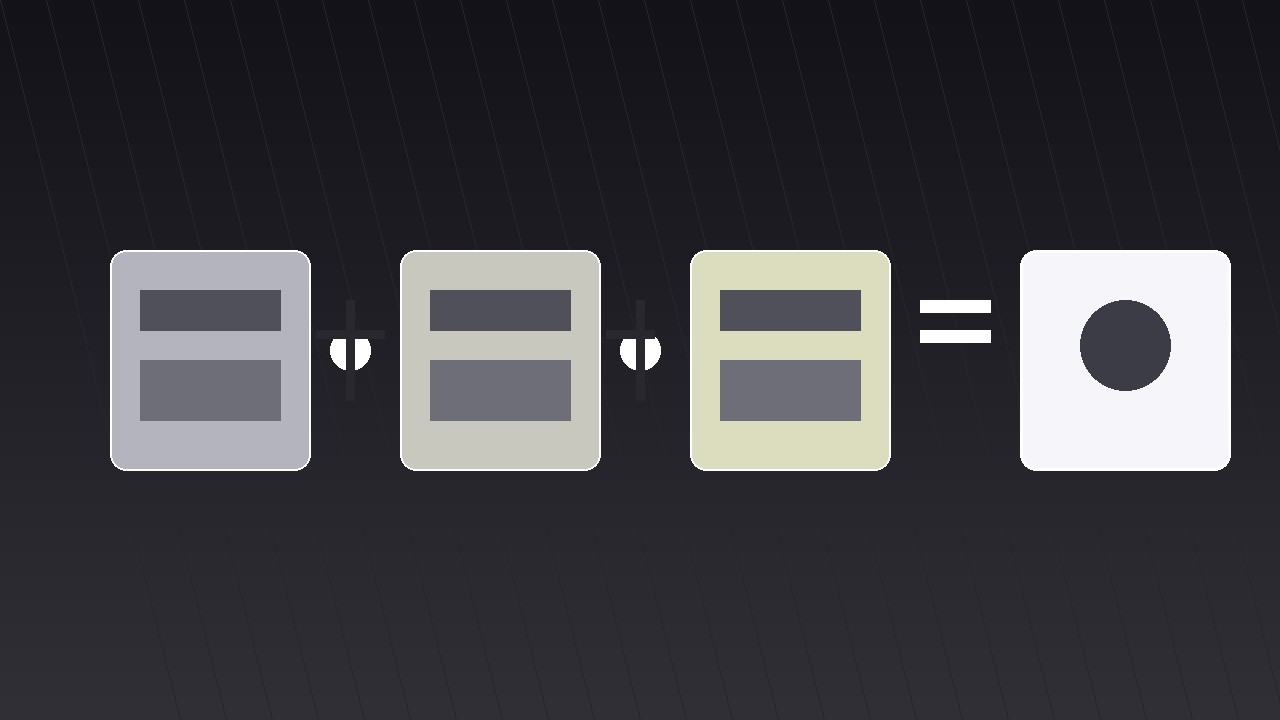
Trasforma la tua AI in un regista di motion graphics per il pattern «dalle parti al tutto con equazione» — fa volare le parti separate nel fotogramma e le assembla in un tutto con un'equazione visibile, così chi guarda vede sia gli ingredienti sia la somma.
Installala in 3 passaggi
Nessuna registrazione. Nessuno strumento da riga di comando. Scegli la tua AI, copia una riga e incollala.
Preferisci fare da te? Acquista la skill ($4.99), scarica lo ZIP dalla conferma d'acquisto, decomprimilo nella cartella mostrata sopra e riavvia la sessione della tua AI — stesso risultato. L'hai già acquistata? Il tuo assistente AI può scaricarla per te.
Cosa contiene
Un file SKILL.md (la guida operativa) + un modello di partenza. Un'anteprima:
Parts to Whole Equation
When to use
- Your video explains something made of parts — a price breakdown, a recipe, a team, a tech stack, a budget — and the audience needs to see both the ingredients and the total
- A pricing or quote explainer: "Here's what your £1,999 buys" as an equation, not a bullet list
- A "how it works" beat where components combine into a working system
- A strategy video: three moves that add up to one outcome
- A recap that reassembles everything the video covered into a single memorable formula
Workflow
- Write the equation (input: your whole → output: one equation line)
Write the whole as an equation before touching any visuals: "A + B + C = Whole." Each part gets a 1–3-word label and, where possible, a number: "Design (40%) + Build (35%) + Support (25%) = Launch." The parts must be mutually exclusive and collectively exhaustive — no overlap between parts, nothing in the whole left outside them. If two parts overlap ("Design" and "UX"), merge them; if the parts do not add up to the whole, the equation is dishonest and viewers will feel it even if they cannot name it. The equation line itself becomes the shot's spine: it appears at the start as empty slots and fills in as parts arrive. - Give each part a visual (input: equation → output: part visuals)
Assign each part one distinct visual: an icon, a small card, a photo, or a number block. The visuals must differ from each other at a glance — different shapes, different icons, different colours — because the shot's whole point is that distinct things combine. Keep a consistent size across parts (equal cards or equal icons) so no part looks more important before the equation says so. Write a one-line gloss per part (≤8 words) that sits under its visual: what the part contributes, not what it is. "Design" contributes "the look and feel"; the gloss says so. - Stage the parts apart (input: part visuals → output: opening layout)
Open with the parts separated: spread across the frame with clear gaps, or stacked in a loose row below the empty equation line. The separation must read as "not yet combined" — generous spacing, no connecting lines, no shared container. Hold this opening for 1–1.5 s so the viewer registers the parts as individuals. Show the equation skeleton at the same time: "___ + ___ + ___ = ___" with the plus signs and equals sign already in place, so the viewer knows an assembly is coming and can anticipate the structure. - Choreograph the assembly (input: opening layout → output: timed motion plan)
Fly the parts into the equation slots one at a time, 0.5–0.7 s per part, staggered 0.15–0.25 s apart, ease-out-cubic with a small settle bounce on landing. Each part travels from its opening position to its slot in the equation line — the motion itself is the "adding." As each part lands, its label fills into the equation skeleton and the plus sign beside it lights up. Keep the flight paths clean: straight or gently arcing, never crossing each other, never passing behind the equation text. After the last part lands, the equals sign lights up and the whole assembles: the parts compress slightly toward center (95% spacing) and the whole's label or total appears on the right of the equals sign with a 0.4 s scale-up (105% → 100%). - Reveal the whole (input: assembled equation → output: whole reveal)
The whole is not just the equation's right-hand side — it deserves its own moment. After the equation completes, either expand the whole into a hero visual (the finished product, the total number, the outcome) over 0.8 s while the equation shrinks to a caption beneath it, or hold the completed equation for 2–3 s with the whole's side glowing. Choose the expansion when the whole is a thing (a product, a photo, a result); choose the hold when the whole is a number or a formula worth memorising. Either way, the voiceover states the whole in one sentence at this exact moment: "Design plus build plus support — that's your launch." - Check the maths and the timing (input: finished shot → output: final clip)
Verify the equation's honesty on screen: parts labelled, numbers (if any) adding up, no part missing, no hidden "plus other stuff." Then check the timing: total clip 6–9 s, parts individually readable before assembly, the completed equation readable for at least 2 s, and the whole's reveal unmistakable. Watch on a phone: at equation size, part labels must still be legible — if they are not, drop to three parts or shorten the labels before shrinking the type. A four-part equation on a phone frame is the practical maximum; five parts belong on desktop-only videos or get split into two equations.
Anteprima del modello
Parts to Whole Equation — Starter Template
Parts that add up to a whole, assembled on screen. Write the equation first.
The equation
Equation: {Part A} + {Part B} + {Part C} = {Whole}
Honesty check: parts mutually exclusive? ☐ Collectively exhaustive (nothing left out)? ☐ Numbers (if any): {A = ___} + {B = ___} + {C = ___} = {total ___} — do they add up? ☐
The parts (2–4; max 5)
Overlap check: if any two parts overlap, merge them. ☐
Motion plan
Voiceover line at reveal: "{Part A} plus {Part B} plus {Part C} — that's {Whole}."
Flight-path check: paths do not cross ☐; no path passes behind the equation text ☐
Render check
Il pacchetto della skill (SKILL.md + modello) è scritto in inglese.


